SUPVAN Chapter 5 Operation of Function Key
33
5.11.1 Move the cursor to any position for sequence number printing in segment.
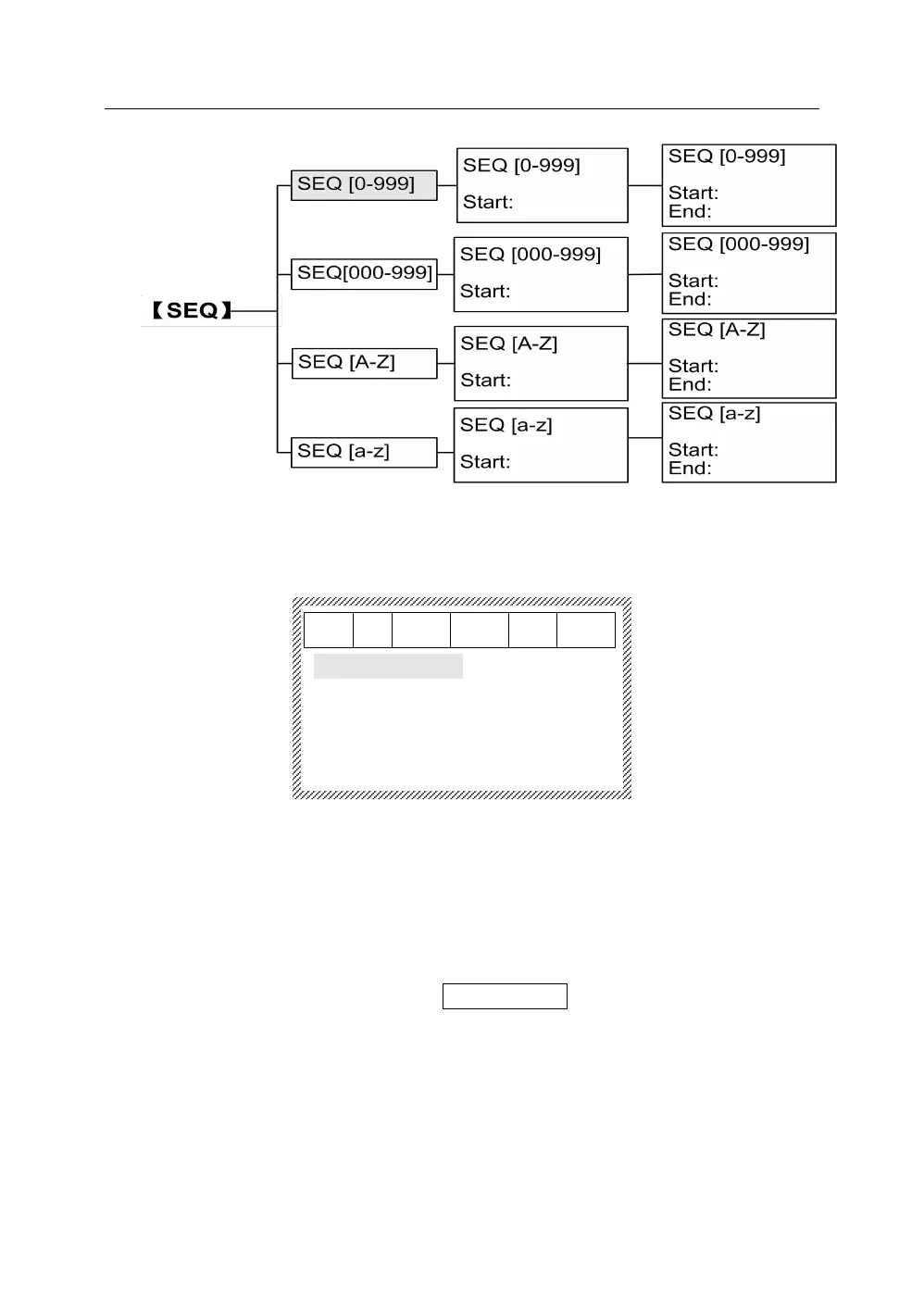
Press【SEQ】, it will display as below:
SEQ【 0-999】
SEQ【000-999】
SEQ【 A-Z 】
SEQ【 a-z 】
5.11.2 Insert SEQ.
5.11.2.1 Insert digital SEQ.
SEQ form: 0~999 means natural numbers such as 0, 1, 2,……999.
SEQ form: 000~999 means aligned numbers such as 001,
002,……999.
Press【↑】or【↓】to select the SEQ【0-999】.Press【Enter】 it will display
as below:



 To Next Page