396-4412Y1 QuickDraw 3000 Operator’s Manual 66 Revised 02/20/2020
Eject the USB from your computer and insert it into the QD3000 controller. Then go to the MENU
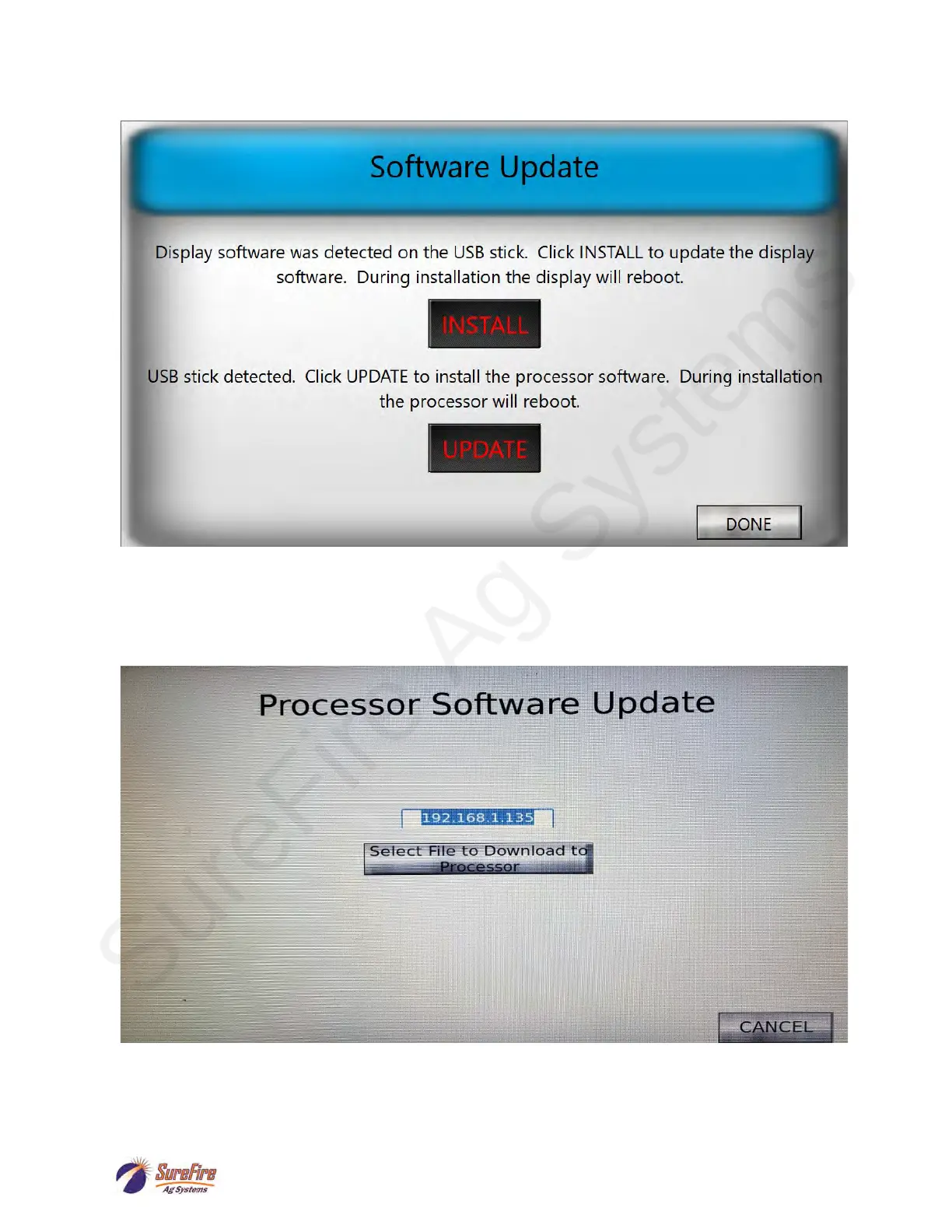
screen on the QD3000 controller. This will bring up the following screen:
Click on the INSTALL button to update the display software. This will take several seconds during
which time the display will turn off and then back on.
Once the display software has been updated, the QD3000 controller will return to the RUN screen.
Go back to the MENU screen and wait for the Software Update screen to be displayed.
Click on the UPDATE button. The following screen will then be displayed:
If the box that contains 192.168.1.135 above contains 0, enter 192.168.1.135. Otherwise/then click
“Select File to Download to Processor”. This will bring up the following screen:



 To Next Page