20220323 Swegon reserves the right to alter specications.
55
WISE User Manual
Enabling a schedule
If the BACnet setting “BACnet” is set to “O”, Schedule will
show an empty page with the text:
“BACnet is not enabled. Please enable BACnet in Settings”.
If any other setting on “BACnet” is set, the text: “No schedule
enabled. Please activate a schedule” will be shown.
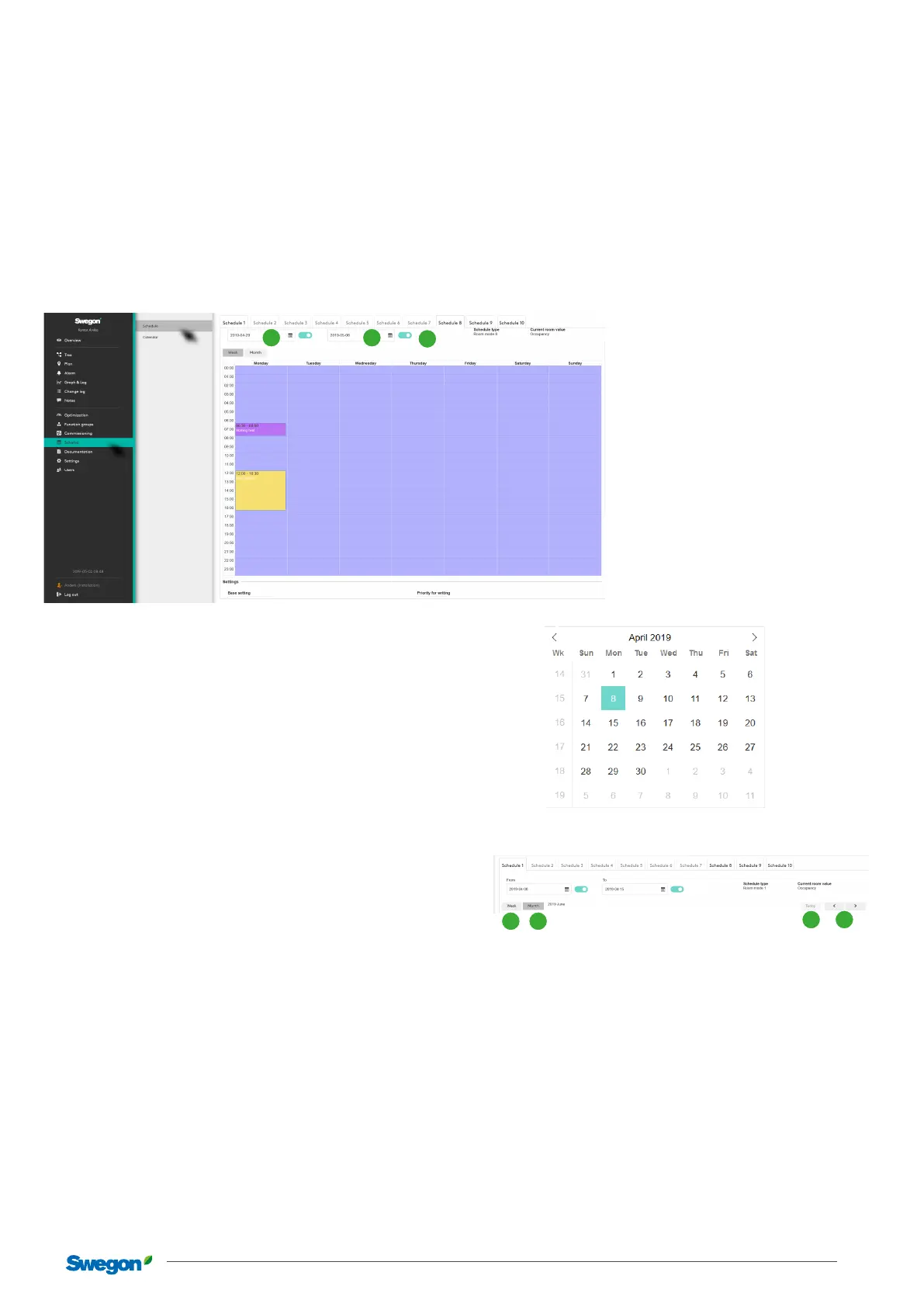
From and to dates
The schedule has a “From” and “To” date that describes
between which dates a schedule should be enabled. This can
either be a specic date or can be set to “Always”.
. From date. Here the user chooses from which date the
schedule should start to apply. The base setting is “Always”.
This is chosen either by “enabling or disabling” a specic
start date.
Enabling a date and clicking on the date brings up a dia-
logue where it is possible to select a specic date.
. To date. Works in the same way as the From date, but
shows instead the date the schedule should apply to.
. Schedule type. Shows the selected type for the schedule.
Week/month
. Week. This view is the default view when you open a Sched-
ule. Events can only be created under this view.
. Month. This view is a view where the month is shown
instead of weeks. In this view it is not possible to create
events, the view is only used to provide the user with an
overview of events.
. Today. A shortcut that takes the user to the current date if
you have scrolled forwards or backwards along the time line
with the help of the arrows (Item ).
. Forwards & backwards. The arrows can be used to scroll
forwards or backwards along the time line.
1 2
3
21
3 4



 To Next Page