41
Recording
Playing discs Editing
Before you start
Connections Getting started
Changing the Setting menu
VCR functions Others Español
Disc Playback
Basic playback
Note
•For DVD-R (Video mode)
and DVD-RW (Video mode)
discs which are already final-
ized, a title list will be dis-
played instead of thumbnails.
•You can resume playback
from the point you stopped
playback. (Resume playback)
Refer to page 44 for details
about resume playback.
• Some discs may start playback
automatically.
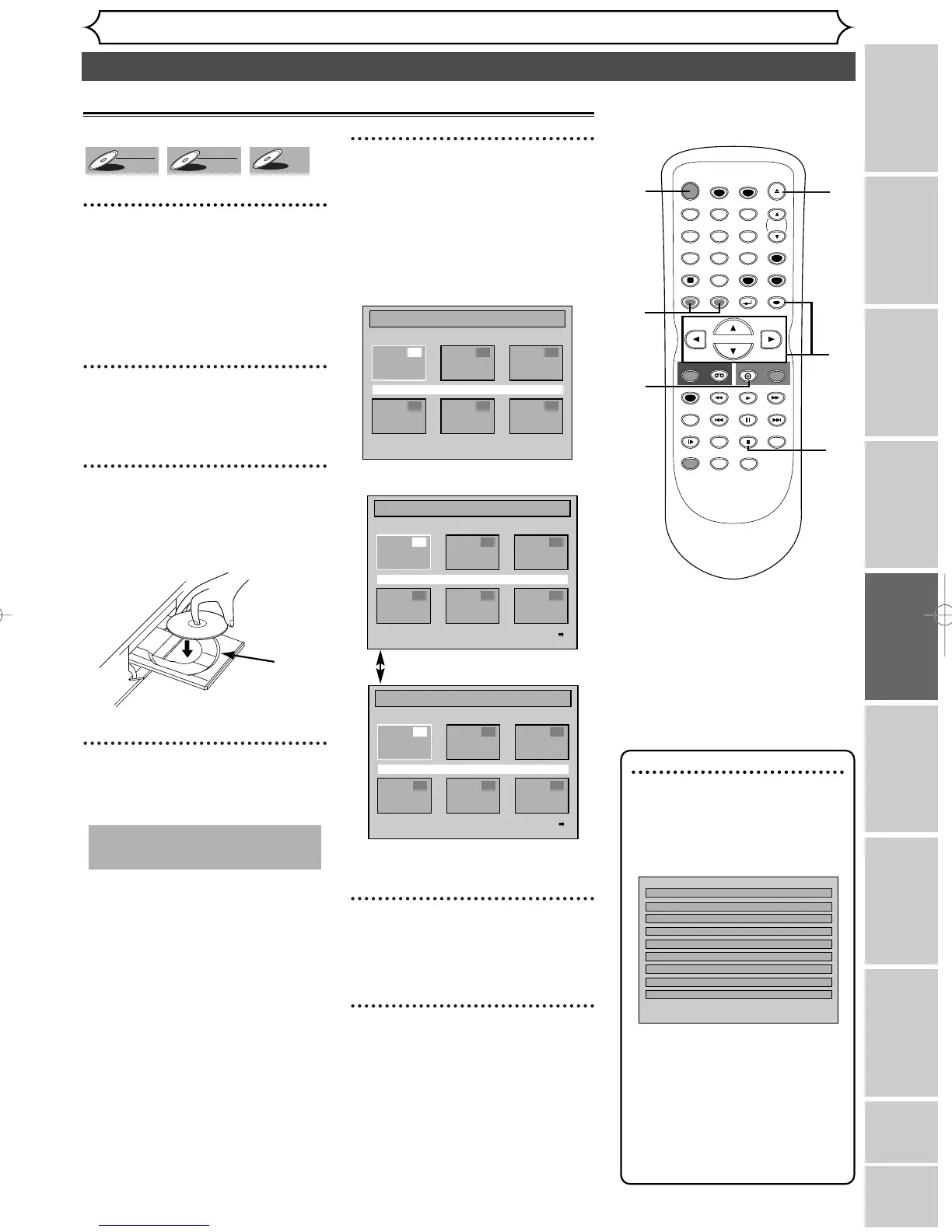
1
Hit [POWER]. Hit [DVD].
When you are playing back a DVD,
turn on the TV and be sure to select
the input to which the unit is con-
nected.
2
Hit [OPEN/CLOSE A].
The disc tray will open.
3
Insert your disc with its label
facing up.Align the disc to
the disc tray guide.
4
Hit [OPEN/CLOSE A]to
close the disc tray.
5
Hit [TOP MENU] to display
the title menu.
You can change “Original” or
“Playlist” of VR mode using
[MENU/LIST].
Video mode:
VR mode:
[MENU/LIST]
• To exit the title menu, hit
[TOP MENU] again.
6
Using [K / L / { / B], select a
desired title. Hit [ENTER].
Playback will start.
7
Hit [STOP C] to stop play-
back.
To eject the disc, hit
[OPEN/CLOSE A] to open the
disc tray, then remove the disc
before turning off the unit.



 To Next Page