47
Disc Playback
Recording
Playing discs Editing
Before you start
Connections Getting started
Changing the Setting menu
VCR functions Others Español
Search
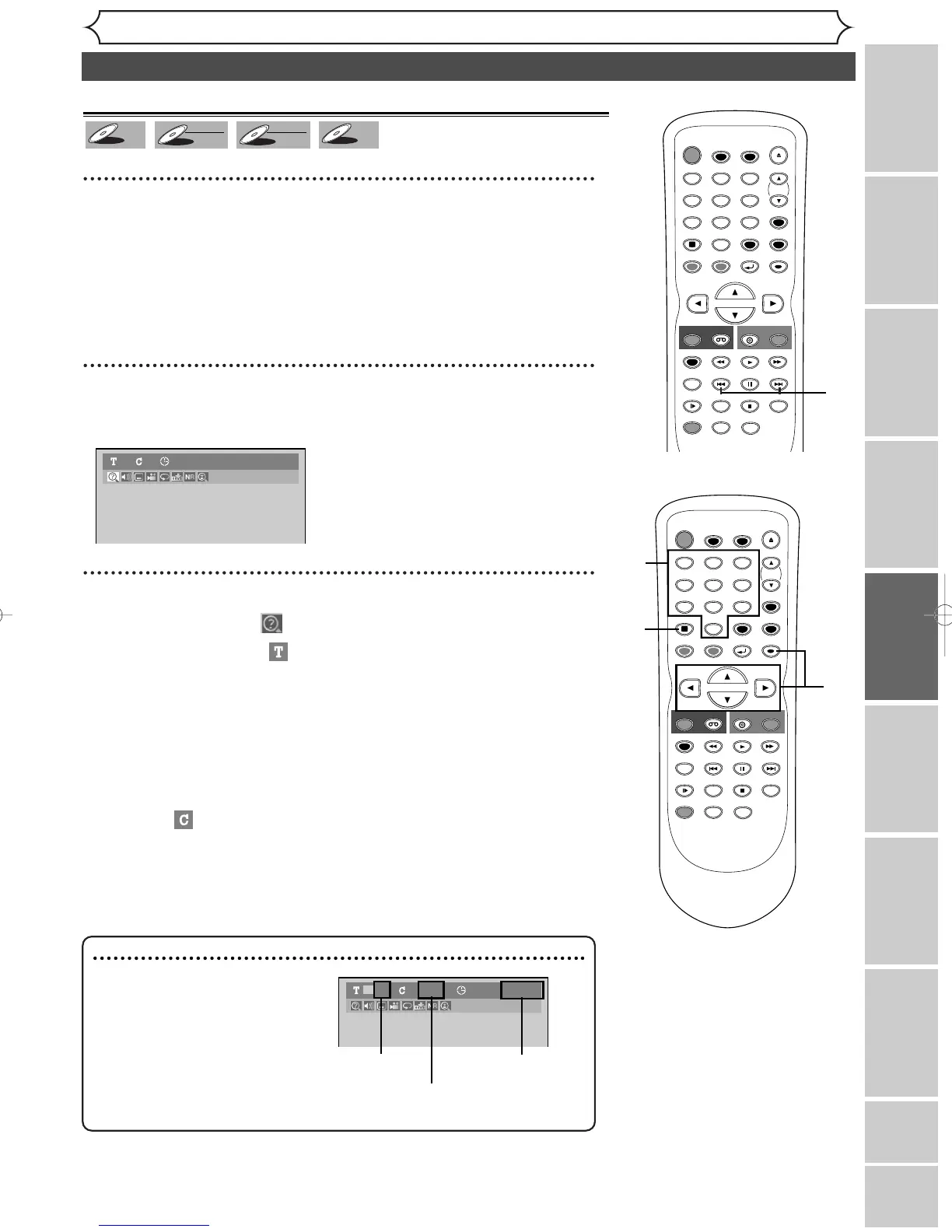
Title/Chapter search
Using [SKIP H / G
]
1
During playback, hit [SKIP G] to skip the current title or
chapter and move to the next.
To go back to the beginning of the current title or chapter, hit [SKIP
H].Hit it repeatedly to go to the previous titles or chapters.
Using [DISPLAY]
1
During playback, hit [DISPLAY].
The display menu will appear.
2
Using [{ / B], select icon. Hit [ENTER].
The title number next to will be highlighted.
Title:
Using [
K / L] or the Number buttons, enter a desired title
number to search. Hit [ENTER].
Title search will start.
Chapter:
To move to for chapter, hit [B].
Using [K / L] or the Number buttons, enter a desired chapter
number to search. Hit [ENTER].
Chapter search will start.
TIMER PROG.
2
2
1
Note
• In search mode display, total
numbers of each search contents
(title/chapter/time) are shown as
a denominator.



 To Next Page