43
Disc Playback
Recording
Playing discs Editing
Before you start
Connections Getting started
Changing the Setting menu
VCR functions Others Español
Basic playback (cont’d)
Note
• Menus vary among discs.
Refer to the information
accompanying the disc for
details.
Playing back discs using the disc menu
A DVD disc contains a disc menu
that describes the contents or
allows you to customize the play-
back. For example, the menu may
offer choices for subtitle languages,
special features, or chapter selection.
Some discs display them automatical-
ly when you start playback. For oth-
ers, they only appear when you hit
[MENU / LIST].
First:
1
Hit [MENU/LIST].
The disc menu will appear.
If the feature is not available,
may appear on the TV screen.
2
Using [K / L / { / B], select
an item. Hit [ENTER] to con-
firm.
Continue this step to set up all
the features you want or to start
playing back the disc from the
menu.
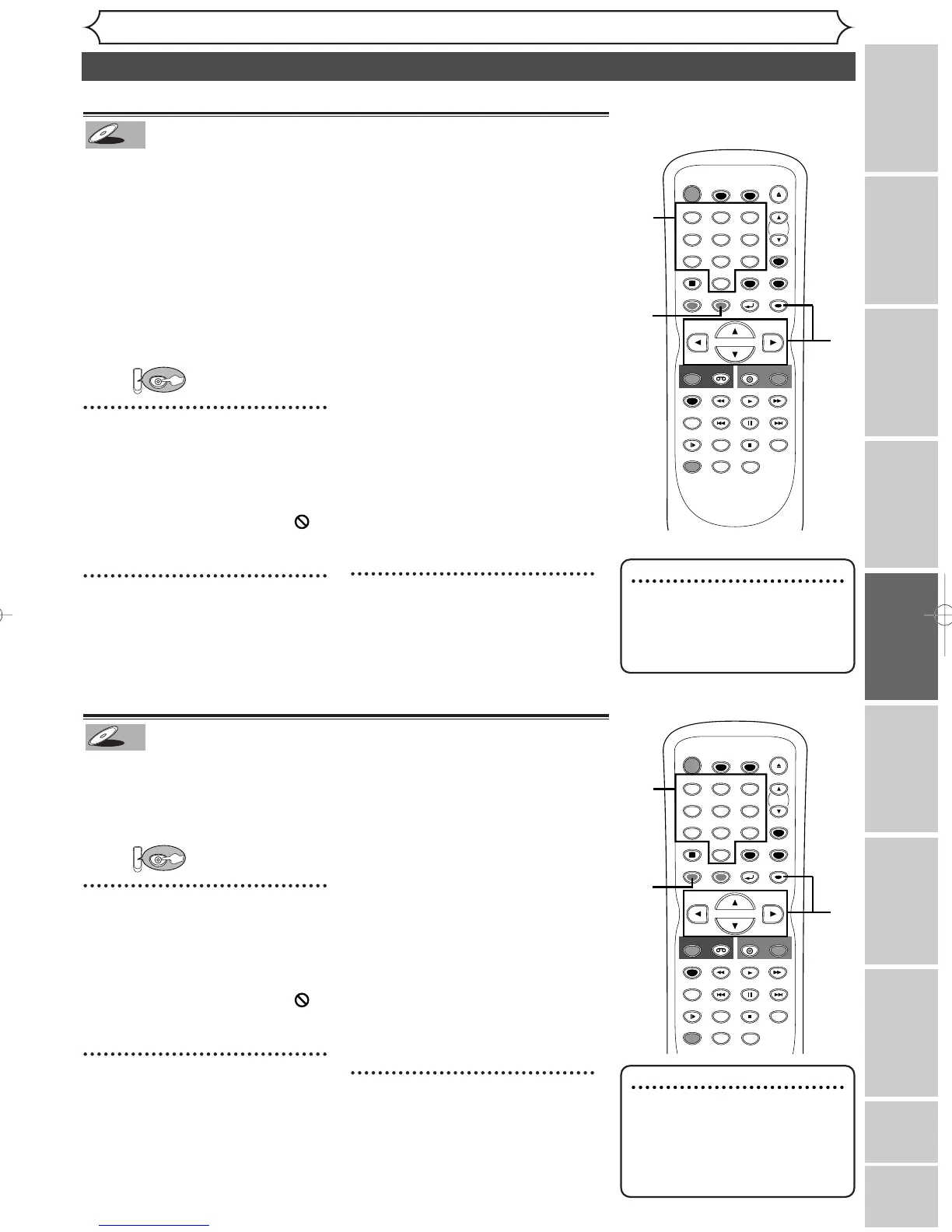
MENU/LIST button:
Displays a DVD disc menu. It may
be the same with the ‘Title menu.’
Cursor K / L / { / B buttons:
Moves the cursor on the screen.
ENTER button:
Selects the currently highlighted
menu option.
Number buttons:
Selects a numbered menu option
(some discs only). Hit [ENTER]
after.
3
Hit [MENU/LIST] to exit the
disc menu.
Note
• [TOP MENU] will not always
be active with all DVDs.
• Menus vary among discs. Refer
to the information accompany-
ing the disc for details.
Playing back discs using the title menu
Some DVDs have a title menu,
which lists the titles available on
them. It helps you to start play-
back at a specific title.
First:
1
Hit [TOP MENU].
The title menu will appear.
If the feature is not available,
may appear on the TV screen.
2
Using the [
K
/
L
/
{
/
B]
,
select a title to play. Hit
[ENTER].
Playback will begin at the title you
selected.
TOP MENU button:
Displays the ‘Title menu’ of a DVD
disc.
Cursor K / L / { / B buttons:
Moves the cursor on the screen.
ENTER button:
Selects the current highlighted
menu option.
Number buttons:
Selects a numbered menu option
(some discs only). Hit [ENTER]
after.
3
Hit [TOP MENU] to exit the
title menu.
TIMER PROG.



 To Next Page