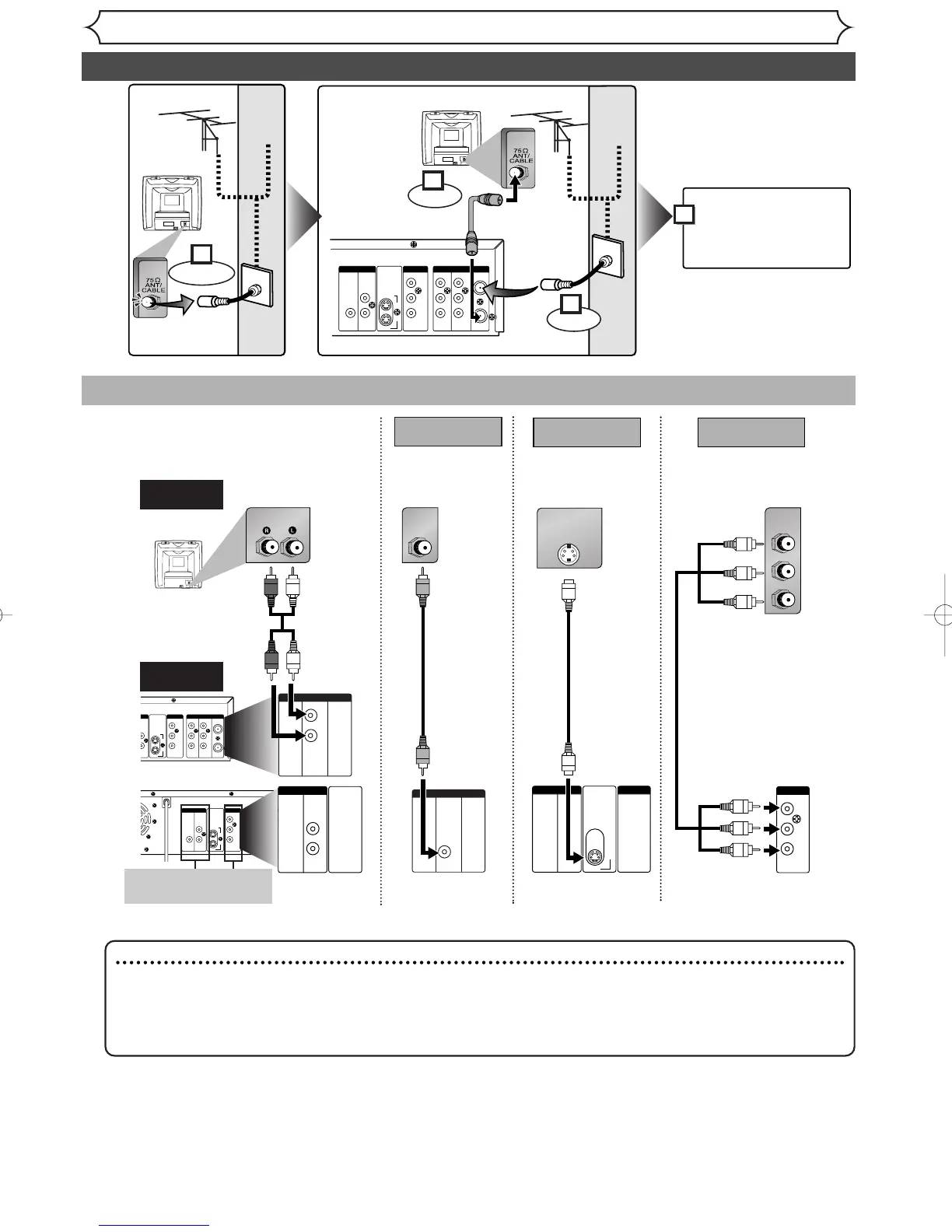
AUDIO OUT
TV
Basic Audio
Method 2 Method 3
Better picture Best picture
S-VIDEO OUT
COMPONENT VIDEO OUT
Audio cable
(supplied)
Component
video cables
(commercially
available)
This unit
Note
• Connect this unit directly to the TV. If the A/V cables are connected to a VCR, pictures may be distort-
ed due to the copy protection system.
• Method 2 and method 3 are only useful in DVD mode.
• Although you can view images when using the connection Method 1 and 2 while Progressive Scan is
activated, they are in Interlace mode.
Method 1
Good picture
VIDEO OUT
Video
cable
(supplied)
S-Video
cable
(commercially
available)
•
These jacks are useful
only in DVD mode.
14



 To Next Page