Before you start
12
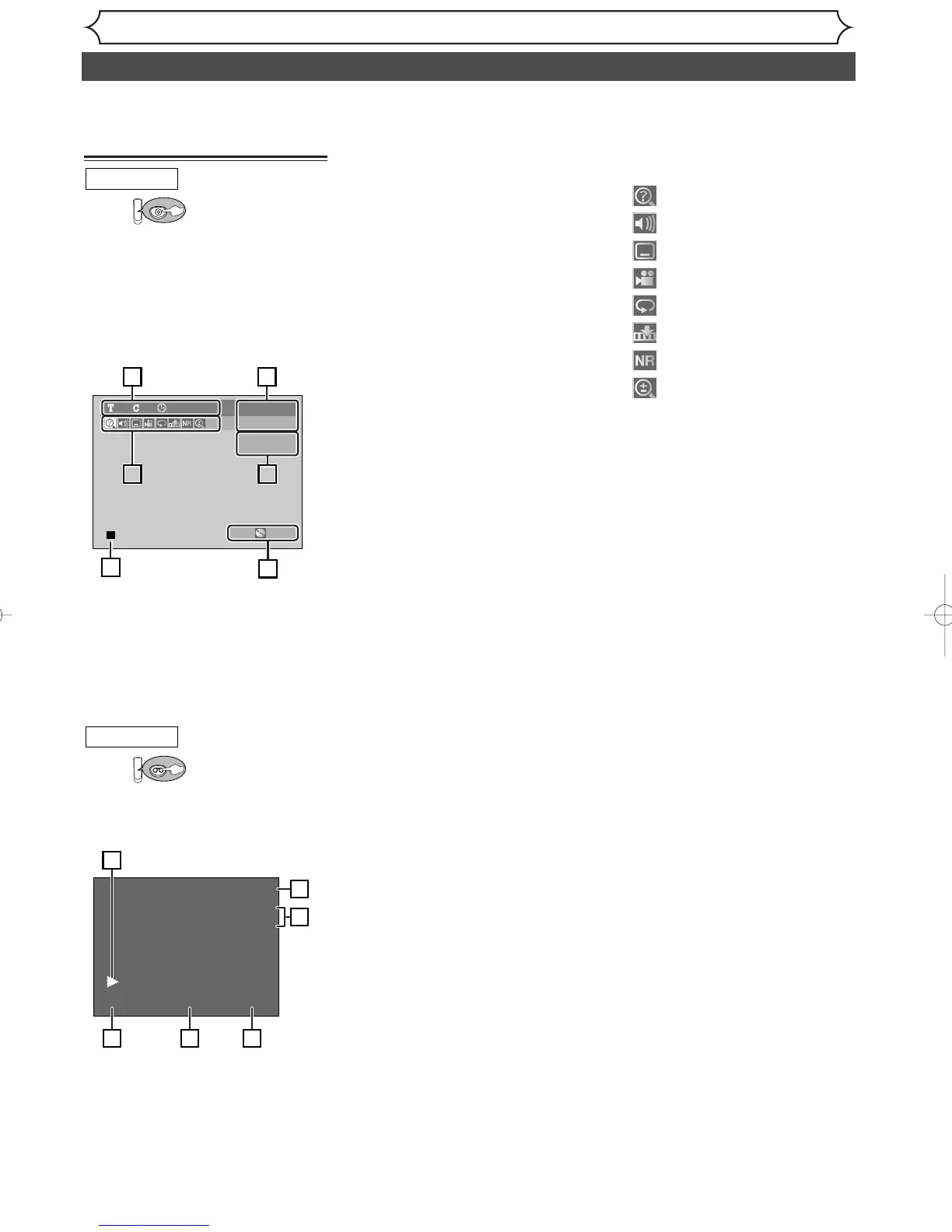
DISPLAY menu
First:
Hit [DISPLAY] to call up the
display menu.This menu will give
you the information on the disc.
Some operations are available
while disc is played back.
1. Indicates a disc type and a
format mode.
Note:
In some descriptions on
this manual, only one disc type
is indicated as an example.
2. Indicates a current channel
number and an audio status of
the program.
3. Indicates a recording mode
and possible recording time
left.
4. Indicates a title number, chap-
ter number and the time
elapsed of disc play.
5. Each icon means:
6. Indicates current disc status.
: Search
: Audio
: Subtitle
: Angle (except VR mode)
: Repeat
: Marker
: Noise Reduction
: Zoom
DVD-RW11 0:00:00
XP 1:01
CH8
STEREO
Video mode
14
5 252
3
6
3
DVD
DVD mode
First:
Hit [DISPLAY] to display the
onscreen display.
1. Indicates current video status.
2. Indicates the current time.
3. Indicates a current channel
number and an audio status of
the program.
4. Indicates a recording or play-
ing speed.
5. Indicates a Tape Counter.
6. Audio status of the current
videotape.
0:00:00 HIFISP
12:00AM
CH 21
STEREO
5 64
1
2
3
VCR
VCR mode
Functional overview (cont’d)
Note:
• This is an example screen only for explanation. Displayed items will change depending on the actual mode.
• DISPLAY function is not available when the disc is not inserted.
Note:
• This is an example screen only for explanation. Displayed items will change depending on the actual mode.
E9610UD_EN/SP.qx3 2005.03.15 15:28 Page 12



 To Next Page