11. AC. GENERATOR / START CLUTCH
11-3
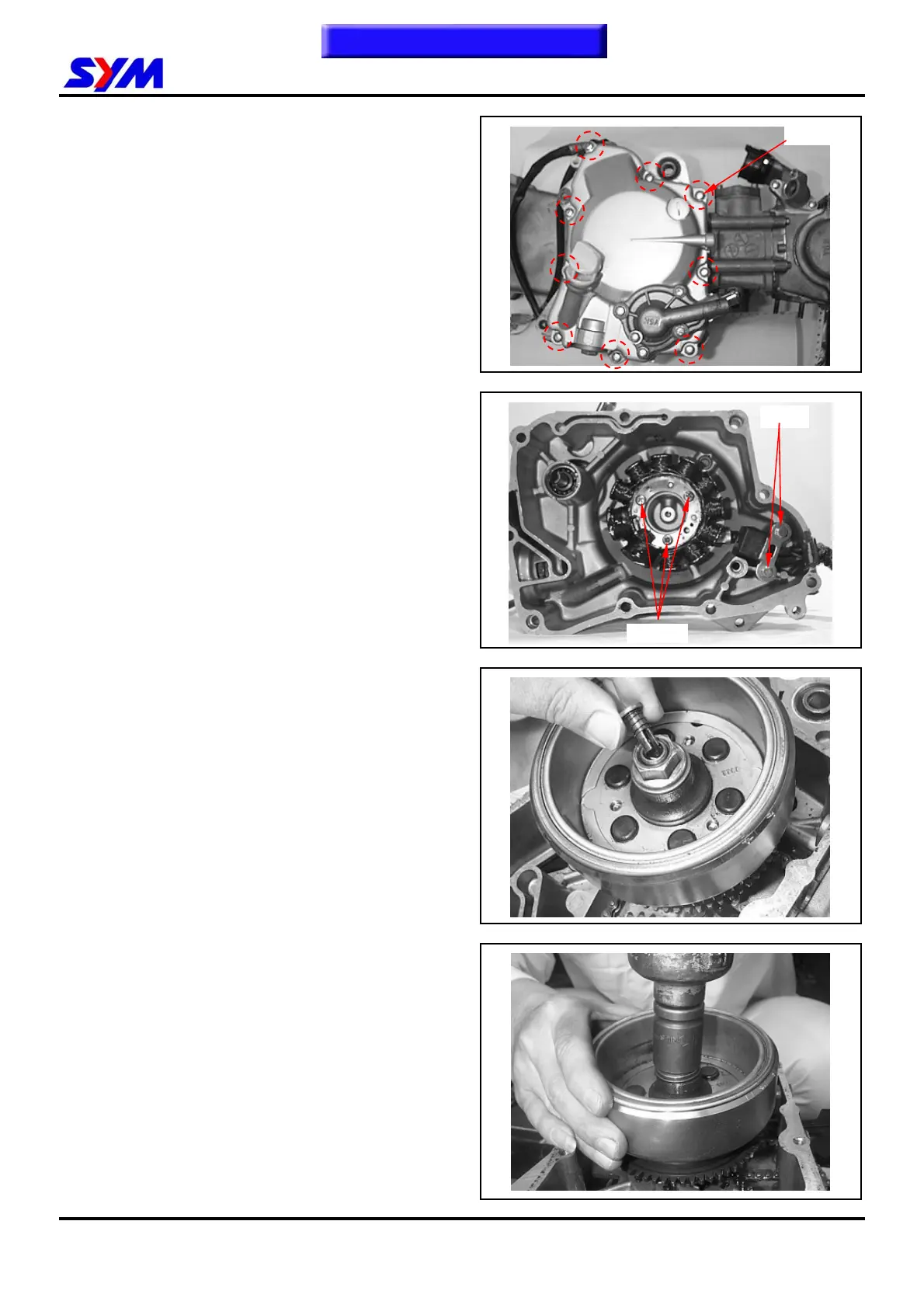
Right Crankcase Cover Removal
Remove 9 bolts from the right crankcase cover.
Remove the right crankcase cover.
Remove dowel pin and gasket.
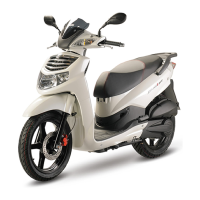
ACG. Set Removal
Remove 2 mounted bolts from pulse generator
and then remove it.
Remove 3 screws from right crankcase cover and
A.C.G. set.
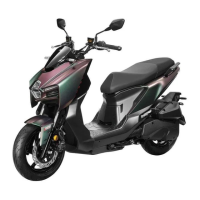
Flywheel Removal
Remove left crankcase cover.
Remove oil through from crankshaft.
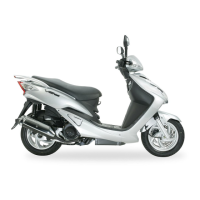
Hold the flywheel by drive face with universal
holder, and remove its nut.
Special tool:
Universal Holder
2 bolts
9 bolts
3 screws
To this chapter contents


 To Next Page