16. STEERING / FRONT WHEEL / FRONT CUSHION
16-3
Steering Handle
Removal
Remove the handle front cover, handle rear cover
and front cover. (Refer to chapter 13)
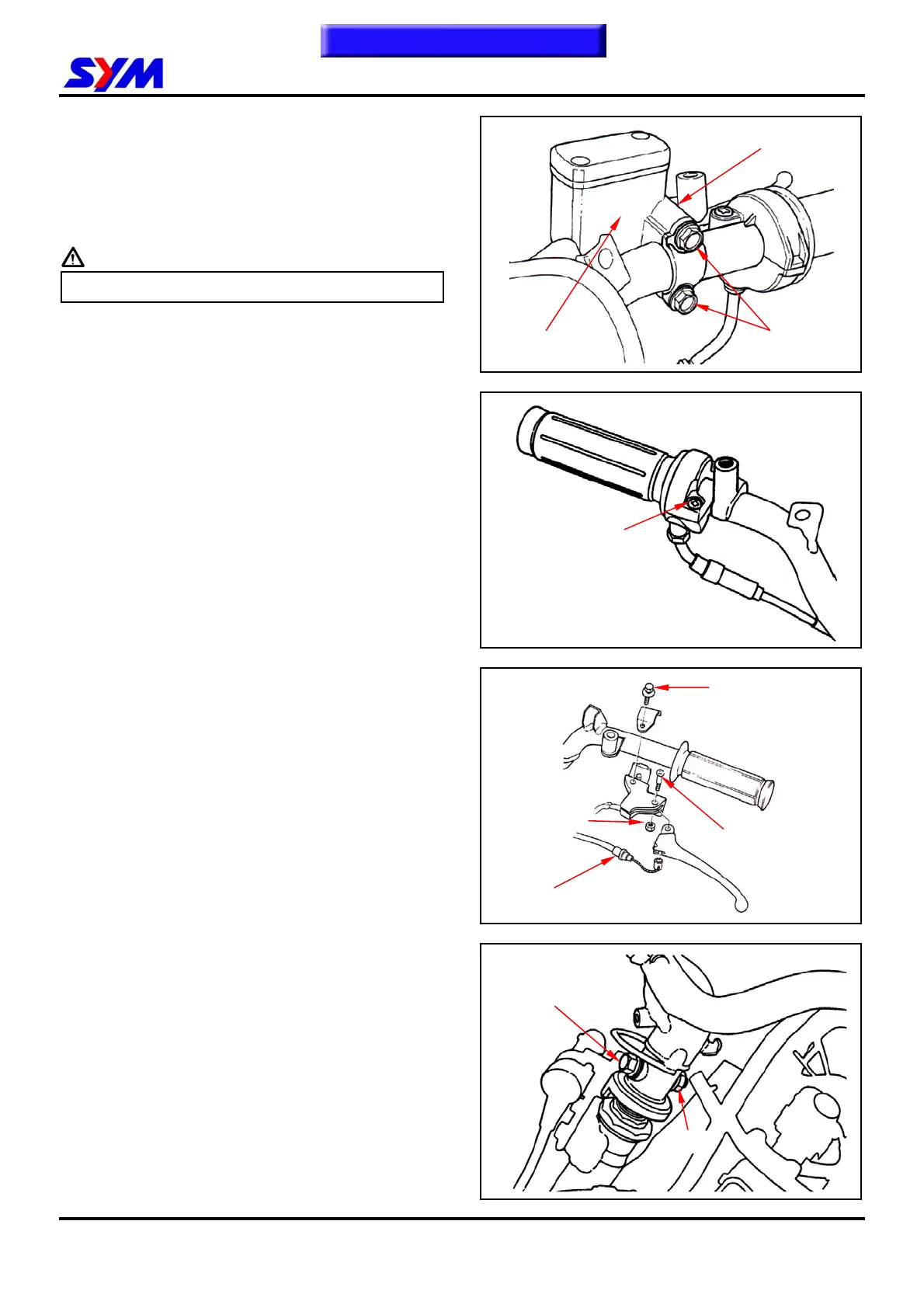
Loosen the lock bolts for the master cylinder of the
front brake.
Caution
Do not let foreign materials enter into the cylinder.
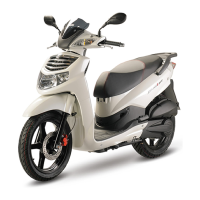
Remove throttle holder, cap, cable and grip after
mounting screw removed.
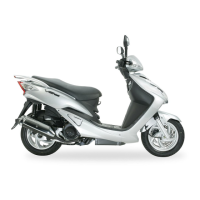
Remove rear brake lever mounting nut and bolt,
and then remove brake lever and cable.
Remove rear brake lever bracket after mounting
bolt removed.
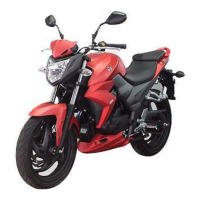
Loosen handle mounting nut.
Remove handle mounting bolt, and then remove
the handle.
Screw
Holder
Brake cable
Bracket holder bolt
Brake lever nut
2 bolts
Brake lever screw
Master cylinder
Bolt
Nut
To this chapter contents


 To Next Page