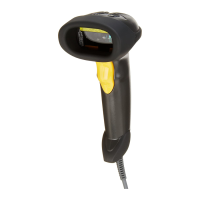
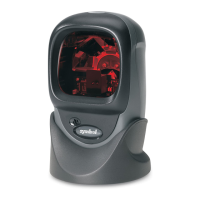
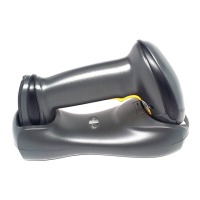
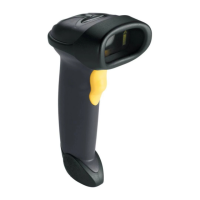
x DS3578 With FIPS Digital Scanner Product Reference Guide
Optional USB Parameters ............................................................................................ 9-17
Ignore Beep ............................................................................................................ 9-17
Ignore Bar Code Configuration .............................................................................. 9-17
USB ASCII Character Set ............................................................................................ 9-18
Chapter 10: IBM 468X/469X Interface
Introduction .................................................................................................................. 10-1
Connecting to an IBM 468X/469X Host ....................................................................... 10-2
IBM Default Parameters ............................................................................................... 10-3
IBM 468X/469X Host Parameters ................................................................................ 10-4
Port Address .......................................................................................................... 10-4
Convert Unknown to Code 39 ................................................................................ 10-4
Optional IBM Parameters ............................................................................................. 10-5
Ignore Beep ............................................................................................................ 10-5
Ignore Bar Code Configuration .............................................................................. 10-5
Chapter 11: 123Scan2
Introduction .................................................................................................................. 11-1
Communication with 123Scan2 ................................................................................... 11-1
123Scan2 Requirements ............................................................................................. 11-2
Scanner SDK, Other Software Tools, and Videos ....................................................... 11-2
Chapter 12: OCR Programming
Introduction .................................................................................................................. 12-1
OCR Parameter Defaults ............................................................................................. 12-2
OCR Programming Parameters ................................................................................... 12-3
Enable/Disable OCR-A .......................................................................................... 12-3
OCR-A Variant ....................................................................................................... 12-3
Enable/Disable OCR-B .......................................................................................... 12-5
OCR-B Variant ....................................................................................................... 12-6
Enable/Disable MICR E13B ................................................................................... 12-9
Enable/Disable US Currency Serial Number ......................................................... 12-9
OCR Lines .............................................................................................................. 12-11
OCR Minimum Characters ..................................................................................... 12-11
OCR Maximum Characters .................................................................................... 12-12
OCR Security Level ................................................................................................ 12-12
OCR Subset ........................................................................................................... 12-13
OCR Quiet Zone .................................................................................................... 12-13
OCR Bright Illumination .......................................................................................... 12-14
OCR Template ....................................................................................................... 12-15
OCR Check Digit Modulus ..................................................................................... 12-24
OCR Check Digit Multiplier .................................................................................... 12-25
OCR Check Digit Validation ................................................................................... 12-26


 To Next Page