12 - 10 DS3578 With FIPS Digital Scanner Product Reference Guide
OCR Orientation
Parameter # F1h AFh
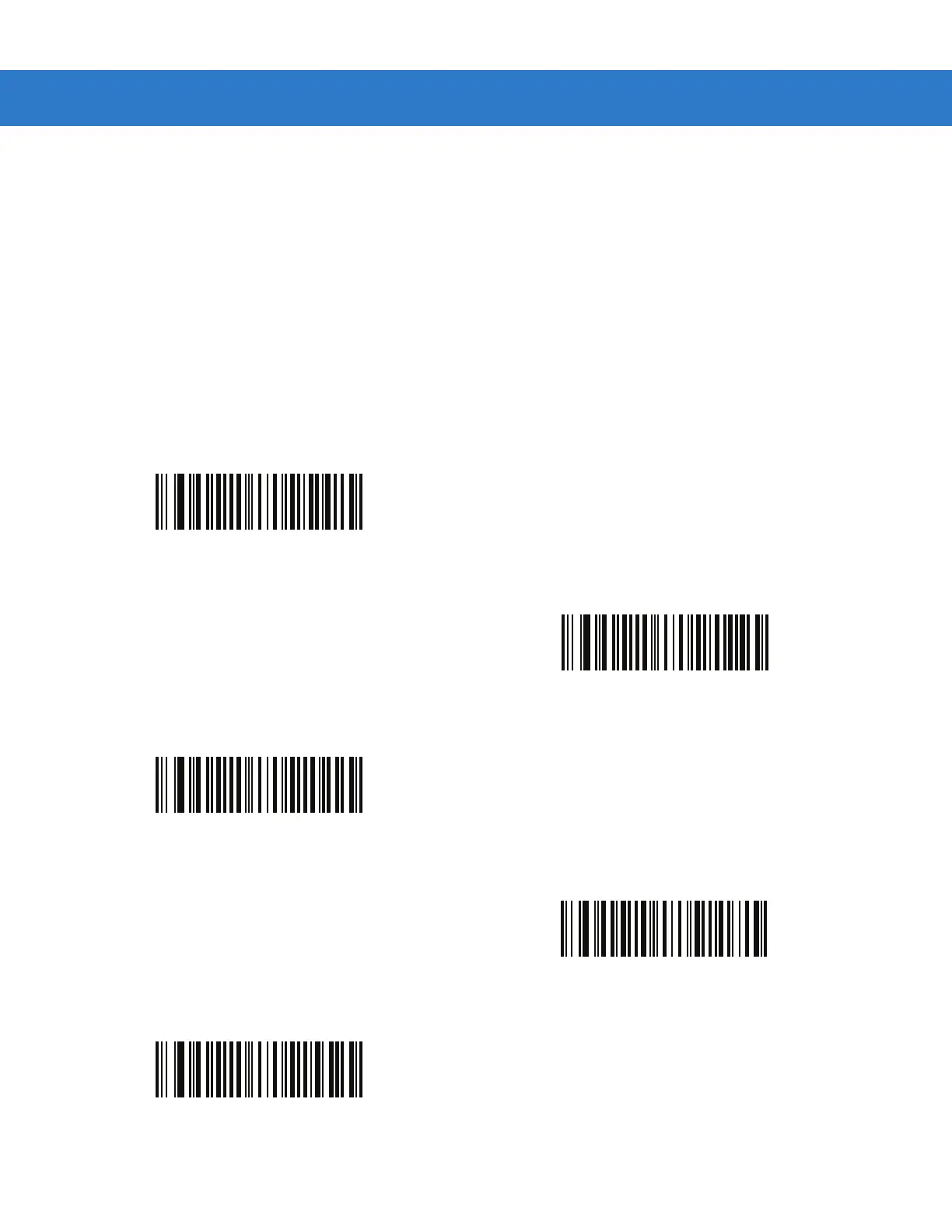
Select one of five options to specify the orientation of an OCR string to be read:
•
0
o
to the imaging engine (default)
•
270
o
clockwise (or 90
o
counterclockwise) to the imaging engine
•
180
o
(upside down) to the imaging engine
•
90
o
clockwise to the imaging engine
•
Omnidirectional
Setting an incorrect orientation can cause misdecodes.
*OCR Orientation 0
o
(00h)
OCR Orientation 270
o
Clockwise
(01h)
OCR Orientation 180
o
Clockwise
(02h)
OCR Orientation 90
o
Clockwise
(03h)
OCR Orientation Omnidirectional
(04h)


 To Next Page