MC1000 User Guide2-4
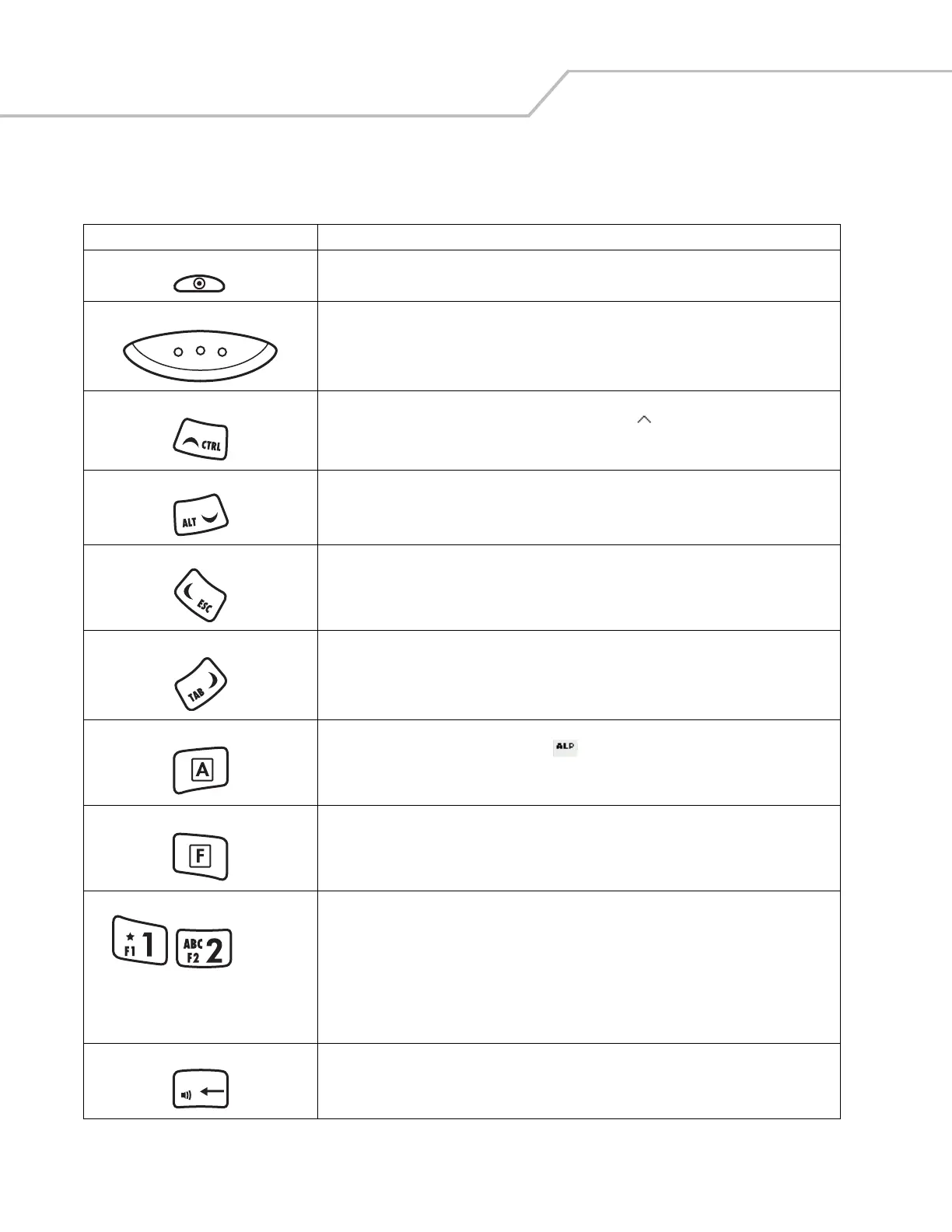
Table 2-1. Keypad Descriptions
Key Description
Power Button (red) Toggles the mobile computer in and out of suspend mode. Toggles the screen on and off.
Scan (yellow) Activates the laser scanner. Used in scanning applications.
CTRL Moves up from one item to another. Scrolls a window up.
Functions as a CTRL key when used with the blue F key. The icon appears on the taskbar. See
Table 2-3 on page 2-8 for more information.
ALT Moves down from one item to another. Scrolls a window down.
Functions as an ALT key when used with the blue F key. The icon appears on the taskbar. See
Table 2-3 on page 2-8 for more information.
ESC Moves left from one item to another. Scrolls a window left.
Functions as an ESC key when used with the blue F key.
TAB Moves right from one item to another. Scrolls a window right.
Functions as a TAB key when used with the blue F key.
A (orange) Locks the keypad in the alpha mode. Press the orange A key to access the alternate alphabetic
characters (shown on the keys in orange). The icon appears on the taskbar. See
Table 2-3 on page
2-8 for more information. Press and release the A key again to return to the numeric keypad functions.
F (blue) Press and release the blue F key to activate the keypad alternate functions (shown on the key in blue).
Numeric/Alpha/Function Numeric mode by default, alpha when the orange A key is selected, or a function when the blue F key
is selected.
In alpha mode, produces the lower case alphabetic characters listed on the key. Each key press
produces the next alphabetic character in sequence. For example, press the orange A key and then
press the 4 key once to produce the letter ‘g’; quickly press the 4 key three times to produce the letter ‘i’.
Press the SHIFT key in alpha mode to produce the upper case alphabetic characters on the key. For
example, press the orange A key, press the SHIFT key and then press the 4 key once to produce the
letter ‘G’; press the SHIFT key and then quickly press the 4 key three times to produce the letter ‘I’.
DEL Backspace key by default and DEL key with the orange A key activated.
Increases or decreases the speaker volume when used with the blue F key. See Adjusting the Beeper
Volume on page 2-6 for more information.
ALT
. . .
DEL



 To Next Page