WLAN Configuration 7-3
Introduction
Wireless LANs allow the mobile computer to communicate wirelessly and to send captured data in real time to a host device. The
mobile computer WLAN settings are used to configure and monitor the wireless connection. Before a mobile computer can be used
on a WLAN, the facility must be set up to run the wireless WLAN, Remote Authentication Dial in Server (RADIUS) and the Certificate
Server. Refer to the documentation provided with the Access Points (APs) for instructions on setting up the required hardware.
The Wireless Zero Configuration (WZC) icon appears in the task bar and indicates the connection status. The WZC icon remains on
the task bar even if the application is exited. To re-activate (after the application was exited) double-tap the WZC connected icon to
re-open the application.
The WLAN radio is not connected icon may display even when associated with a network, if the associated network does
not have a valid IP address.
Wireless Zero Configuration
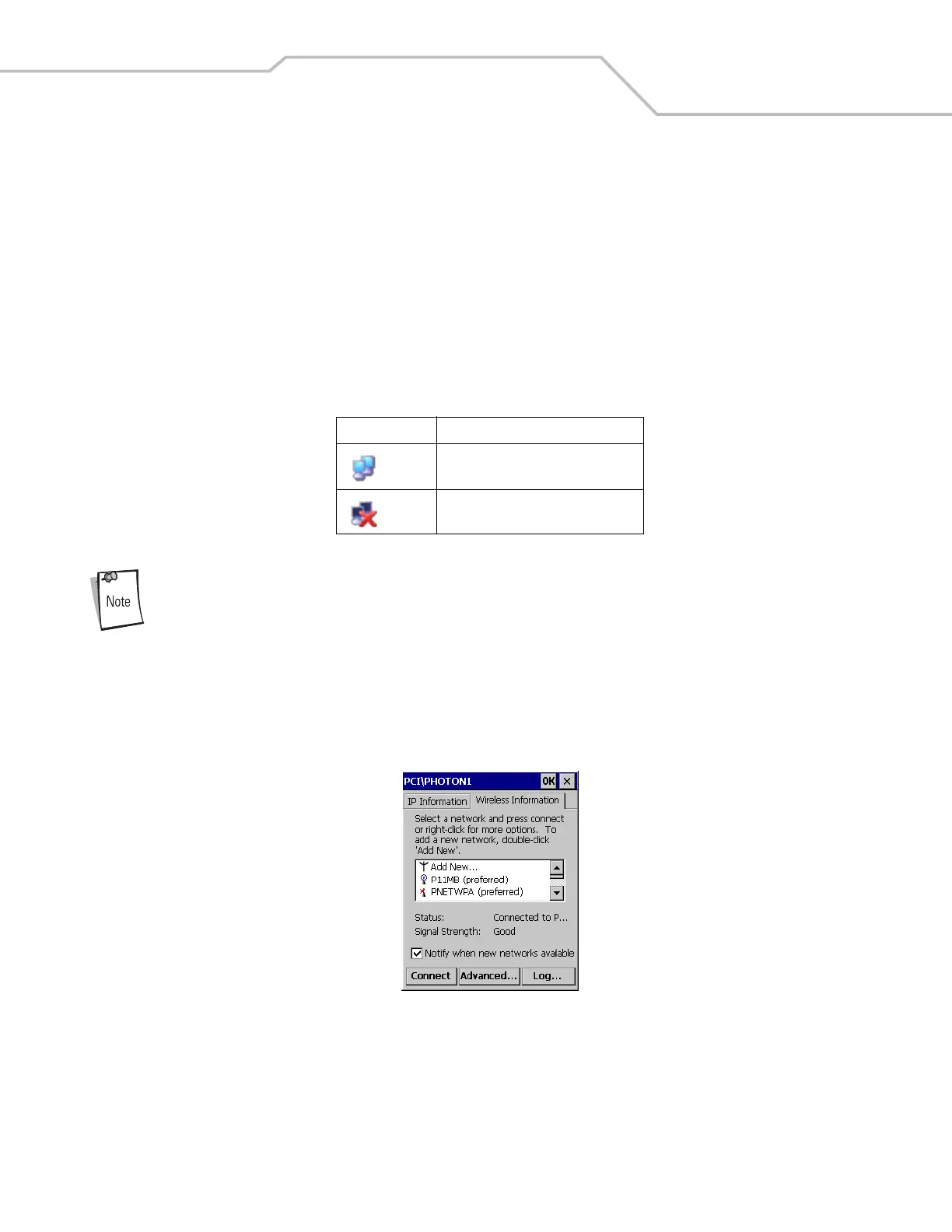
WZC starts automatically, the Wireless Information window appears and the WZC icon appears on the task bar. The Wireless
Information tab is the default display.
Figure 7-1. Wireless Information Tab
The Wireless Information window displays the available WLANs, the connection status and the signal strength.
The connection status and the WLAN availability are displayed using icons on the Wireless Information tab. The icons associated
with a WLAN indicate the type of WLAN, its availability and the connection status. For more information see, Table 7-2.
Table 7-1. WZC Taskbar Icon Descriptions
Icon Status
WLAN radio is connected.
WLAN radio is not connected.



 To Next Page