Accessories 2-29
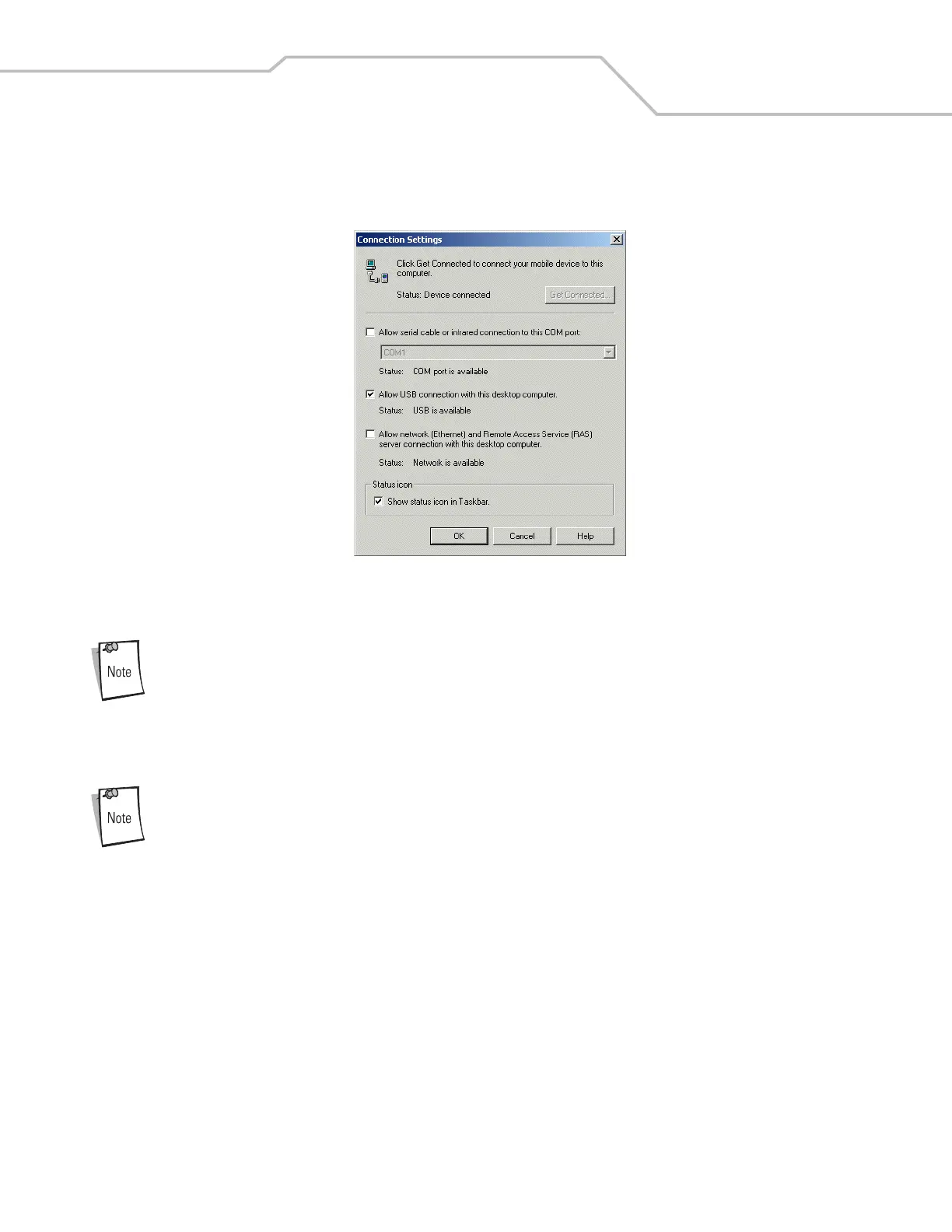
8. In the ActiveSync window, select File - Connection Settings, the Connection Settings window appears.
9. Confirm that the Allow USB check box is selected.
Figure 2-37. USB Connection Setting
10. Tap OK to save any changes made.
Every mobile computer should have a unique device name. Never try to synchronize more than one mobile
computer to the same name.
11. Connect the device to the host computer. See Figure 2-1 on page 2-4 to set up a Single Slot Serial/USB cradle, or see Figure
2-12 on page 2-14 for cable connections.
The cradle requires a dedicated port. It cannot share a USB port with any other device. Refer to the computer
user manual supplied to locate the USB(s).
12. Upon connection, synchronization occurs automatically.
Cradle/Cable Setup
To use ActiveSync with a cradle or a MC3000 Communication/Charge cable, see Serial Connection Setup on page 2-26 and USB
Connection Setup on page 2-28 for communication setup procedures.



 To Next Page