MC3000 Integrator Guide7-4
Connect to a WLAN
The available WLANs are automatically displayed on the Wireless Information tab. Connecting to an available network from the list
automatically creates a preferred profile. This preferred profile is a set of mobile computer configuration settings that can be used to
connect to a wireless network. Connecting to a network saves the network preferred profile and labels the network (preferred) on the
network listing.
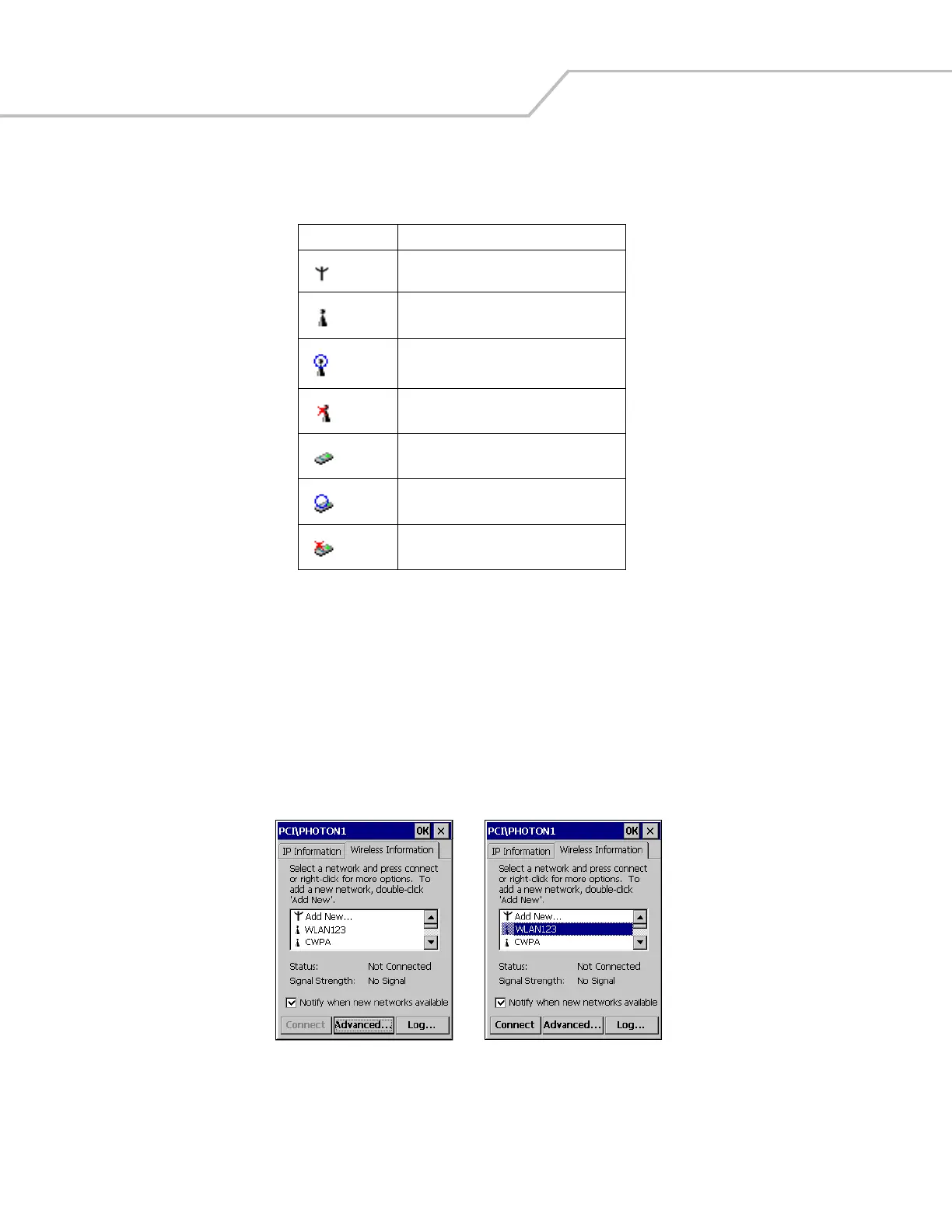
The Wireless Information tab displays the available WLAN networks.
1. From the Wireless Information tab window, tap an available (not preferred) WLAN network from the list. The selected WLAN
network is highlighted in blue, and the Connect button becomes selectable.
Figure 7-2. Wireless Information Tab
Table 7-2. Wireless Information Tab, Icon Descriptions
Icon Description
Add a new network.
Available network.
Connected to an available network.
Network is not available.
Available Ad Hoc network.
Connected to an available Ad Hoc network.
Ad Hoc network is not available.



 To Next Page