MC3000 Integrator Guide8-6
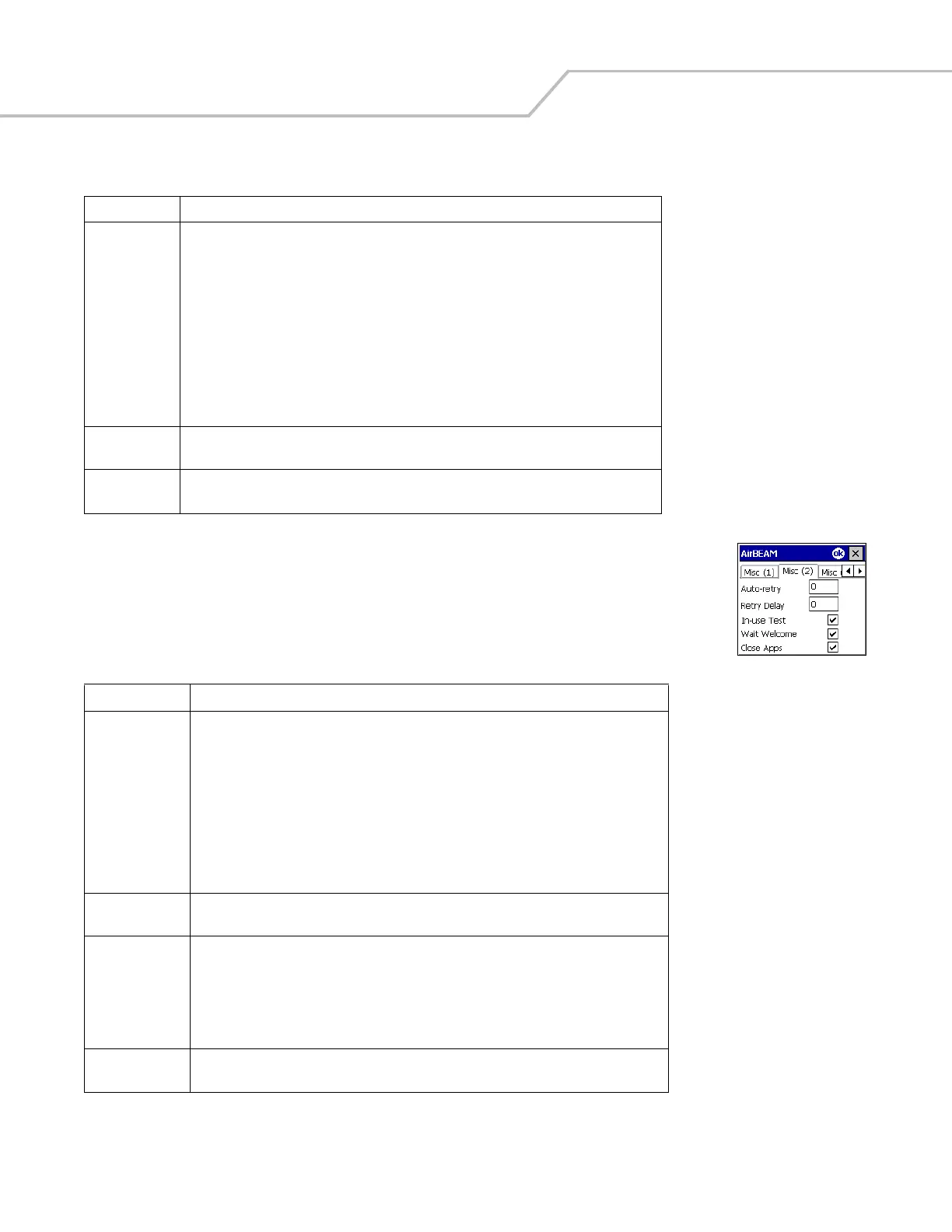
Misc(2) Tab
This tab is used to configure various miscellaneous features.
Suppress
Separator
This checkbox specifies whether the automatic insertion of a file path separator character
should be suppressed when the client generated server package definition file names.
When enabled, the parameter also disables the appending of .apd to the package. This feature
is useful for AS/400 systems, in which the file path separator character is a period. When this
feature is enabled, the server directory (Directory) and package name (Package 1, Package 2,
Package 3 and Package 4) are appended "as is” when building the name for the server package
definition file.
When this feature is disabled, a standard file path separator is used to separate the server
directory (Directory) and package name (Package 1, Package 2, Package 3 and Package 4) when
building the name for the server package definition file. In addition, an .apd extension is
appended automatically.
TFTP This checkbox specifies whether the TFTP protocol is to be used to download files. By default,
the AirBEAM Smart Client uses the FTP protocol.
WNMS This checkbox specifies whether the AirBEAM Smart Client uploads a WNMS information file
at the end of each version synchronization.
Table 8-5. Misc (2) Tab
Field Description
Auto-retry This field is used to specify whether the AirBEAM Smart Client automatically retries if there
is a failure during the synchronization process.
If this feature is enabled, the AirBEAM Smart Client displays a popup dialog indicating the
attempt of a retry. The popup dialog is displayed for the number of seconds specified in the
Retry Delay field.
The valid values for this field are:
-1: the AirBEAM Smart Client automatically retries indefinitely.
0: the AirBEAM Smart Client does not automatically retry.
-0: the AirBEAM Smart Client automatically retries up to the number of times specified.
Retry Delay This field specifies the amount of time, in seconds, that the AirBEAM Smart Client will delay
before automatically retrying after a synchronization failure.
In-use Test This checkbox specifies whether the AirBEAM Smart Client tests to determine if a file is in-
use before downloading. If the In-use Test feature is enabled, the AirBEAM Smart Client
downloads a temporary copy of any files that are in-use. If any temporary in-use files are
downloaded the AirBEAM Smart Client automatically resets the client to complete the copy of
the in-use files. If the In-use Test feature is disabled, the synchronization process fails (-813)
if any download files are in-use.
Wait Welcome This checkbox specifies whether the AirBEAM Smart Client waits for the WELCOME windows
to be completed before automatically launching the synchronization process after a reset.
Table 8-4. Misc (1) Tab (Continued)
Field Description



 To Next Page