Accessories 2-19
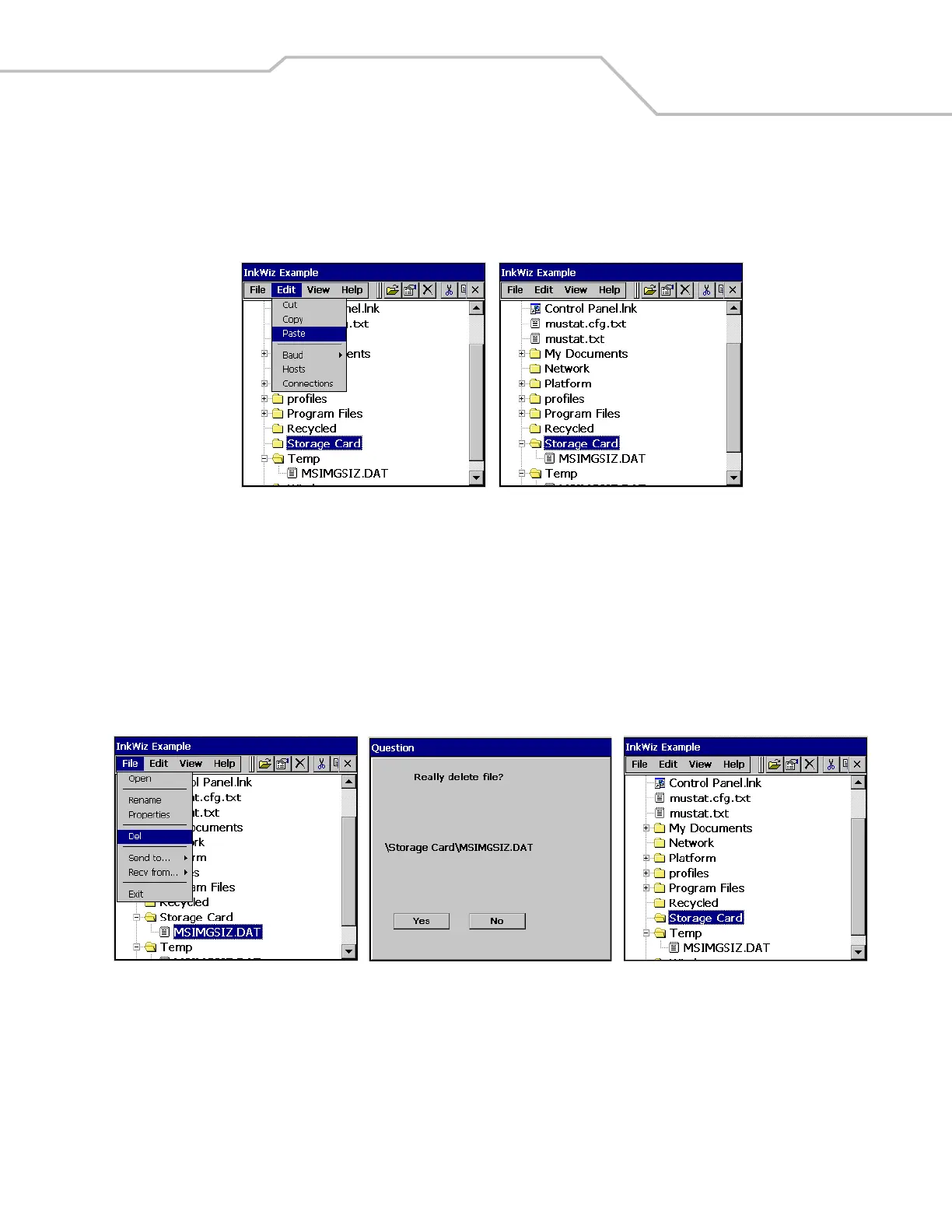
4. Tap the Storage Card partition to highlight.
5. Tap the Edit - Paste to paste the file into the Storage Card partition. The Storage Card partition now shows that the
MSIMGSIZ.DAT file is in the Storage Card partition.
Figure 2-19. InkWiz, Paste File
Delete a File From The SD Card
InkWiz is a provided tool that can be used to delete data from the SD card.
1. Tap the MSIMGSIZ.DAT file to highlight.
2. Tap File - Del to delete the file from the Storage Card partition. The Question window appears.
3. Tap Yes to confirm the file deletion.
4. The Storage Card partition now shows that the MSIMGSIZ.DAT file is not in the Storage Card partition.
Figure 2-20. InkWiz, Delete File



 To Next Page