MC3000 Integrator Guide2-20
Format an SD Card
Use the Storage Manager to format the SD card.
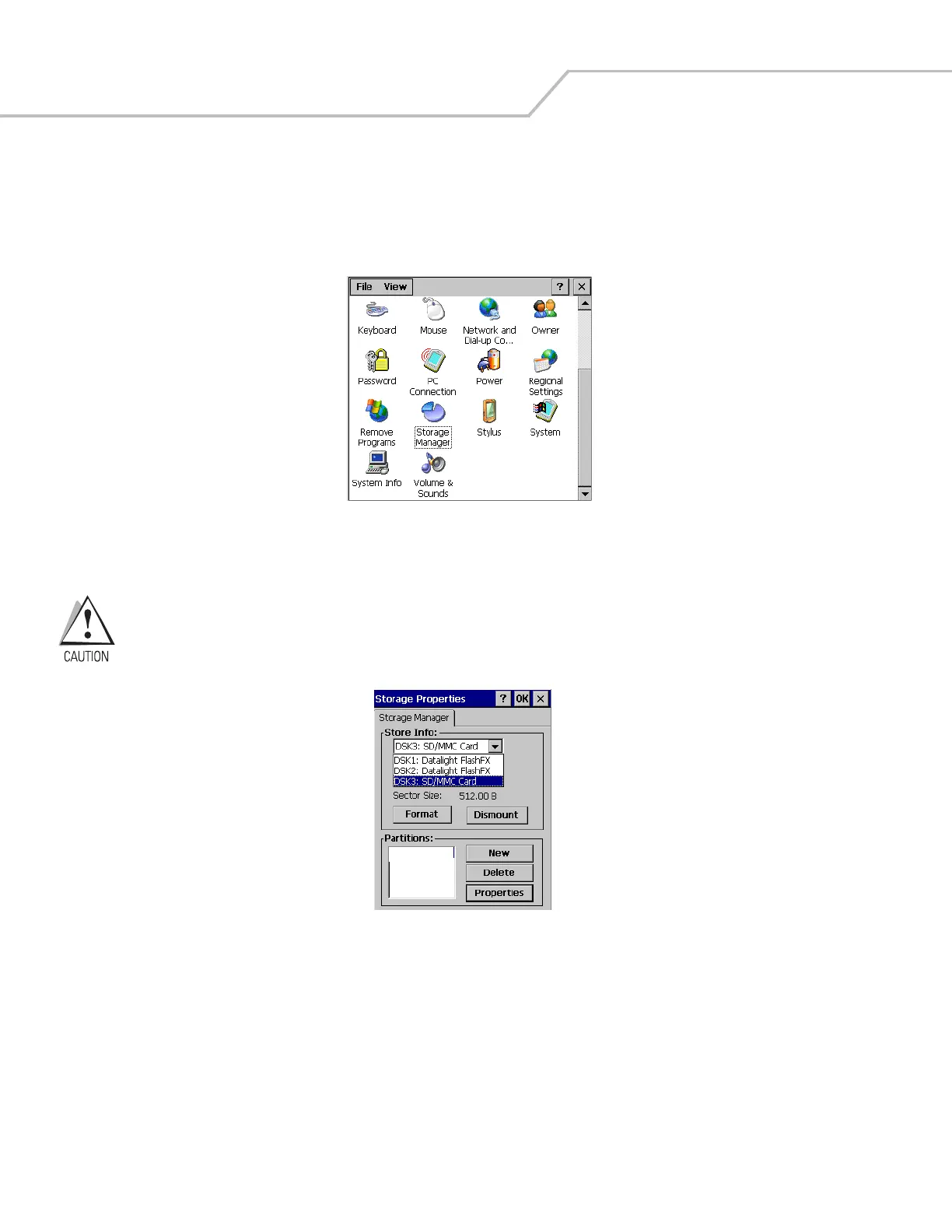
1. Tap Start - Settings -Control Panel to access the Windows Control Panel.
Figure 2-21. Windows Control Panel
2. Double tap the Storage Manager icon to access the Storage Properties Window.
Do not select any other partitions for formatting. The DSK3: SD/MMC Card selection is the only entry that can
be formatted. Formatting the other partitions may render the mobile computer unusable.
Figure 2-22. Storage Properties SD Card Select Window
3. Tap the Store Info: drop down menu and select the DSK3: SD/MMC Card.
4. Tap Dismount to dismount the SD card.



 To Next Page