MC3000 Integrator Guide3-4
Installing ActiveSync
To install ActiveSync on the host computer, download the latest version of the software from the Microsoft web site at
http://www.microsoft.com. Refer to the installation and RAS instructions included with the ActiveSync software.
Microsoft recommends installing ActiveSync on the host computer before connecting the mobile computer.
Before setting up a partnership between the mobile computer and host computer. See the Chapter 2, Accessories for a
list of the accessories that can be used.
Setting Up an ActiveSync Connection on the Host Computer
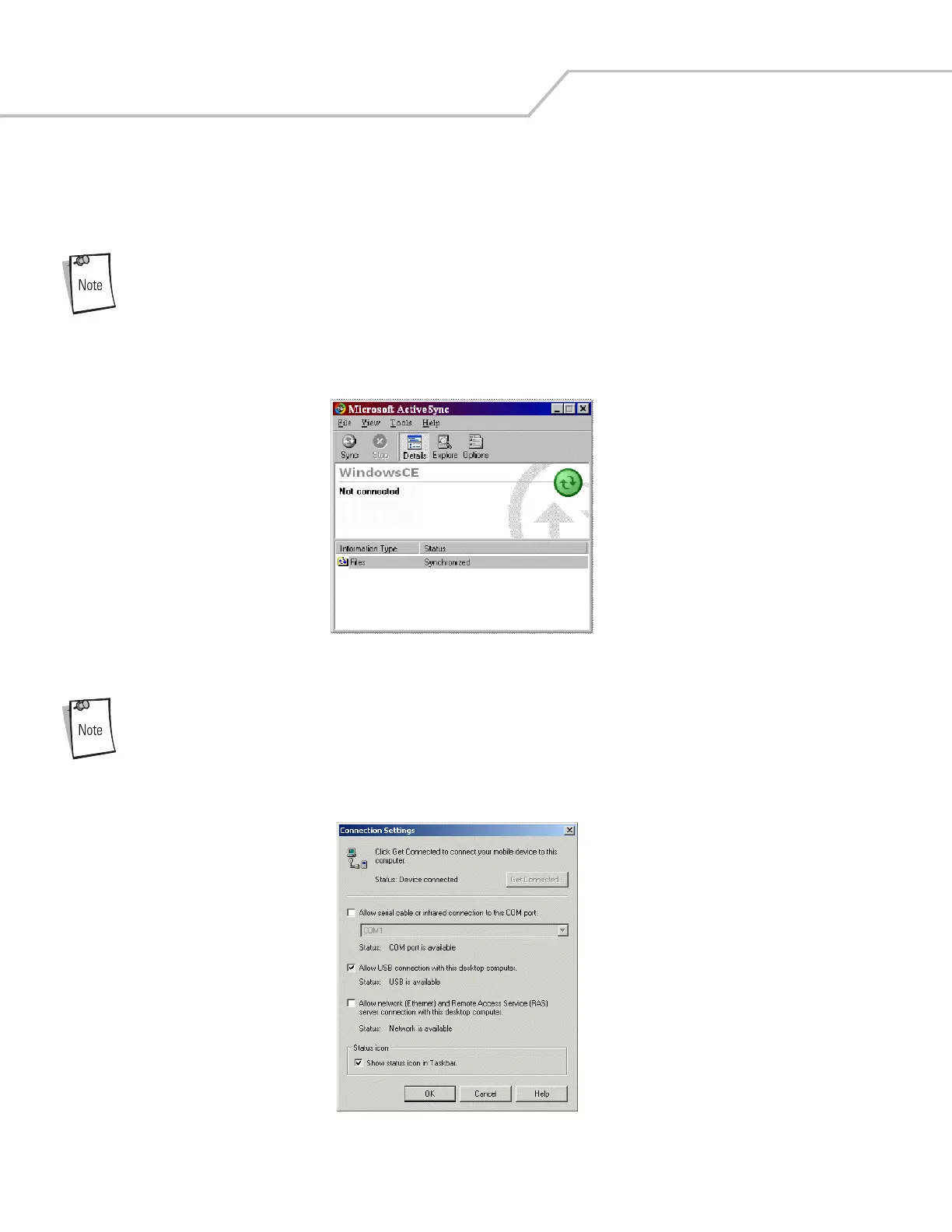
1. Select Start - Programs - Microsoft ActiveSync on the host computer. The Microsoft ActiveSync window appears.
Figure 3-2. Microsoft ActiveSync Window
Assign each mobile computer a unique device name. Do not try to synchronize more than one mobile
computer to the same name.
2. In the Microsoft ActiveSync window, select File - Connection Settings. The Connection Settings window appears.
Figure 3-3. Connection Settings Window



 To Next Page