MC3000 Integrator Guide2-4
Single Slot Serial/USB Cradle
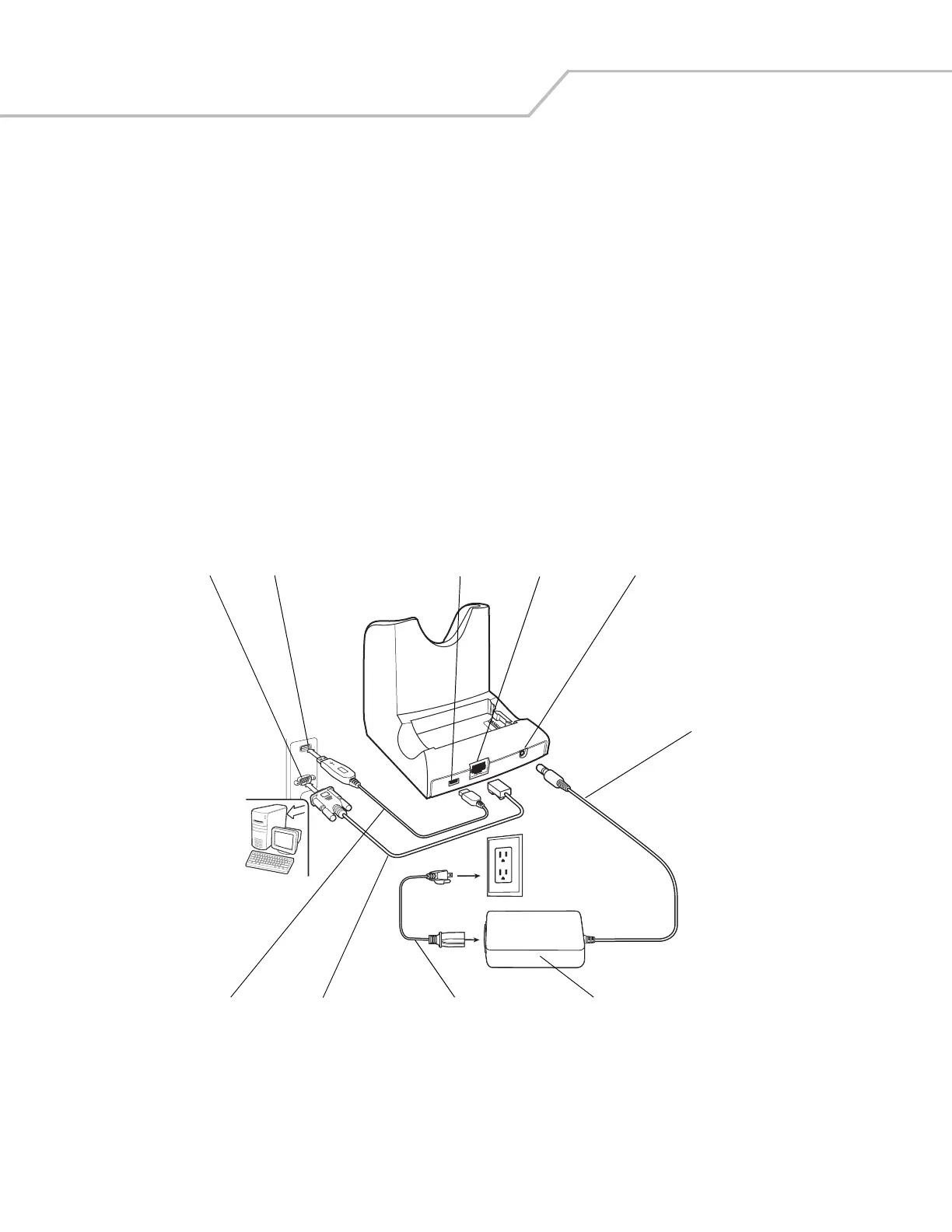
This section describes how to set up and use the Single Slot Serial/USB cradle. For cradle setup, see Figure 2-2. For communications
setup procedures, see USB Connection Setup on page 2-28 and/or Serial Communication Setup on page 2-26.
The Single Slot Serial/USB cradle:
• Provides 5.4VDC power for operating the mobile computer, charging the battery and charging a spare battery.
• Provides a serial port and a USB port (mini AB receptacle) for data communication between the mobile computer and a host
computer or other serial devices (e.g., a printer).
• Synchronizes information between the mobile computer and a host computer. With customized or third party software, it can
also synchronize the mobile computer with corporate databases.
• Provides serial connection through the serial pass-through port for communication with a serial device, such as a host
computer. For communication setup procedures, see Serial Communication Setup on page 2-26.
• Provides USB connection through the USB pass-through port for communication with a USB device, such as a host
computer. For communication setup procedures, see USB Connection Setup on page 2-28.
Setup
The cradle requires a dedicated port on the host computer. Select either serial or USB for communications, do not connect
the cradle to both serial and USB ports.
Figure 2-1. Single Slot Serial/USB Cradle Setup
USB Port
USB Port
Serial Port
DC Cable
Power Supply
Power Port
Serial Cable
Serial Port
USB Cable
AC Line Cord



 To Next Page