WLAN Configuration 7-5
2. Tap Connect. The Status line on the Wireless Information tab displays the Status: Scanning . . . /Associated with.../
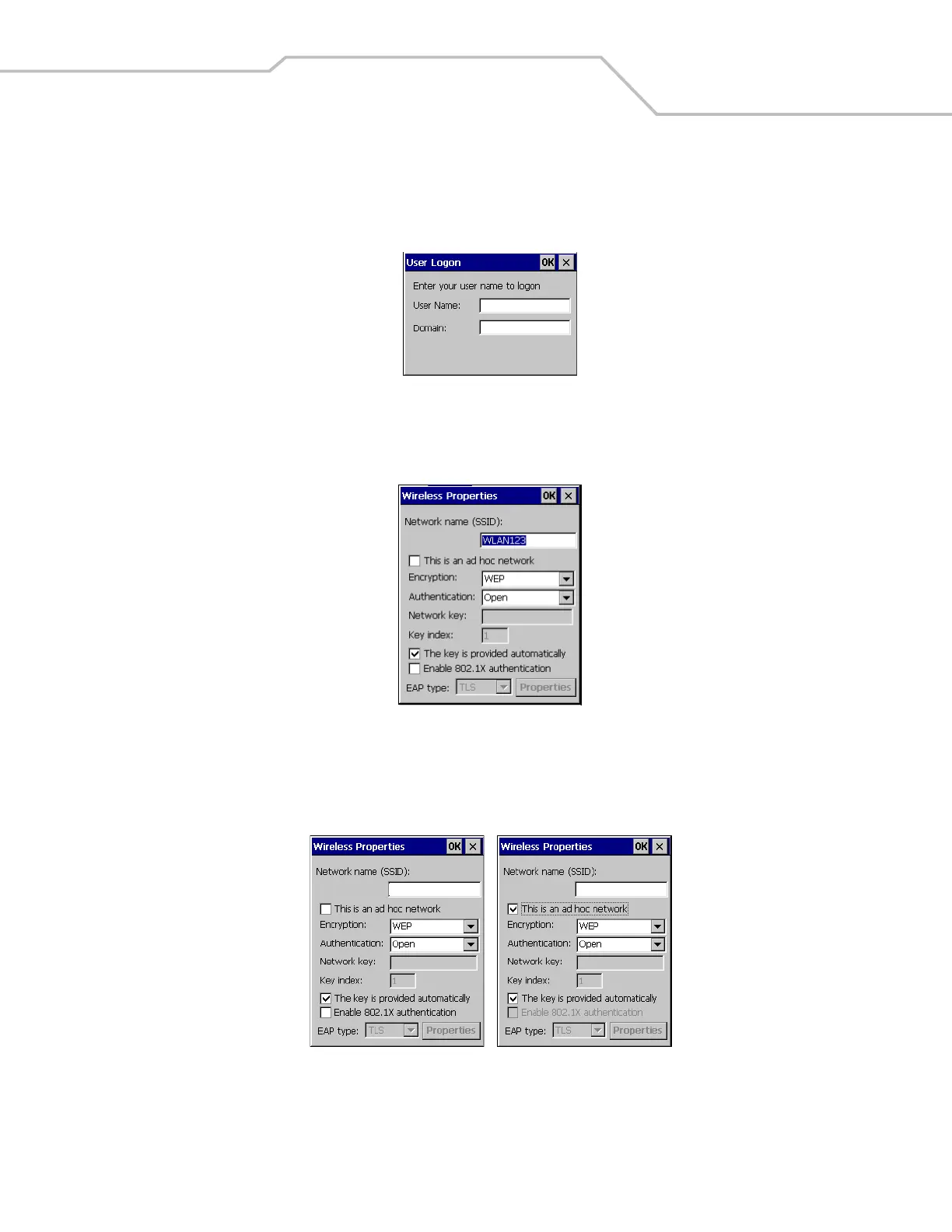
Connected to . . . If a logon is required, the User Logon window appears if a logon is not required the Wireless Properties
window appears.
Figure 7-3. User Logon
3. Enter the logon information and tap OK. The Wireless Properties window appears.
Figure 7-4. Wireless Properties
4. If the network is an Ad Hoc network, tap the This is an Ad Hoc network check box. Selecting the Ad Hoc network selection
disables the Enable 802.1X authentication option. Skip to Step 5 for the non-Ad Hoc network settings.
Figure 7-5. Wireless Properties, Ad Hoc Network Selection
WLAN123
WLAN123



 To Next Page