MC3000 Integrator Guide2-10
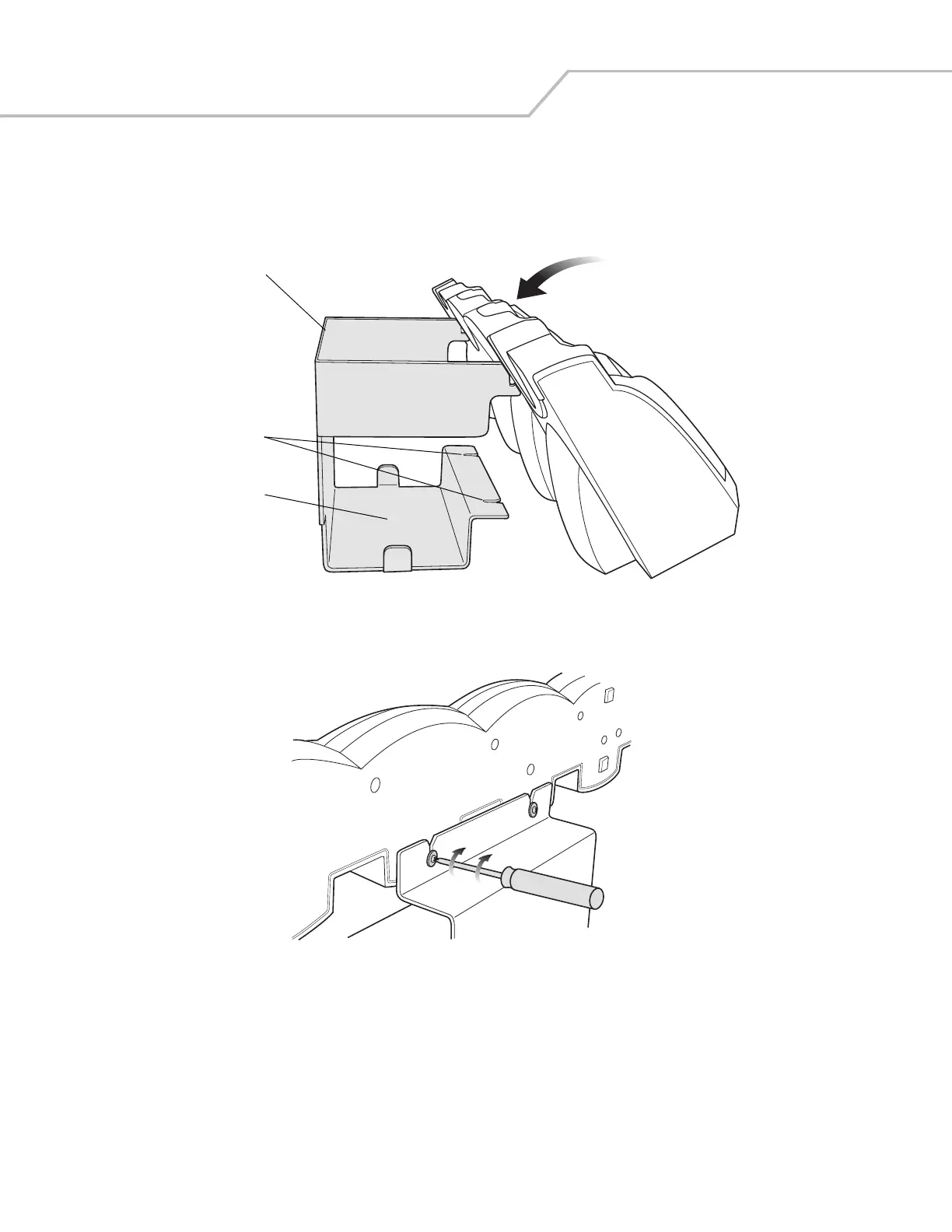
6. Align the Wall Mount Bracket mounting tabs with the mounting slots in the back of the four slot cradle. Slip the two
mounting tabs into mounting slots.
7. Swing the four slot cradle down onto the mounting bracket and align the mounting screws so that they fit into the screw
slots.
Figure 2-7. Wall Mount Bracket
8. Tighten the mounting screws to secure the four slot cradle to the Wall Mount Bracket.
Figure 2-8. Mounting Screws
9. Connect the power as shown in Figure 2-3 on page 2-7. The power supply should be located in the power supply well.
Wall Mount Bracket
Screw Slots
Power Supply Well



 To Next Page