Print last batching report
F3.1=1or 2,and one batching
process cycle is finished.
Print consumption list of output
material (when printing finished,
it reminds AccClr, asking if clear
total data. And clear data by
press ENTER key, or pressing
ZERO key to give up.
Display list under batching process.
The material ID is enabled and
the target is not empty.
all required materials feed over
Press [Enter] to hold the batch
processing if this “Hold” prompt
display.
A material is feeding or Dumping
out
Display list under pause status
Continue un-finished work
Stop un-finished batching work
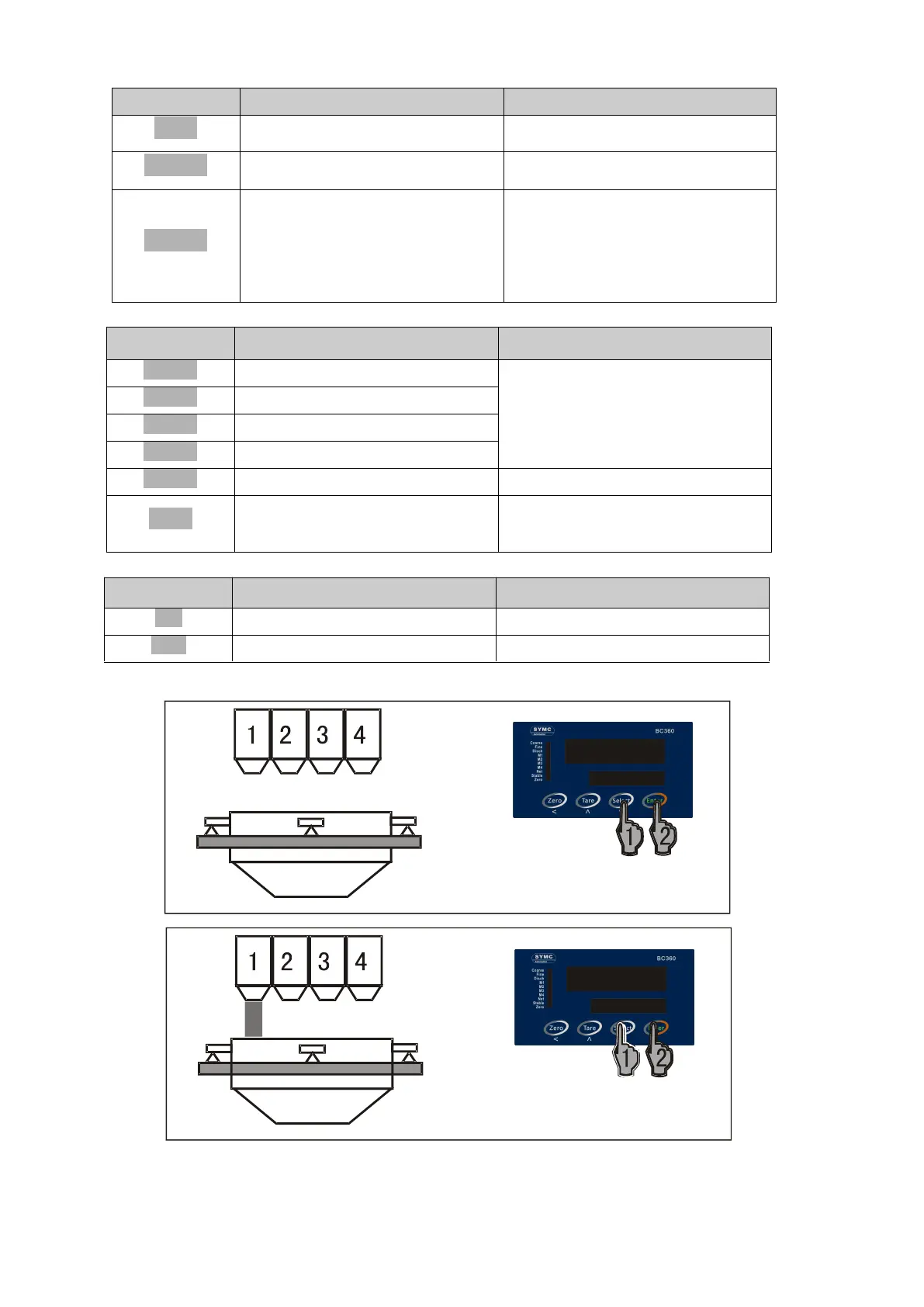
Operation for semi-auto feeding / semi-auto Dump
1 Select feeding menu
2 Enter feeding menu
1 Select material order
2 Enter


 To Next Page