EasyManua.ls Logo

Symmetricom SSU-2000e - User Manual

Symmetricom SSU-2000e
242 pages
Print Icon
To Next Page IconTo Next Page
Loading...
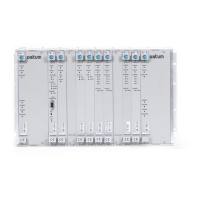
SSU-2000e Synchronization Supply Unit
and the
SDU-2000e Synchronization Distribution Unit
User’s Guide
Revision E – October 2006
Part Number 12713140-002-2

Table of Contents

Other manuals for Symmetricom SSU-2000e

Questions and Answers

  • E
    Eric McculloughAug 17, 2025
    What to do if I am unable to communicate with Symmetricom Power Supply system?
    • J
      John RiveraAug 17, 2025
      If you're having trouble communicating with the system, start by checking that all cabling is securely fastened. Then, verify that the communication device is properly configured. If you're still facing issues, try re-seating the Comms module and pressing the RST button on its front panel. Also, ensure that your software emulator's COM port setting matches the physical cable connection (either COM1 or COM2) and that the baud rate is set to 19,200. Lastly, try connecting to another serial port.
  • A
    Anthony CopelandAug 20, 2025
    How to troubleshoot Symmetricom SSU-2000e with no LEDs lit on any module?
    • D
      Dawn BeasleyAug 20, 2025
      If no LEDs are lit on any module, it indicates a power issue. First, check that the UPS, if used, is working correctly. Then, inspect the A and B fuses and replace them if they are blown. Ensure the ground wires are securely attached and that the power cables are firmly connected to the unit. If these steps don't resolve the issue, it might indicate a faulty main shelf.
  • J
    Jennifer WebbAug 22, 2025
    Why Symmetricom SSU-2000e Power Supply expansion chassis lost power?
    • A
      Adam ChandlerAug 22, 2025
      If you're experiencing a loss of power from the expansion chassis, begin by verifying that the UPS, if applicable, is functioning correctly. Next, check the A and B fuses on the expansion chassis and replace them if they are blown. Also, ensure that the ground wires are properly attached and that the power cables to the expansion unit are securely fastened.
  • K
    Kathy RodriguezAug 26, 2025
    What to do if Symmetricom SSU-2000e reports no alarms during an alarmed condition?
    • P
      perryderekAug 26, 2025
      If no alarms are being reported when there is an alarmed condition, try pressing the RST button on the Comms module front panel.
  • P
    Patrick BryanAug 28, 2025
    What does it mean if the Fault LED on Symmetricom Power Supply Output module is lit?
    • K
      Kayla BrownAug 28, 2025
      If the Fault LED on the Output module is lit, first try re-seating the module. If that doesn't work, re-seat or replace the input module (or clock module if necessary). Also, remove the Tx Cable and adjust the redundancy configuration accordingly.
  • D
    Deanna WhiteAug 30, 2025
    Why is there any amber LED on Symmetricom SSU-2000e Input module?
    • C
      coleandrewAug 30, 2025
      An amber LED on the Input module indicates a potential signal issue. First, ensure that signals are properly routed to the input panel. If that doesn't resolve the issue, replace the no-signal cable with a signaled cable. Finally, check that the I/O input adapter panel is connected to the input module.
  • L
    Lori BrownSep 2, 2025
    What to do if no LED is lit on Symmetricom SSU-2000e Power Supply modules?
    • E
      emilymooreSep 2, 2025
      If no LED is lit on the modules, check the connection to the power supply. Also, replace the module if the fuse is blown.
  • C
    Carrie JenkinsSep 5, 2025
    What does flashing amber Fault LED on Symmetricom Power Supply Output module mean?
    • J
      Julian AlvaradoSep 5, 2025
      A flashing amber Fault LED on the Output module indicates a fault on the distribution cabling. Verify that the cabling is connected properly and replace the cabling.
  • J
    Joshua OwensSep 8, 2025
    How to fix no output signal on Symmetricom SSU-2000e Power Supply output panel?
    • J
      johngutierrezSep 8, 2025
      If there is no output signal on the output panel, use the appropriate command to turn the port on. Also, connect the I/O output adapter panel to the Output module.
  • A
    Ashley ThompsonSep 12, 2025
    Why is there any amber source LED on Symmetricom Power Supply Output module?
    • S
      Stephen JohnsonSep 12, 2025
      If you see any amber source LED on the Output module, ensure that the clock modules are inserted properly. If the clock modules are in warm-up mode, no action is necessary.

Summary

Chapter 1 Product Overview

Overview

Provides a general description of the SSU-2000e and its product family.

Typical System Configurations

Describes common ways the SSU-2000e can be configured for different applications.

System Architecture

Details the overall system design and major sections of the SSU-2000e.

System Components

Lists and describes the physical components of the SSU-2000e system.

SDU-2000 e Synchronization Distribution Unit

Introduces the SDU-2000e expansion chassis and its role.

Chapter 2 Installing the SSU-2000 e

Unpacking and Inspecting the Shelf

Procedures for safely unpacking and checking the equipment for damage.

Preliminary Procedures

Essential preparations and site requirements before starting the installation.

Rack Mounting the SSU-2000 e

Guidelines for physically installing the SSU-2000e shelf into a rack.

Making Ground and Power Connections

Procedures for establishing proper grounding and power connections.

Making Communications Connections

Steps for connecting serial and Ethernet communication interfaces.

Handling Modules

Precautions and procedures for safely installing and removing modules.

Installing the SDU-2000 e

Steps for installing the SDU-2000e expansion chassis.

SSU-2000 e Turn-Up Procedures

Steps for powering up and initializing the SSU-2000e system.

Chapter 3 Provisioning and Operating the SSU-2000 e

Establishing a Connection With the SSU-2000 e

Details methods for connecting to the SSU-2000e via serial or Ethernet.

Overview of the SSU-2000 e Security System

Explains the security features including user management and access levels.

Adding An Administrator User

Step-by-step guide for creating the initial administrator user account.

Setting Security Parameters

Configuration of security settings like password aging and lockout.

Initial Provisioning

General instructions for provisioning the unit to track signals and generate outputs.

Backing Up and Restoring Configurations

Procedures for backing up and restoring system configuration files.

Chapter 4 Commissioning the SSU-2000 e

Readiness to Test Checklist

A checklist to ensure the system is ready for commissioning tests.

Equipment Requirements

Lists the necessary equipment for performing commissioning tests.

Commissioning Tests

Outlines the procedures for testing the SSU-2000e system's functionality.

Commissioning the SDU 2000 e

Describes commissioning tests specific to the SDU-2000e expansion chassis.

Chapter 5 Maintenance and Troubleshooting

Responding to Alarms

General guidance on how to respond to system alarms.

Corrective Maintenance

Procedures for replacing field-replaceable units (FRUs) and addressing component failures.

Troubleshooting

Procedures and guidance for diagnosing and resolving system problems.

Contacting Technical Support

Contact details for obtaining technical assistance from Symmetricom.

Chapter 6 Clock Module Reference Data

Stratum 2 E Clock Module

Reference data for the Stratum 2E Clock module, including overview and specifications.

Stratum 3 E Clock Module

Reference data for the Stratum 3E Clock module, including overview and specifications.

Type I Clock Module

Reference data for the Type I Clock module, including overview and specifications.

Communications Module

Reference data for the Communications module, including overview and functions.

Chapter 7 Input Module Reference Data

1-Port and 3-Port E1 Input Modules

Reference data for E1 input modules, including functional overview and diagrams.

1-Port and 3-Port DS1 Input Modules

Reference data for DS1 input modules, including functional overview and diagrams.

GPS Input Module

Reference data for the GPS Input module, including functional overview and configuration.

Composite Clock Input Module

Reference data for the Composite Clock Input module, including functional overview and block diagram.

Chapter 8 Output Module Reference Data

E1 Output Module

Reference data for the E1 Output module, including functional overview and specifications.

DS1 Output Module

Reference data for the DS1 Output module, including functional overview and specifications.

Composite Clock Output Module

Reference data for the Composite Clock Output module, including overview and specifications.

E1;2048 kHz Output Module

Reference data for the E1/2048 kHz Output module, including overview and signal specifications.

2048 kHz Output Module

Reference data for the 2048 kHz Output module, including overview and output squelching.

RS-422 Output Module

Reference data for the RS-422 Output module, including overview and software options.

Buffer Module

Reference data for the Buffer module, including its function and status indicators.

Chapter 9 Hardware Configuration Guide

Configuring a Conventional SSU;TSG System

Describes how to configure the SSU-2000e for a conventional Timing Signal Generator system.

Configuring a Primary Reference Source (PRS) System

Details how to configure the SSU-2000e as a Primary Reference Source.

Configuring a Monitor-Only System

Explains how to configure the SSU-2000e for a monitor-only operation.

SSU-2000 e Configuration Chart

Lists SSU-2000e components, part numbers, and configuration data.

SDU-2000 e Configuration Chart

Lists SDU-2000e components and associated part numbers.

Symmetricom SSU-2000e Specifications

General IconGeneral
BrandSymmetricom
ModelSSU-2000e
CategoryPower Supply
LanguageEnglish

Related product manuals