e1600 User Manual, Issue 1 © Synectic Systems Group Ltd 2012. All Rights Reserved
Specifications subject to change. E&OE Page 22
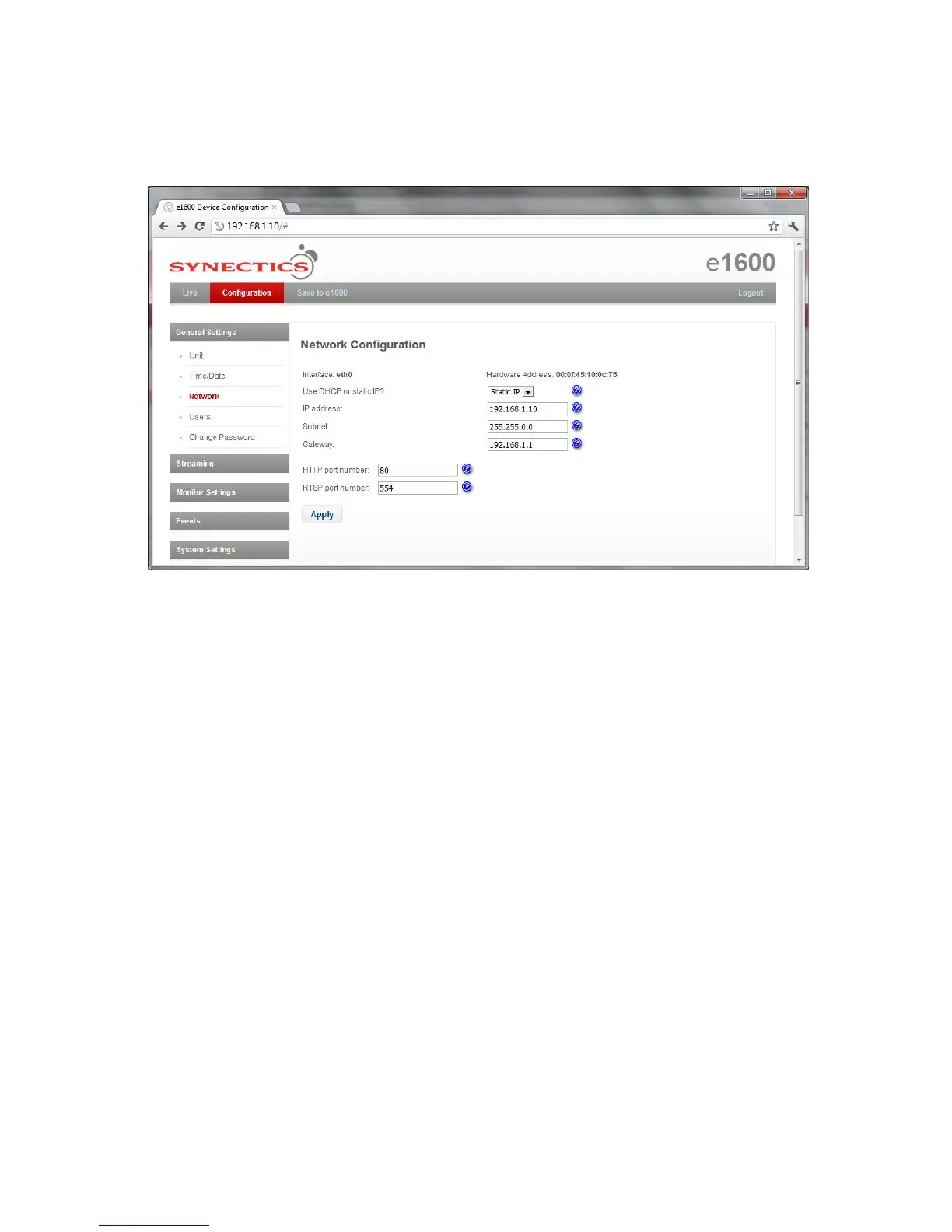
3.3.3 Network Configuration
To access the Network Configuration page select Network under General Settings.
From the Use DHCP or static IP? drop down list select DHCP if the interface is using DHCP
automatic network configuration; otherwise select Static IP.
If using static IP fill in the IP address, Subnet and Gateway fields with the relevant values (these
fields are disabled if using DHCP).
The HTTP Port number is the Internet socket port number (usually ‘80’).
The RSTP Port number is the Real Time Streaming Protocol port number (The default transport layer
port number is 554)
Click Apply to apply changes to the page and then click Save to e1600 option at the top of the page
to save your changes to the unit.



 To Next Page