e1600 User Manual, Issue 1 © Synectic Systems Group Ltd 2012. All Rights Reserved
Specifications subject to change. E&OE Page 37
3.7 Upgrading the Unit
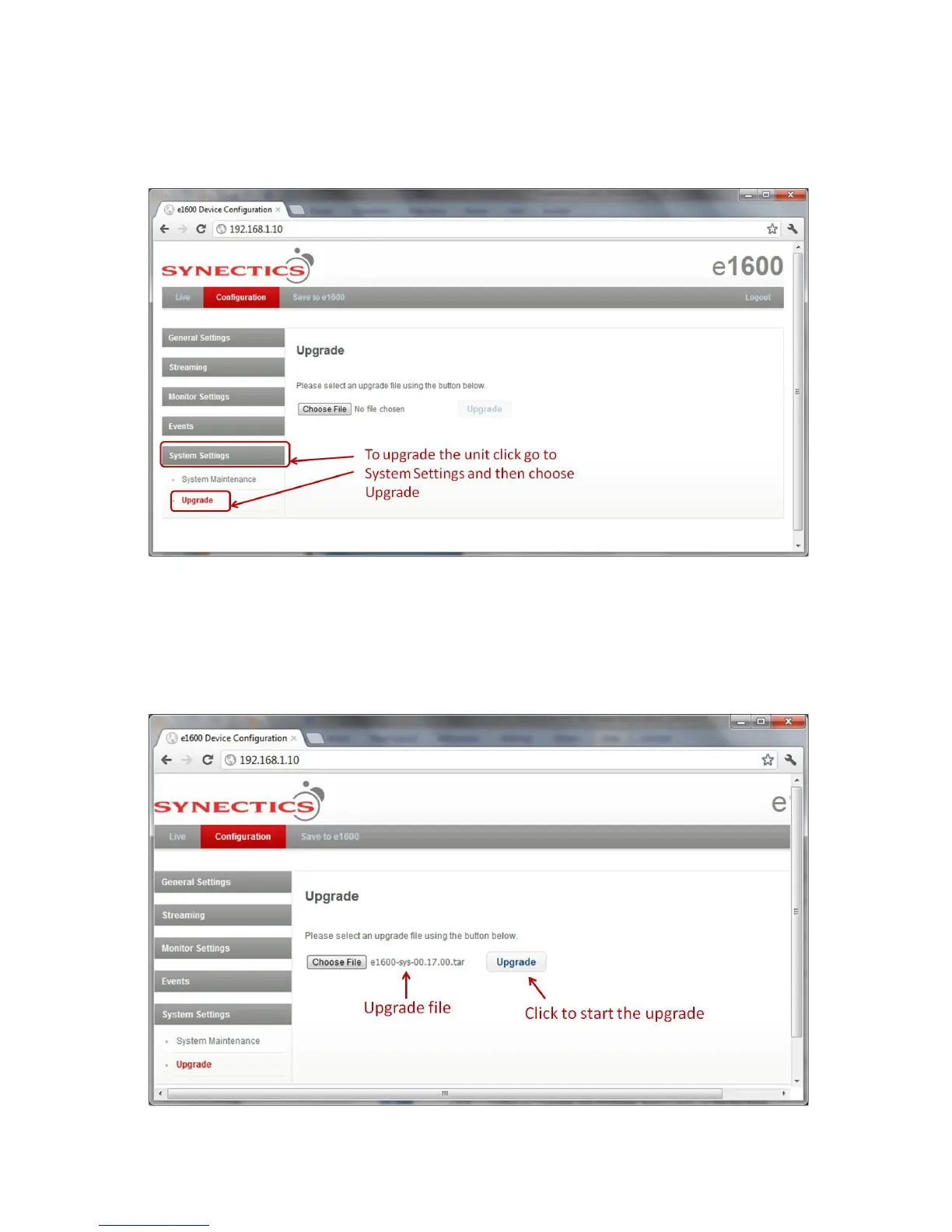
To upgrade the e1600 unit’s hardware select Upgrade under System Settings.
Now click Choose File. In the File Open dialog that is launched browse to the upgrade file location,
select the upgrade file and click Open.
The name of the upgrade file will now be displayed next to the Choose File button and the Upgrade
button is enabled.



 To Next Page