e1600 User Manual, Issue 1 © Synectic Systems Group Ltd 2012. All Rights Reserved
Specifications subject to change. E&OE Page 40
3.9 Discovery and Remote Control Using Synxplorer
You can use Synectics Synxplorer application to discover and remotely control e1600 units.
Synectics Synxplorer application is available for download from www.knowledge.synxtechnical.com
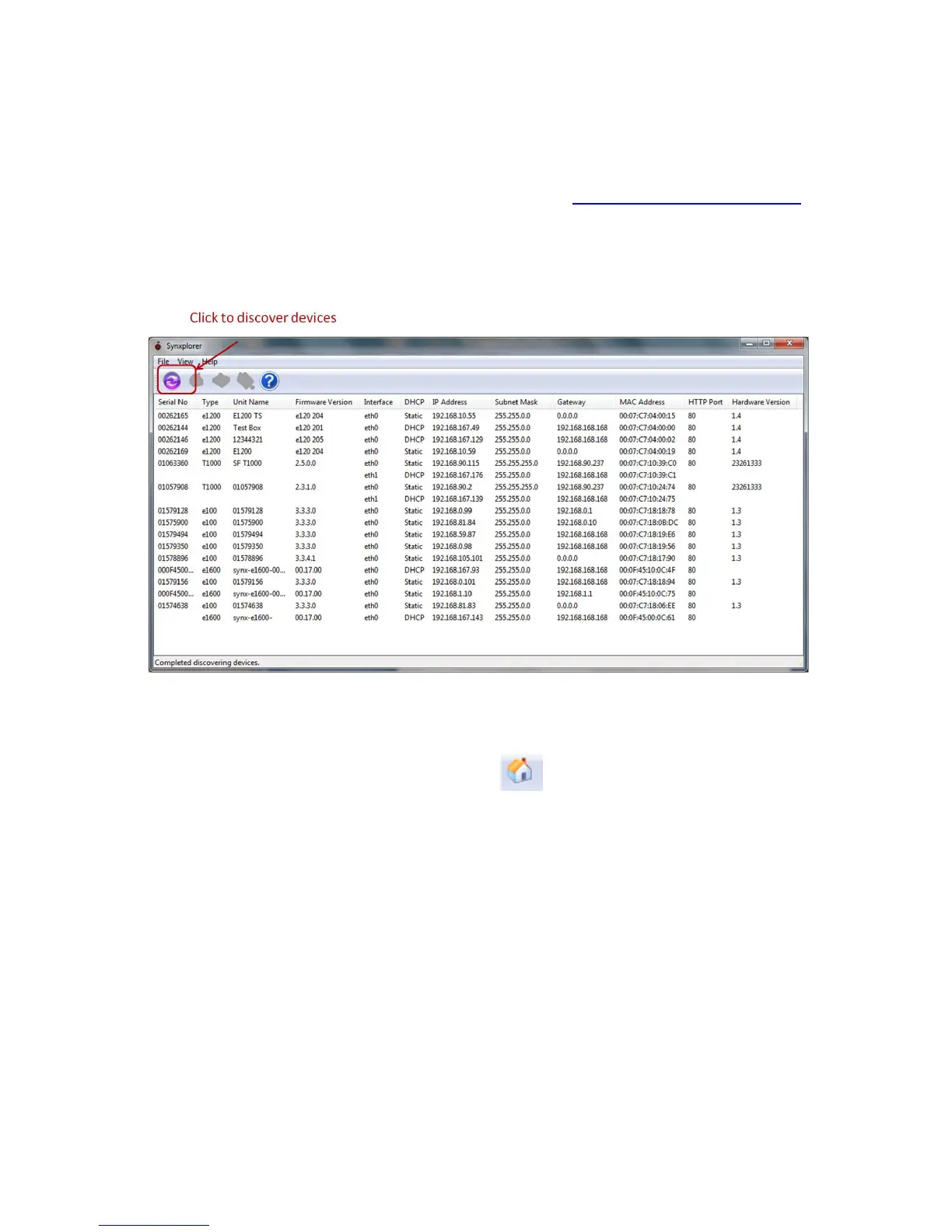
Run Synxplorer.exe and then click the refresh button to initialize and load the device list. The
Synxplorer window will show a list of the serial numbers, models and network parameters for all the
devices active on the network.
From Synxplorer you can open the home page of a unit and modify the IP address and other settings.
With one of the units selected, click on the Home icon to launch a browser window displaying
the device’s home page.
Alternatively, double clicking on the highlighted device name will also launch the Internet browser
displaying the device’s home page.
From Synxplorer you can you can upgrade the firmware of a unit or upgrade several units
simultaneously.
Select the units you wish to update and then click on File and select Upgrade Firmware from the
menu.



 To Next Page