e1600 User Manual, Issue 1 © Synectic Systems Group Ltd 2012. All Rights Reserved
Specifications subject to change. E&OE Page 43
4 PSN and Synergy Setup for e1600
This section explains how to add an e1600 onto an ePSN and how to setup Synergy so that Synergy
clients can view video from the e1600 channels.
4.1 RMS Configuration
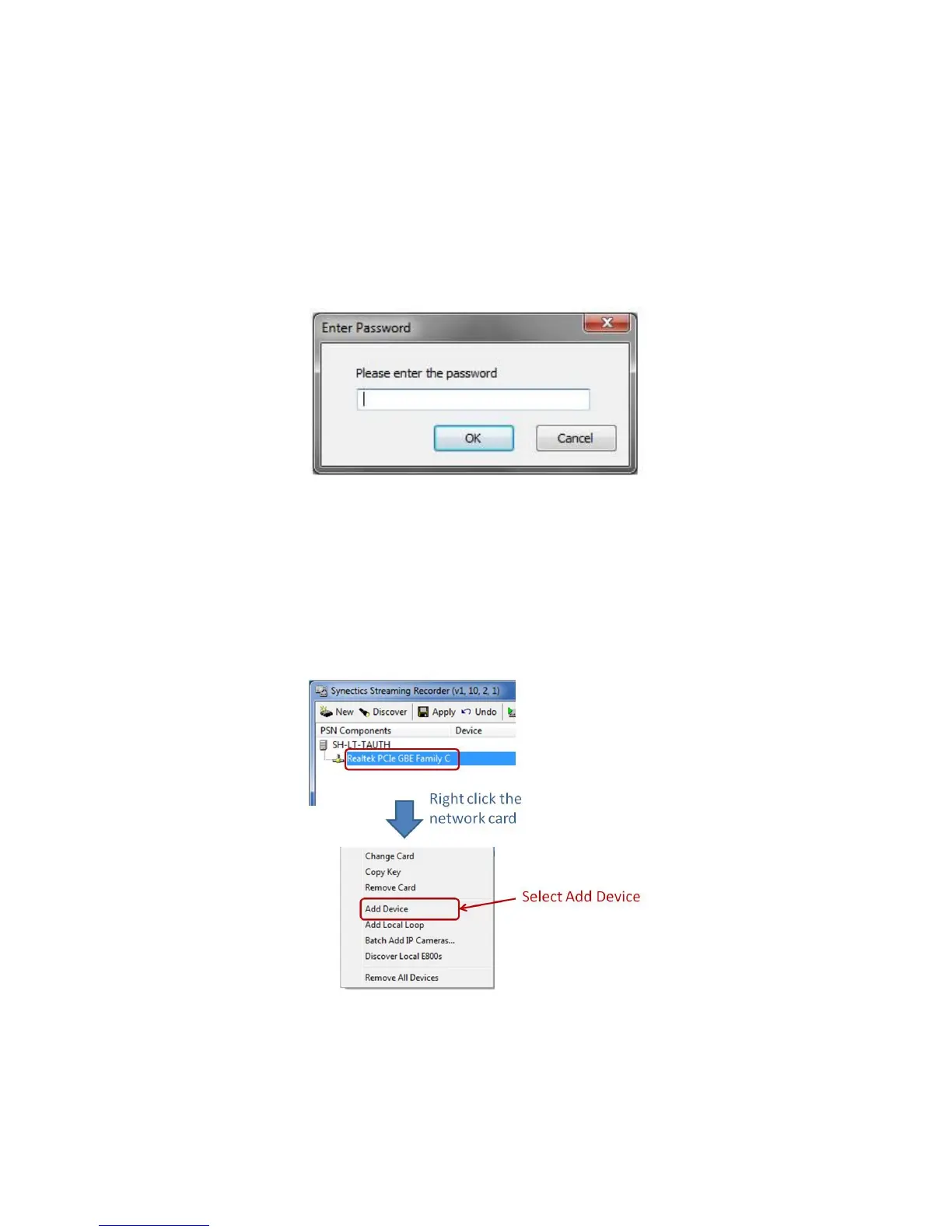
To configure RMS, double click its icon in the system tray. You will be prompted to enter a password:
Type 5ynect1c for the password and click OK. The Synectic Streaming Recorder screen will be
displayed:
4.1.1 Add e1600 Encoder to RMS
To add an e1600 encoder to a network card, right click the card and select Add Device. Complete
the IP Address for the encoder.
Complete the IP Address for the encoder.
To discover e1600 encoders on the same network as a network card right click the network card and
then select Discover and E1600s from the context menu.



 To Next Page