e1600 User Manual, Issue 1 © Synectic Systems Group Ltd 2012. All Rights Reserved
Specifications subject to change. E&OE Page 23
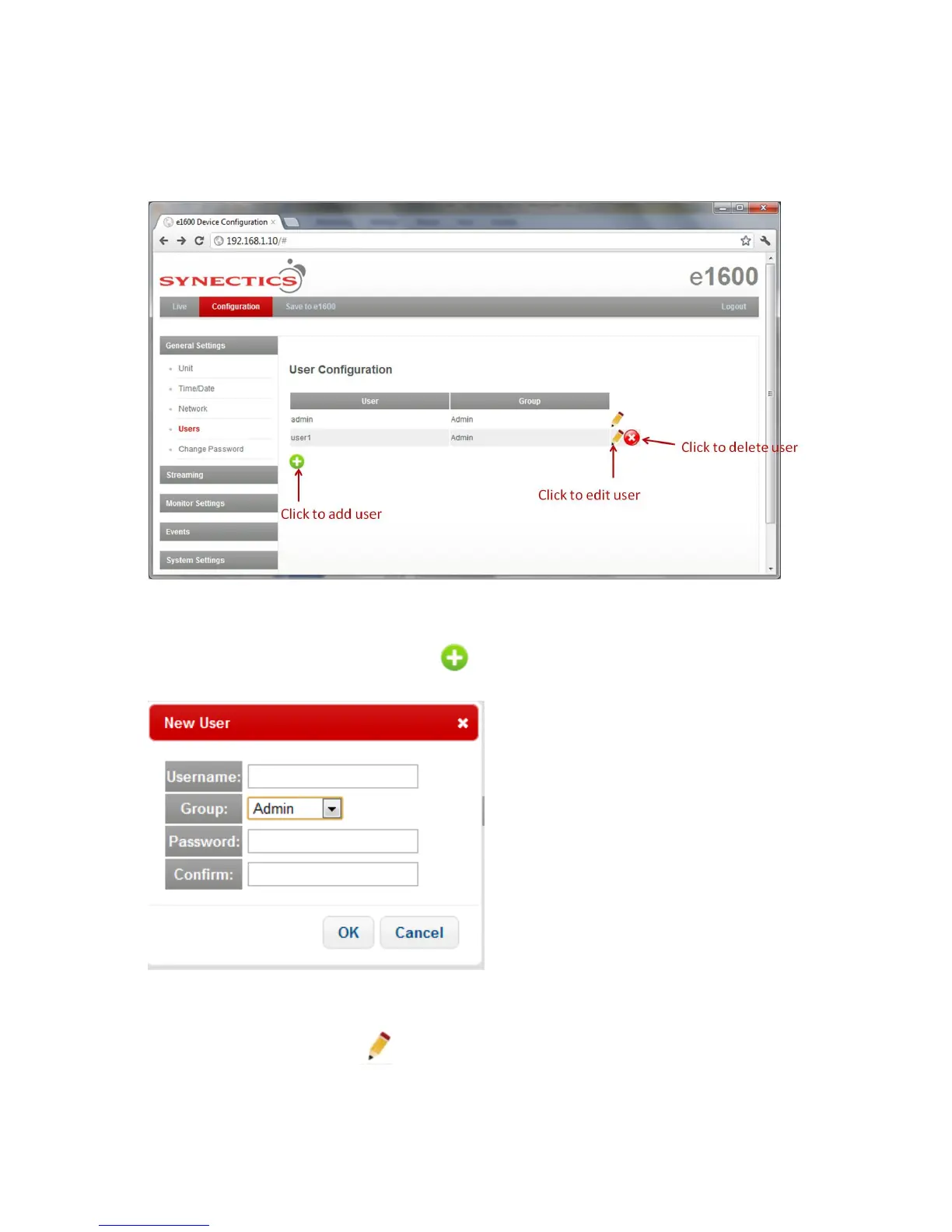
3.3.4 Users
To access the User Configuration page select Users under General Settings.
The default user is admin.
To add a new user, click the Add New User button. The New User pop-up is displayed:
Enter Username, select Group and enter and confirm Password. Click OK to add the new user.
Or to edit a user click Edit User . The New User pop-up is displayed:



 To Next Page