e1600 User Manual, Issue 1 © Synectic Systems Group Ltd 2012. All Rights Reserved
Specifications subject to change. E&OE Page 48
You can edit various stream settings in the Synectics Streaming Recorder by double clicking the
value you wish to edit and selecting a value from the combo box or typing in the new value in the edit
field displayed (this will depend on the value you are editing. For settings controlled by check boxes
(e.g. Audio, Mtn. Alarm) check or uncheck the box as required.
4.2 e1600 Setup in Synergy
The steps you need to perform in Synergy are as below. However, depending on your system some
might have been already performed before the introduction of the e1600.
1. Configure a DVR type
2. Configure Camera Types
3. Add cameras
4. Add and Setup the DVR
5. Configure Alarms
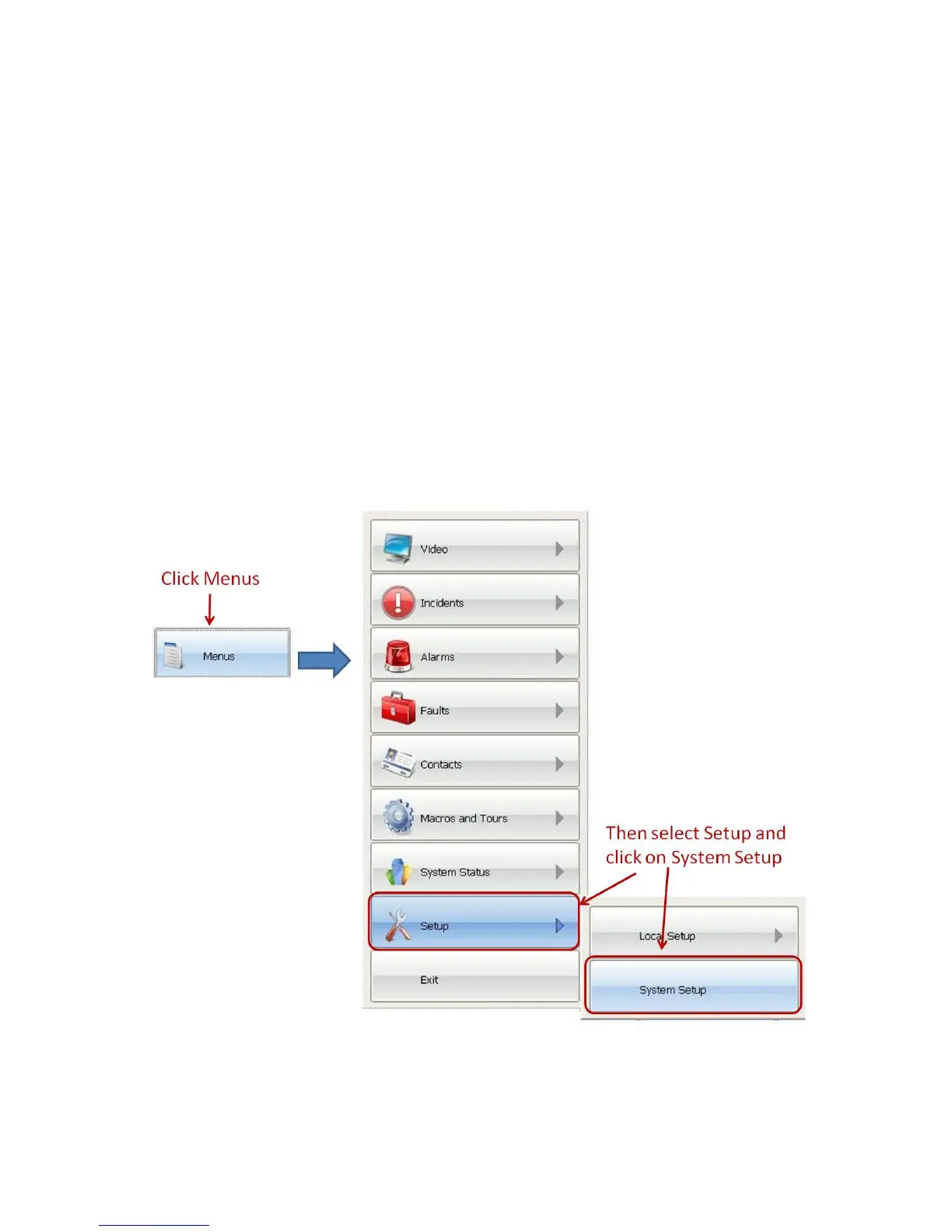
To access the options for system setup select Menus, then from Setup click on System Setup.
The System Setup dialog is displayed:



 To Next Page