e1600 User Manual, Issue 1 © Synectic Systems Group Ltd 2012. All Rights Reserved
Specifications subject to change. E&OE Page 32
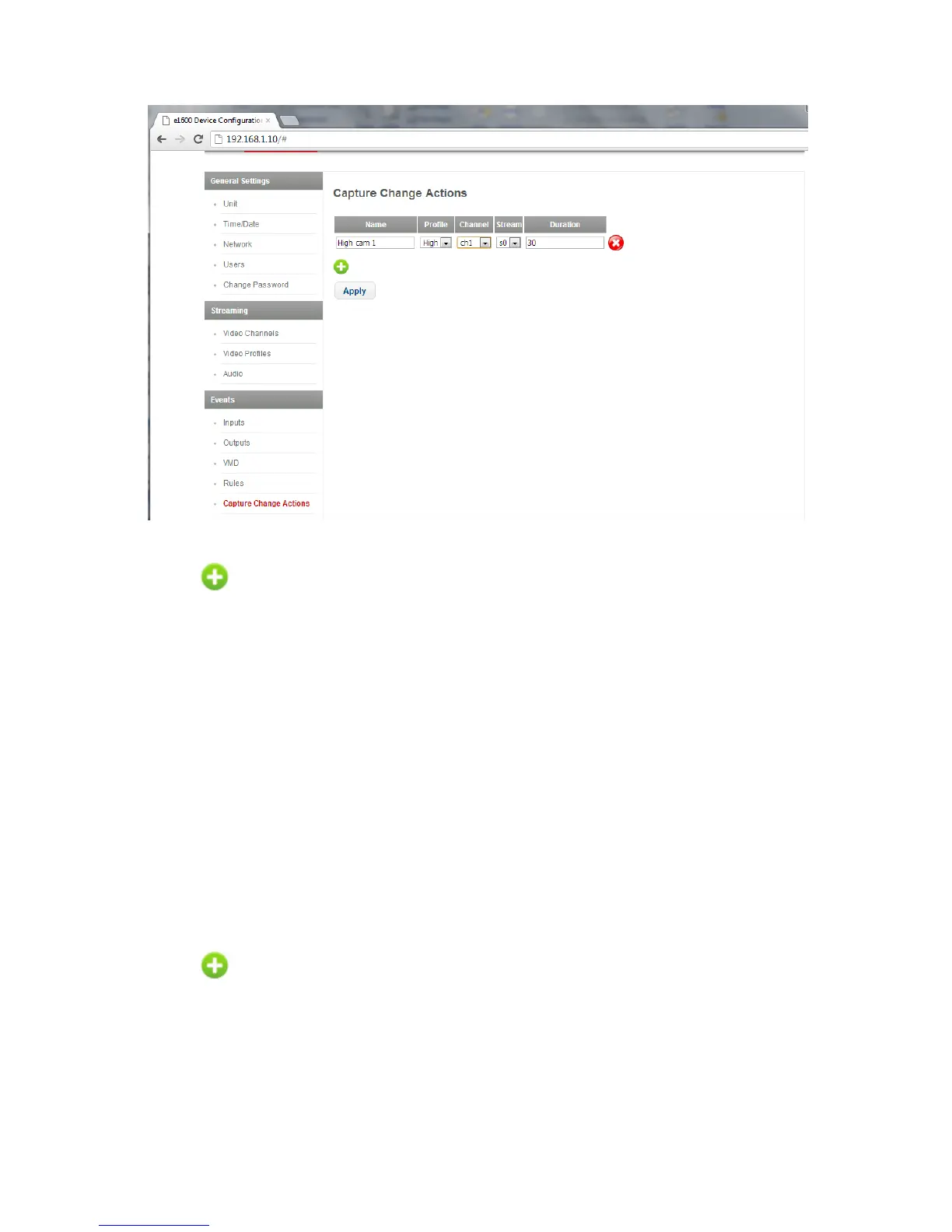
There are no predefined capture change actions. To add an action, click the Add Capture Change
Action button. An action with default settings is added.
Modify the Name as desired.
The Profile drop down list contains all defined profiles and you can select one for the capture change
action. Then select the Channel and Stream for the action.
The Duration is the time in seconds the capture change action will be active for.
Click Apply to apply changes to the page and then click Save to e1600 option at the top of the page
to save your changes to the unit.
3.5.5 Output Alarm Actions
To access the Output Alarm Actions page select Output Alarm Actions under Events. On this
page you define output alarm actions to be used in the creation of rules.
There are no predefined output alarm actions. To add an action, click the Add Output Alarm Change
Action button. An action with default settings is added.
Modify the Name and state as desired.
The Duration is the time in seconds the output alarm action will be active for.



 To Next Page