e1600 User Manual, Issue 1 © Synectic Systems Group Ltd 2012. All Rights Reserved
Specifications subject to change. E&OE Page 27
To define additional profiles click the Add Profile button. A profile with default name New and
default settings is added. You can now edit the profile as desired. The maximum bit rate per profile
must not exceed 2 Mbps. The maximum peak bit rate per profile must not exceed 2.5 Mbps.
Click Apply to apply changes to the page and then click Save to e1600 option at the top of the page
to save your changes to the unit.
3.4.3 Audio Configuration
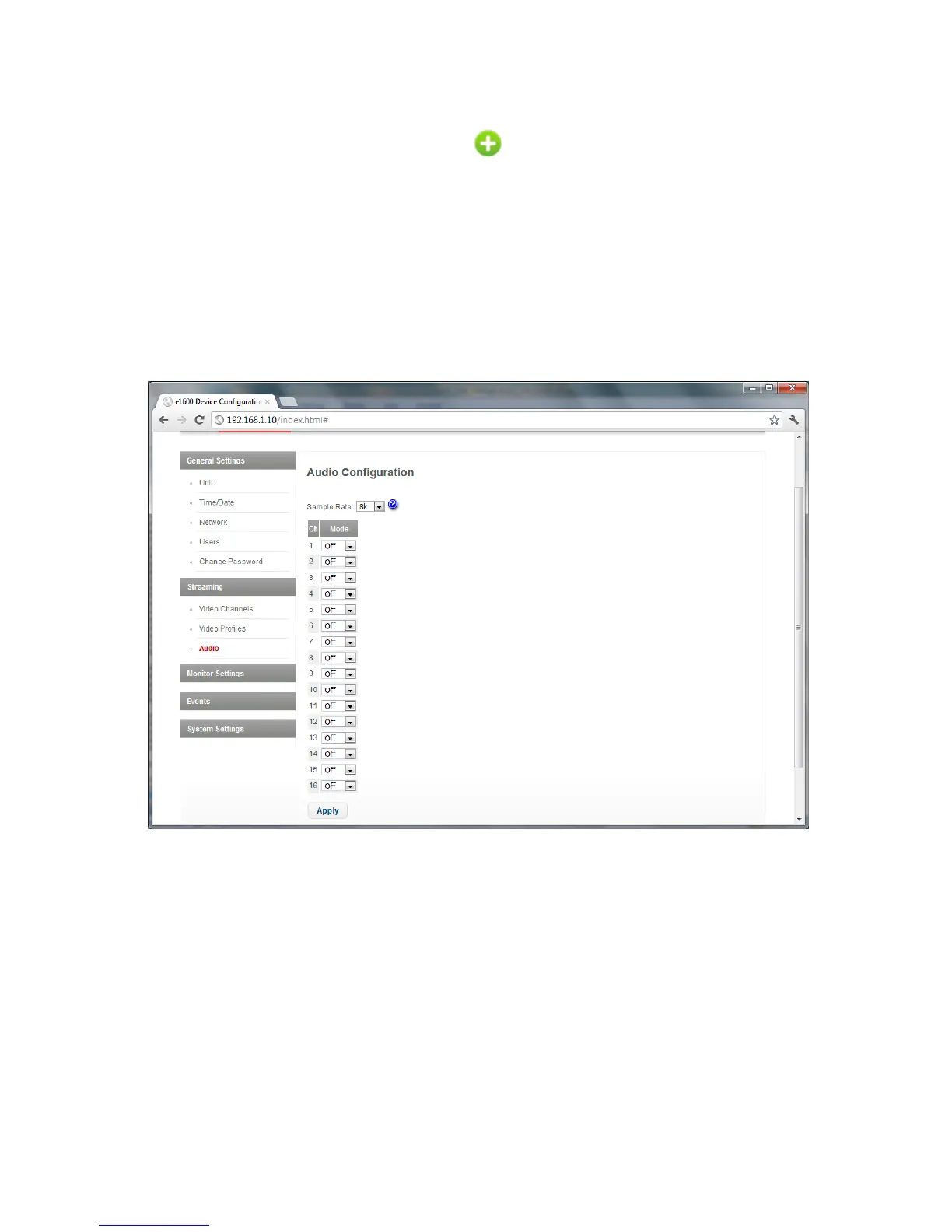
To access the Audio Configuration page select Audio under Streaming.
The Sample Rate can be set to 8k or 16k.
For each channel you can turn the audio on or off by selecting G711 or Off respectively.
Click Apply to apply changes to the page and then click Save to e1600 option at the top of the page
to save your changes to the unit.



 To Next Page