e1600 User Manual, Issue 1 © Synectic Systems Group Ltd 2012. All Rights Reserved
Specifications subject to change. E&OE Page 52
For Driver select Synectics PSN.
The recording drive is normally F. So enter F$\recorded_video_data for File Structure.
The Communication Port should be 2231 and the Camera/Port Count should be 8.
Depending on your system check the PAL Video? check box. Also check Synectics H264 and
SynAV2?
Setup the retention for I, P, B and A frames as required.
Make sure that the Is Synectics RMS? and Live Startup check boxes are ticked.
When done click Save.
4.2.2 Configure Camera Types and Add Cameras
You should have your cameras and camera types already configured as usual in Synergy. But you
need to modify the camera types for the ones you wish to use with e1600.
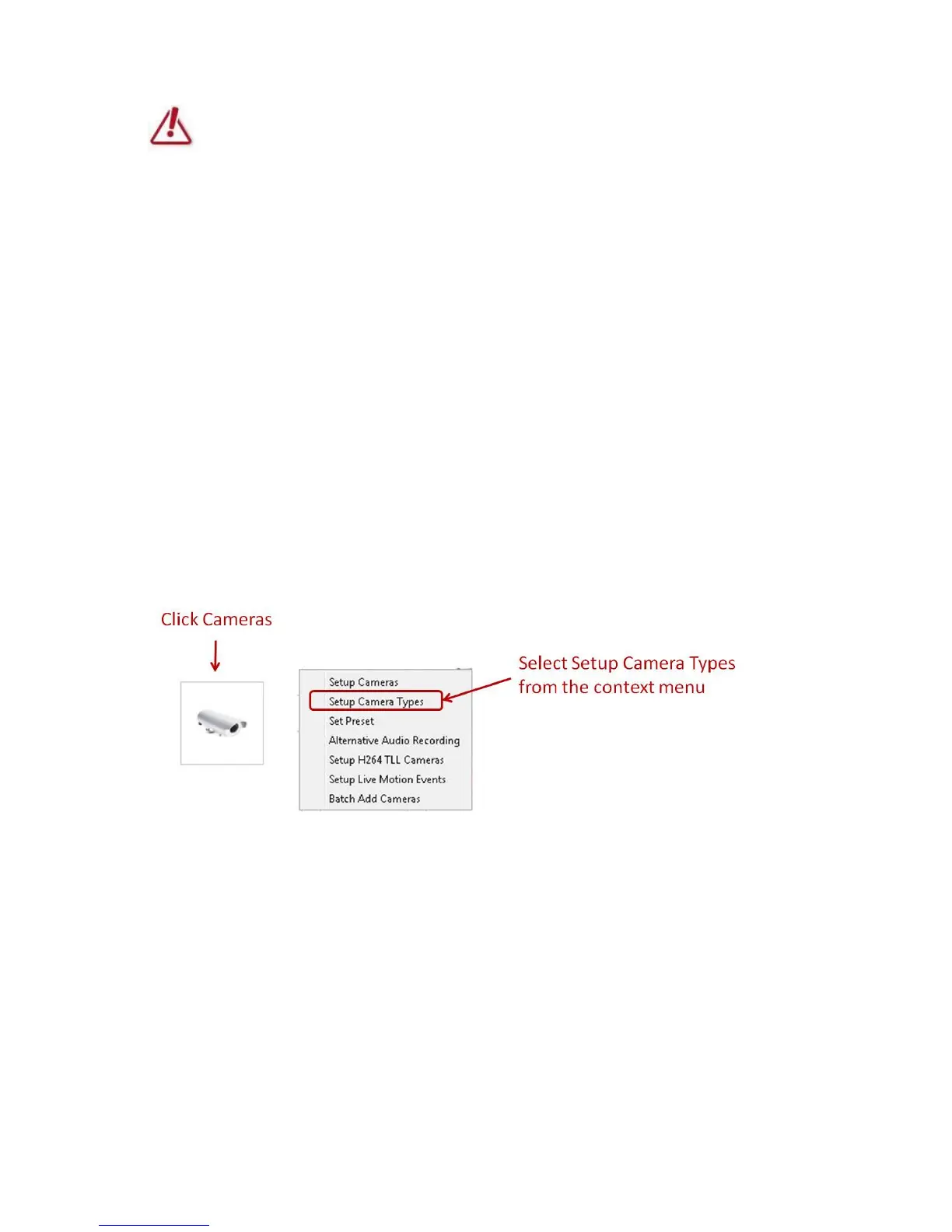
To modify camera types, in the System Setup dialog select Cameras and then Setup Camera
Types.
The Change Camera Types dialog is launched. Select the camera type you wish to change and click
Change. In the Change Camera Type dialog that is displayed check the Use RMS RTP check box
and click Save.



 To Next Page