e1600 User Manual, Issue 1 © Synectic Systems Group Ltd 2012. All Rights Reserved
Specifications subject to change. E&OE Page 57
If you want to setup RMS from Synergy you need to enter all the relevant information in the View
RMS Settings dialog.
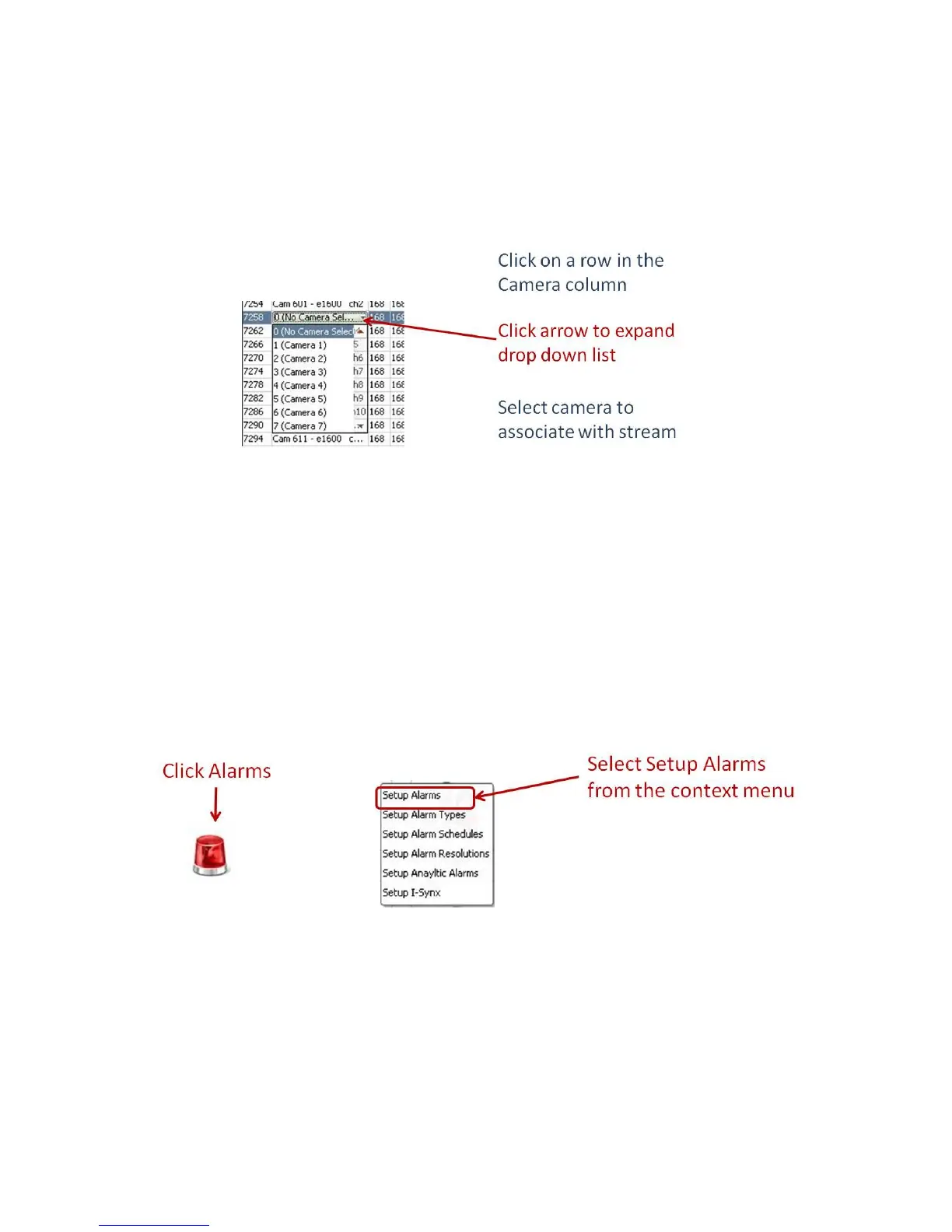
In the Camera column of the Streams Saved in Synergy list you need to select the cameras to be
used for each stream. To do this click on a row and then click the arrow to expand a drop down list of
all cameras configured in Synergy. Scroll to the desired camera and select it.
When you have finished the setup click Apply Settings. This will push the changes made in Synergy
to the RMS on the PSN.
4.2.4 Configure Alarms
For each of the alarms on the unit you have to configure a contact open and a contact closes alarm in
Synergy. You can also configure a motion onboard alarm.
To configure the alarms in the System Setup dialog select Alarms and then Setup Alarms from the
context menu.
The Setup Alarms dialog is launched.



 To Next Page