e1600 User Manual, Issue 1 © Synectic Systems Group Ltd 2012. All Rights Reserved
Specifications subject to change. E&OE Page 54
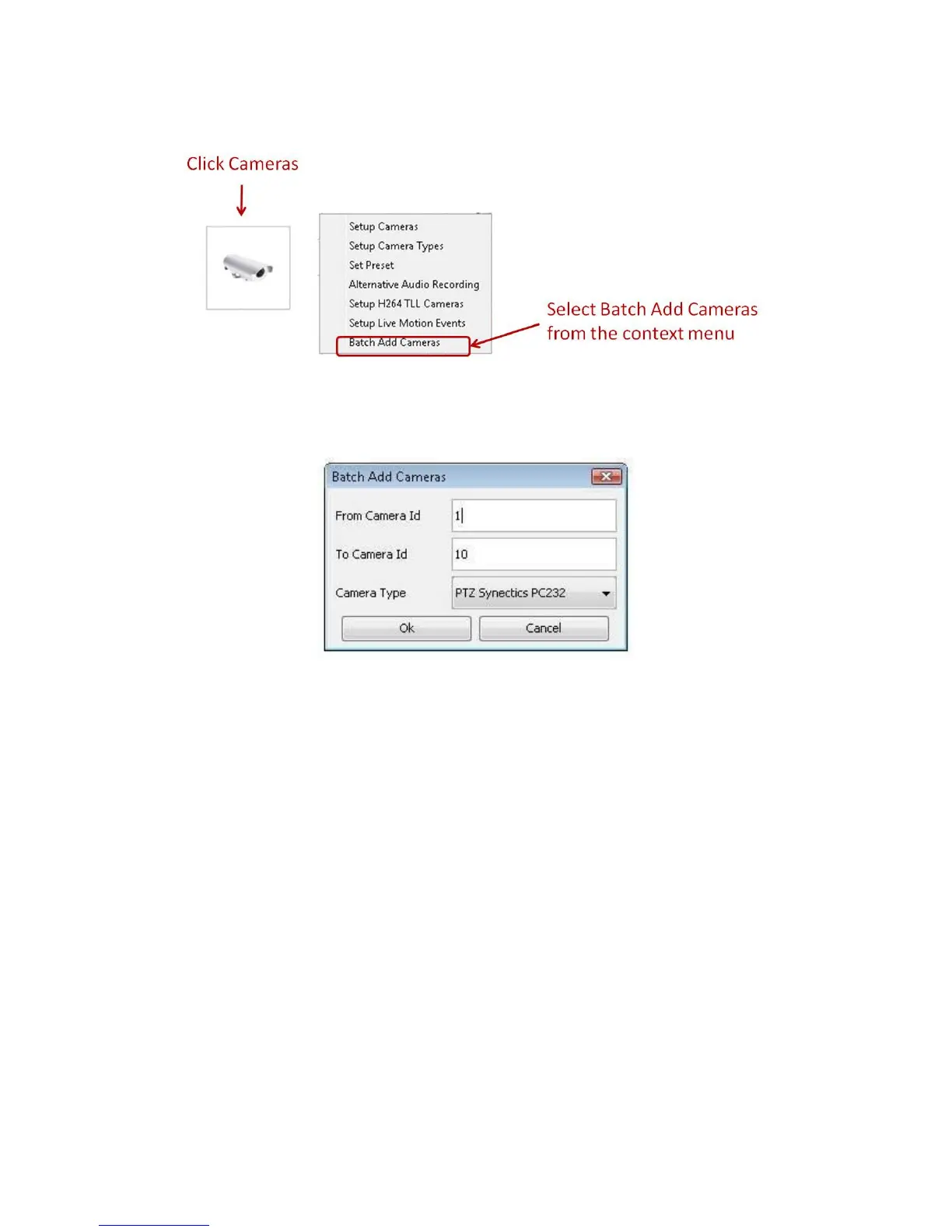
To add cameras in the System Setup dialog select Cameras and then Batch Add Cameras.
The Batch Add Cameras dialog is launched:
Enter the range of Ids you want to use.
For Camera Type select one of the cameras type you changed to Use RMS RTP.
Repeat for the remaining types.



 To Next Page