e1600 User Manual, Issue 1 © Synectic Systems Group Ltd 2012. All Rights Reserved
Specifications subject to change. E&OE Page 59
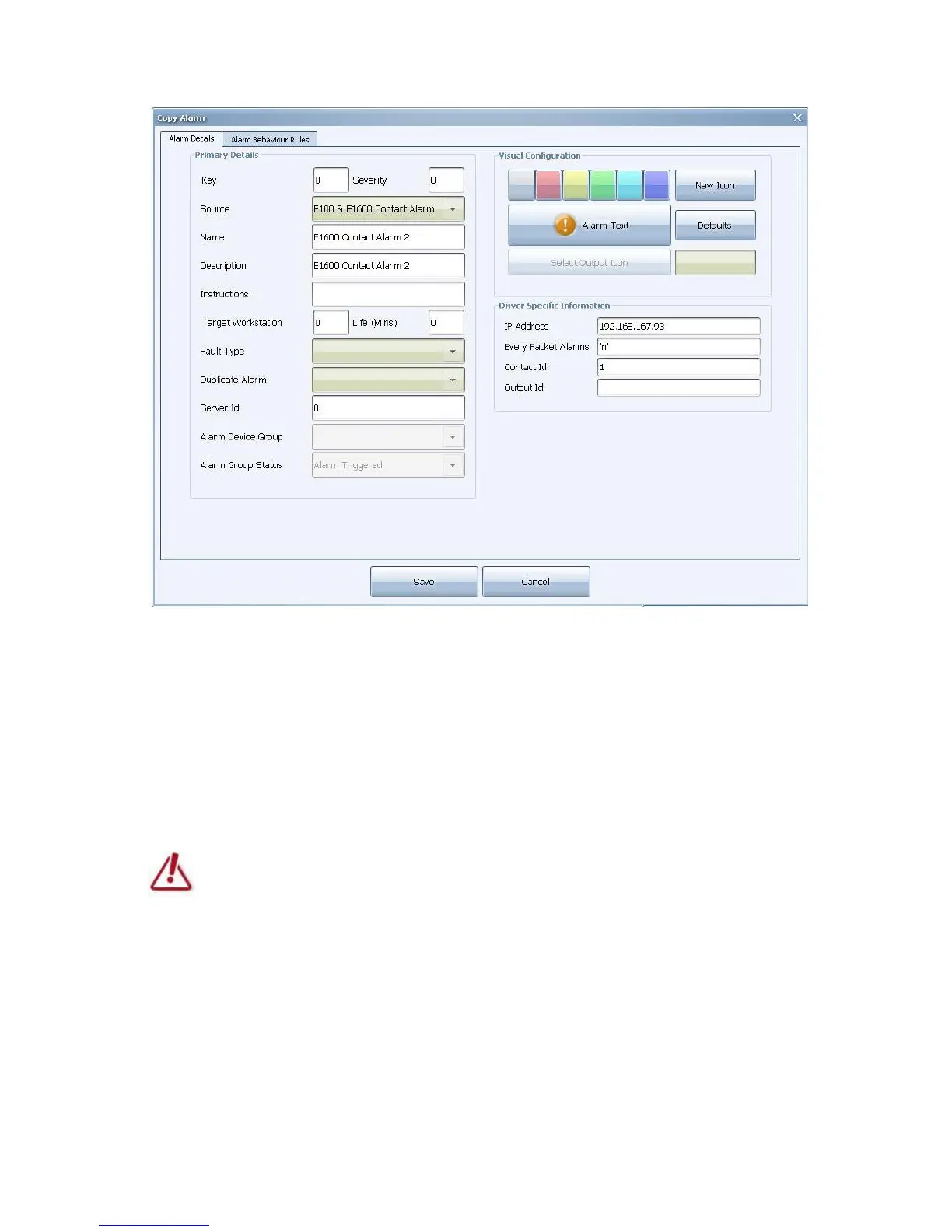
Change the Name and Description as desired.
Enter the IP Address of the e1600 unit and for Contact Id enter the number of the alarm on the unit.
Enter ‘n’ in the Every Packet Alarms unit.
You can change the Visual Configuration options and Alarm Behaviour Rules as desired.
Do not change the Source!
The Source has to be E100 & E1600 Contact Alarm!
Click Save when finished with the configuration.
4.2.4.2 Contact Closed
To create a contact closed alarm, from the list select the provided E100 & E1600 Contact Alarm Off
and then click Copy.
The Copy Alarm dialog with default settings will open.



 To Next Page