CHAPTER 4 DATA SET
28
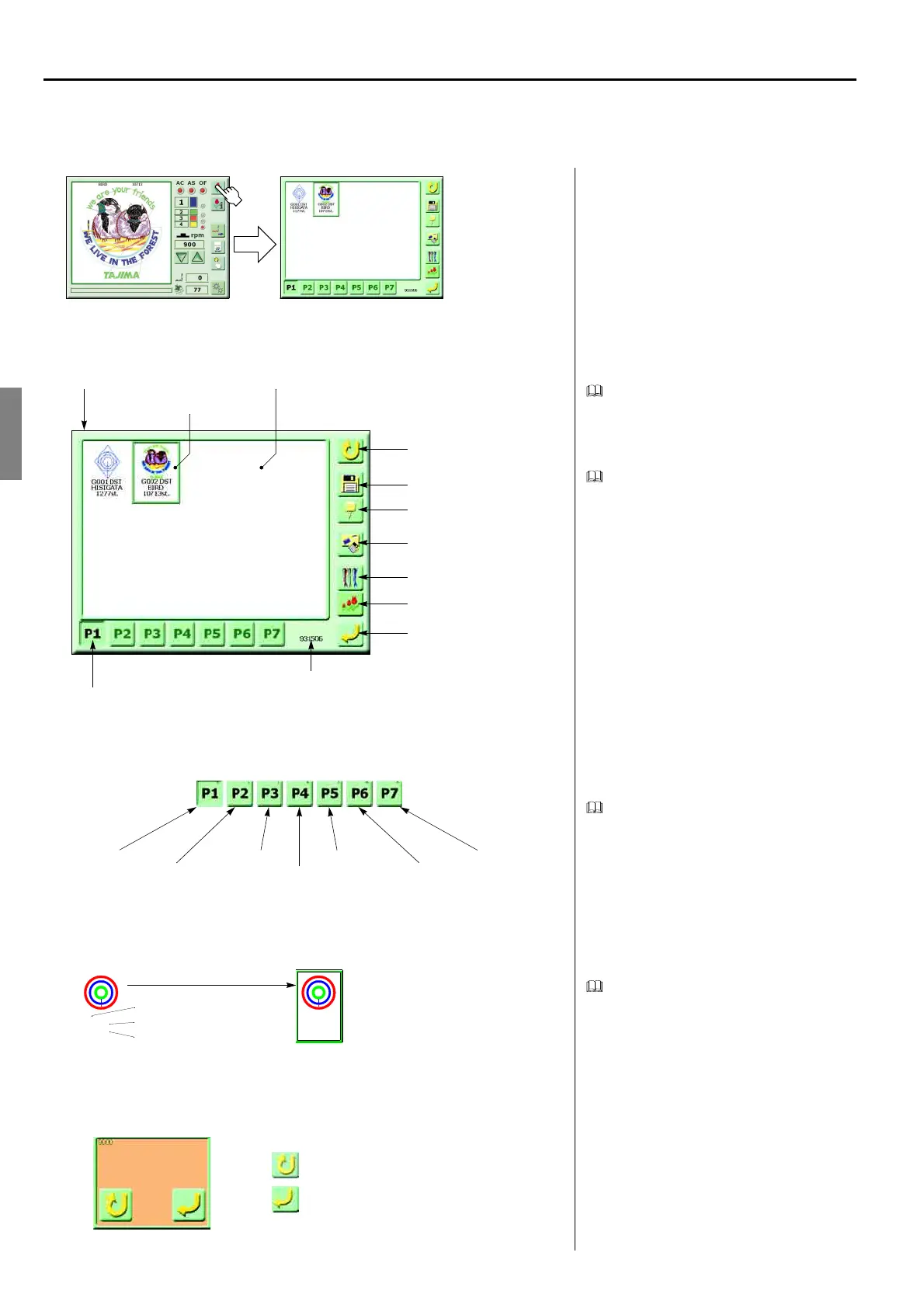
1. EXPLANATION ON THE SCREEN (SCREEN 2000)
<How to call the screen>
Embroidery setting screen
When there is no design data in the memory,
icons of “data edit, needle bar setting, design
data conversion, data set, page switching”
will not be displayed.
Vacant capacity of the memory displays the
number of remaining stitches of design data
that can be registered in the memory.
When the memory has no vacant capacity,
the icons that enable data input of “floppy
disk processing, serial cable connection”
will disappear.
Page switching
Up to 15 designs are displayed at the display
area of memory designs, and 16 and after
designs are displayed at the next page.
16 and after designs are stored at “P2”. Page
switching icons will be added by the number
of designs stored in memory.
It is possible to register up to 99 designs in
the memory.
Design data information
The selected design will be surrounded by a
frame.
Pop-up window
(GC02)
Free Space
Screen 2000
Selecting
Returning to the screen 100
Floppy disk processing
Serial cable connection
Data edit
Needle bar setting
Design data conversion
Data set
Vacant capacity of memory
Page switching
Display area of memory
Free Space
No.1 - 15
No.16 - 30
No.31 - 45
No.46 - 60
No.61 - 75
No.76 - 90
No.91 - 99
1
CIRCLE
3455st.
Memory No.
Design name
The number of stitches
Select
1
CIRCLE
3455st.
Cancel
Perform data setting
Data Set Ready?



 To Next Page