CHAPTER 5 EMBROIDERY SETTING
34
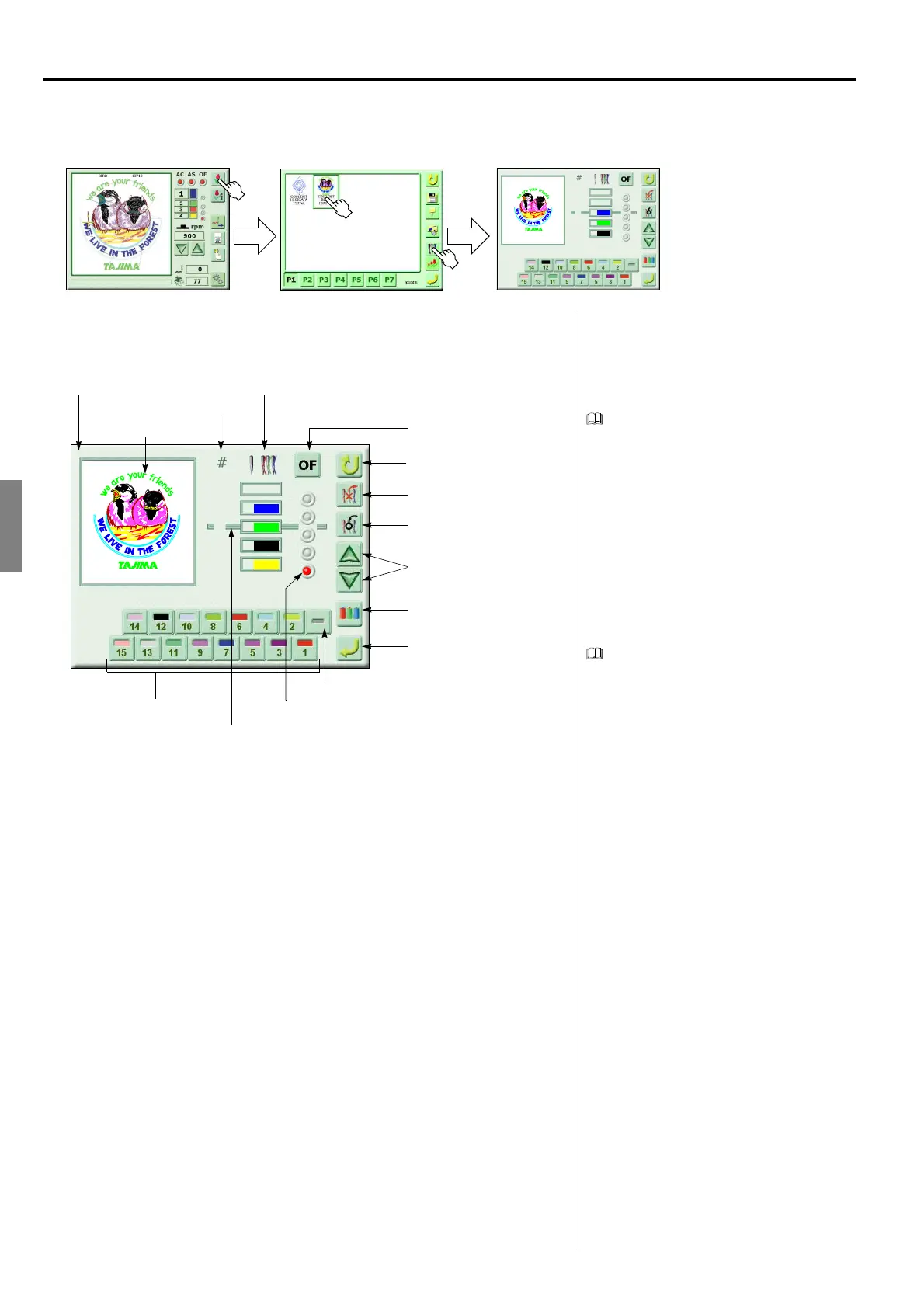
1. EXPLANATION ON THE SCREEN (SCREEN 5000)
<How to call the screen>
Needle bar setting screen
Changing the needle bar will also cause
color of design display to be changed.
Registering the setting for needle bars will
cause the screen to return to the screen 2000.
(GC02)
Free Space
1
2
3
7
8
12
Select the design to be set
Deletion of needle bar step
Setting of needle bar color
Register
Needle bar number key
Needle bar step
Needle bar number and needle bar
Insertion of needle bar step
Selection of needle bar step
2
3
4
8
12
2
To return to the screen 2000
Offsetting at automatic color
change
Repeat setting
17
Design display
Screen 5000
Offsetting at automatic color change is set
Selecting position of needle bar step



 To Next Page