CHAPTER 5 EMBROIDERY SETTING
40
7. NEEDLE BAR COLOR
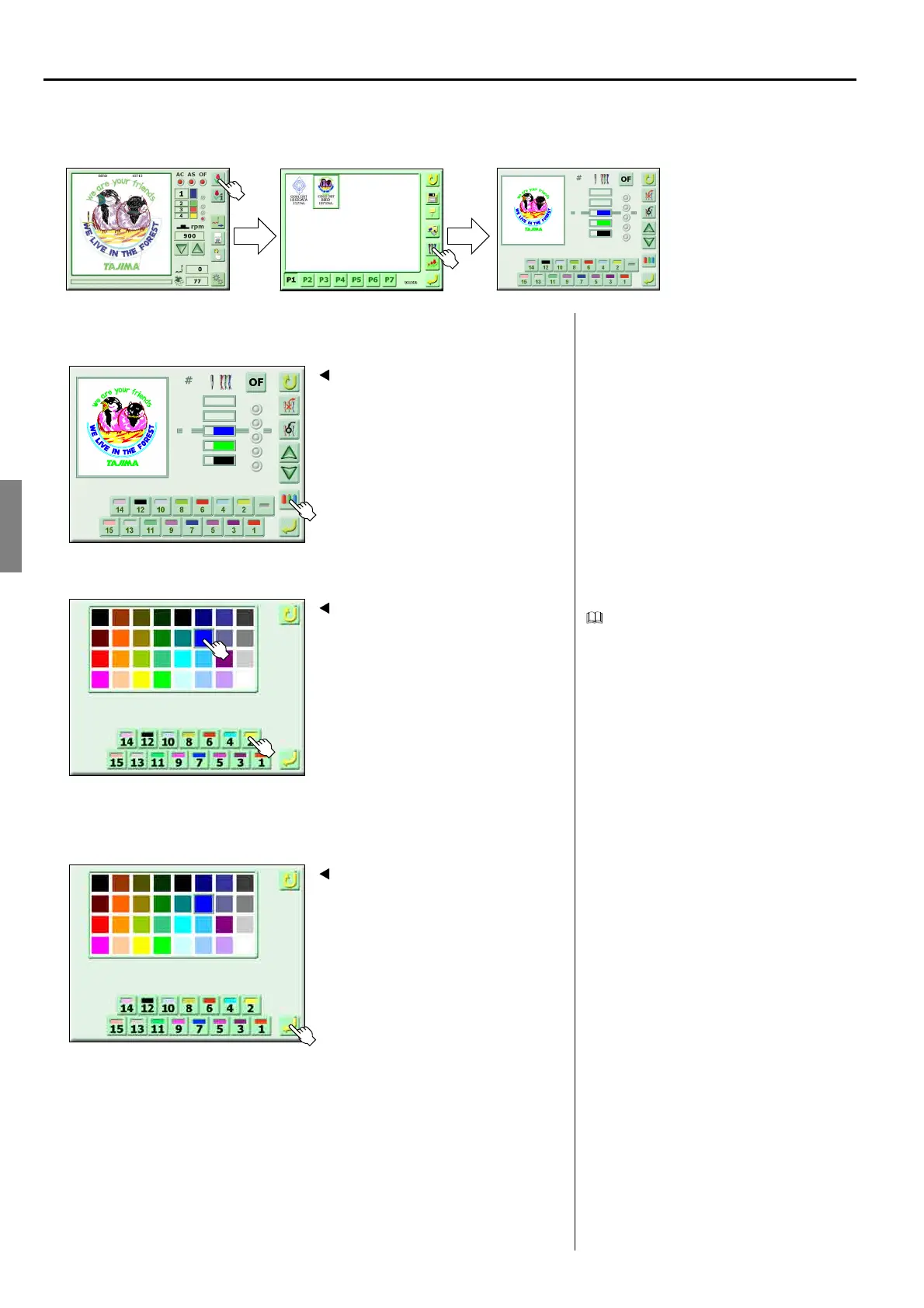
<How to call the screen>
1. Select the setting of needle bar color
2. Select needle bar color and needle bar number key
It is also possible to change other needle
bars as the same way.
In addition, it is possible to perform setting
in reversed order of needle bar color and
needle bar number key.
3. Register
(GC02)
Free Space
1
2
3
7
8
12
1
Screen 5000
1
2
3
12
7
8
Screen 7000
2
3
Screen 7000
4



 To Next Page