5-4
5.2 Enter BIOS SETUP UTILITY
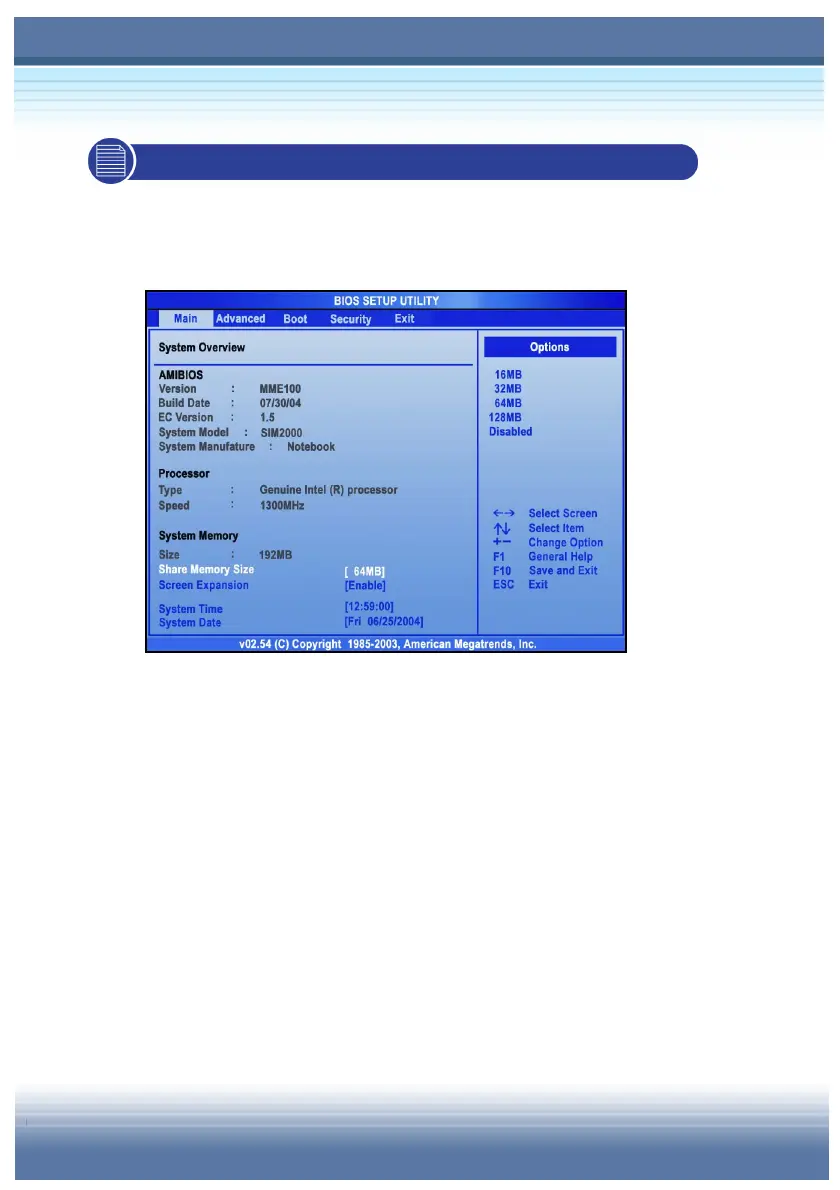
Once you enter the BIOS Setup Utility, the Main menu will appear on
the screen. The Main menu displays the system information,
including the basic configuration.
Main menu
Show System Overview information about BIOS version, CPU
features, Memory size and setting of System Time and Date.
Advanced menu
Configure IDE and USB settings.
Boot Menu
Set up Boot Type and Boot Sequence.
Security
Install or clear Supervisor’s and User’s Password settings.
Exit Menu
Choose decided status before leaving the BIOS menu.



 To Next Page