1-19
Turning Off the Computer
test tool, which is a set of routines stored in a computer’s ROM
(Read-Only Memory) that tests various system components such as
the memory, disk drives, and the keyboard to see whether they are
properly connected and operating. If problems are found during
booting, these routines alert the user by sounding a series of beeps
or displaying a message on the screen.
Turning Off the Computer
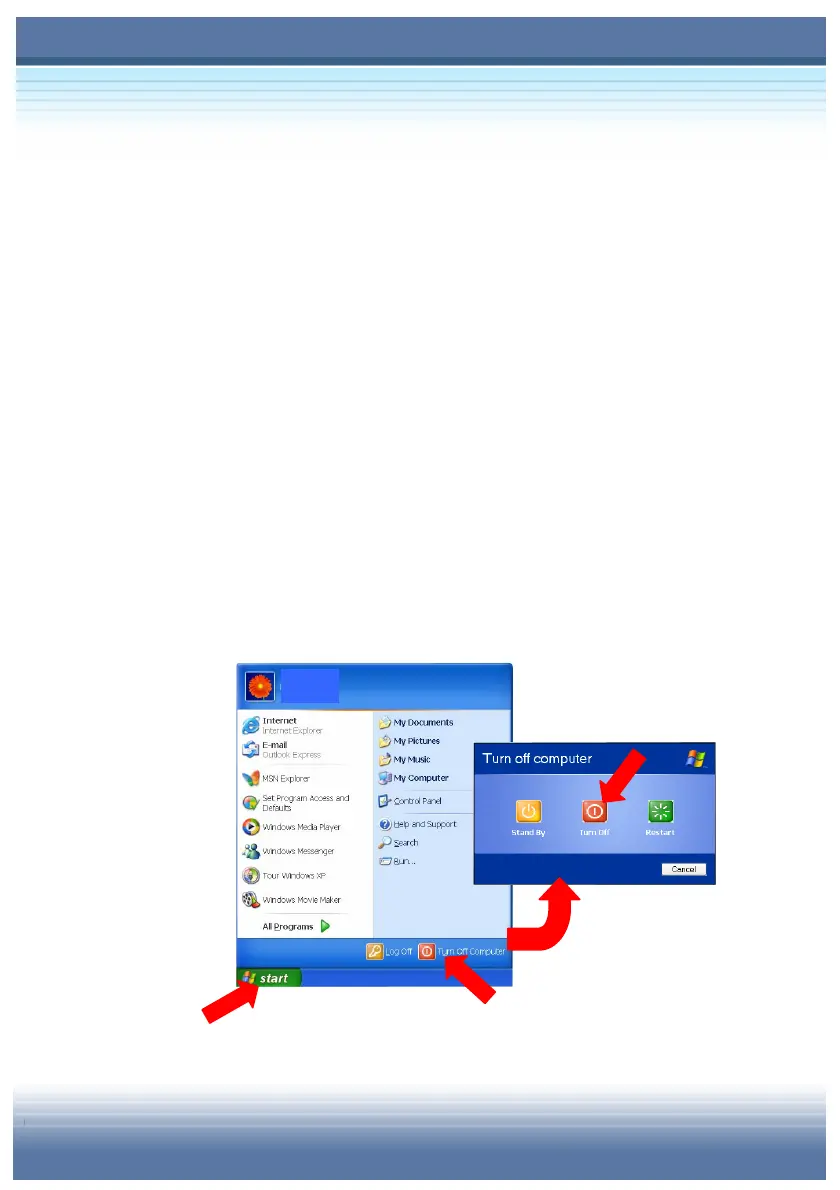
In Windows operating system, always use the “Shut Down”
command of the system to turn off the computer. This is the
normal operating procedure that can prevent the system problems.
1. Click Start (
) from the taskbar, and then select the Turn
Off Computer option ().
2. Click Turn Off () to turn off the system.
user



 To Next Page