2-17
1. Confirm that the CD is placed correctly and securely in the
tray before closing the tray.
2. Do not leave the CD tray open.
Removing the CD
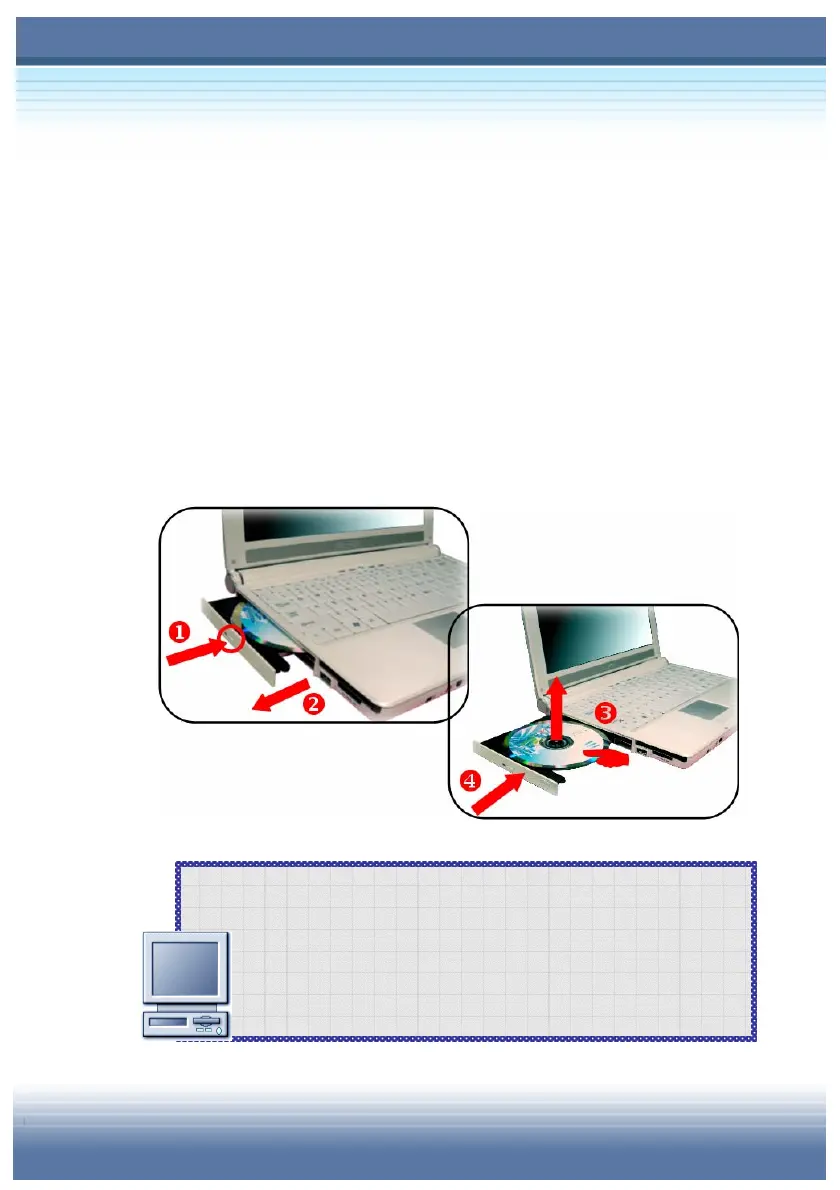
1. Confirm that the computer is turned off.
2. Press the Eject Button (
) on the drive’s panel and the CD tray
will slide out partially. Then, gently pull the tray out until fully
extended ().
3. Hold the CD by its edge with your fingers and lift it up from the
tray ().
4. Push the tray back into the drive ().



 To Next Page