3-17
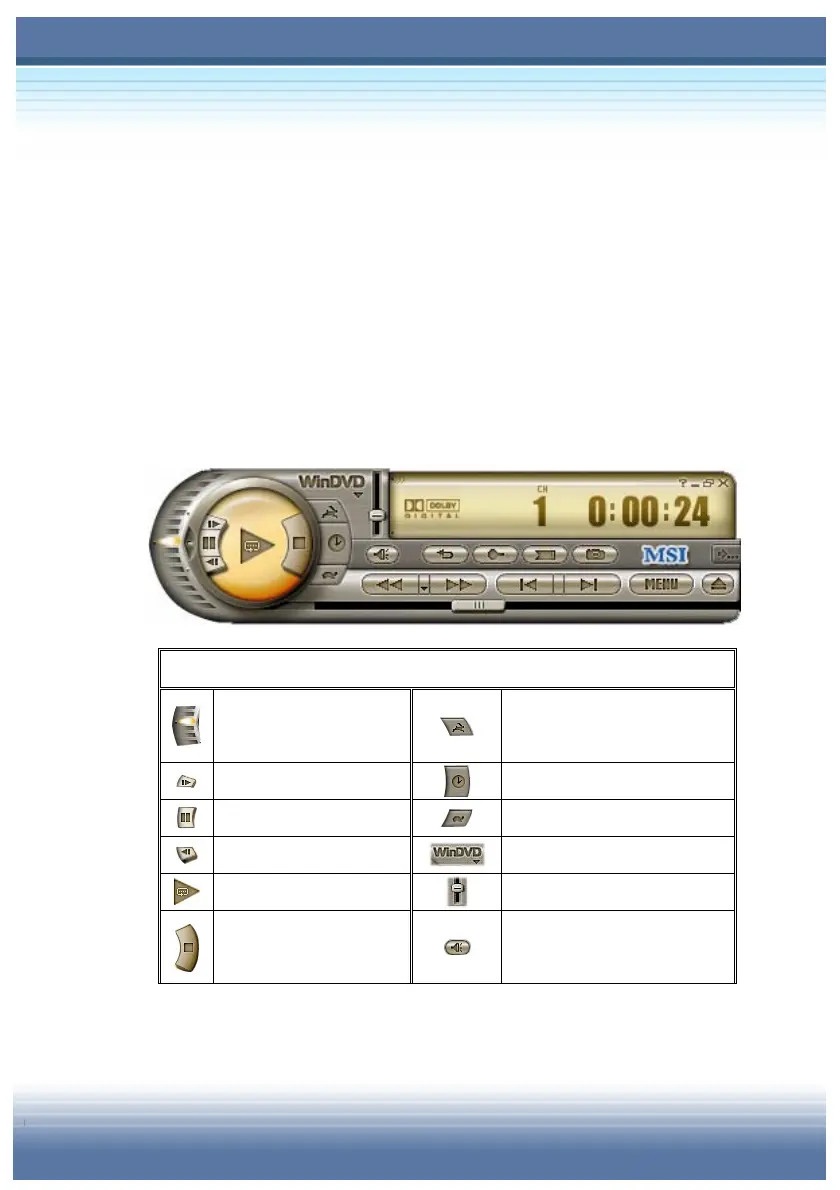
Control Panel Functions
To enjoy a DVD movie is an easy task on WinDVD™ 4. In most
eases, all you have to do is inserting the DVD disc. WinDVD™
starts automatically and determines the type of disc in the drive.
But sometimes there’s more to viewing a DVD title than letting a
movie start and play through to the end without stopping.
WinDVD™ lets you control your DVD viewing through the Control
Panel.
Main Panel
Variable Speed Fast
Forward and Rewind
Increase Playback Speed
Step Forward
Time-Stretch Clock
Pause [Space bar]
Decrease Playback Speed
Step Reverse
WinDVD™ WebSite
Play
Volume Slider
Stop
Mute/Sound Switch [M]



 To Next Page