2-21
Configuring the Display Settings
Your Notebook PC has been set to a default resolution and colors
when shipping. Now, you can change the settings to meet your
needs through the operating system.
Changing the Resolution and Colors Quality
1. Click Start from the taskbar and select Control Panel to open
the Control Panel window.
2. In the Control Panel, double-click the Display item to open the
Display Properties window.
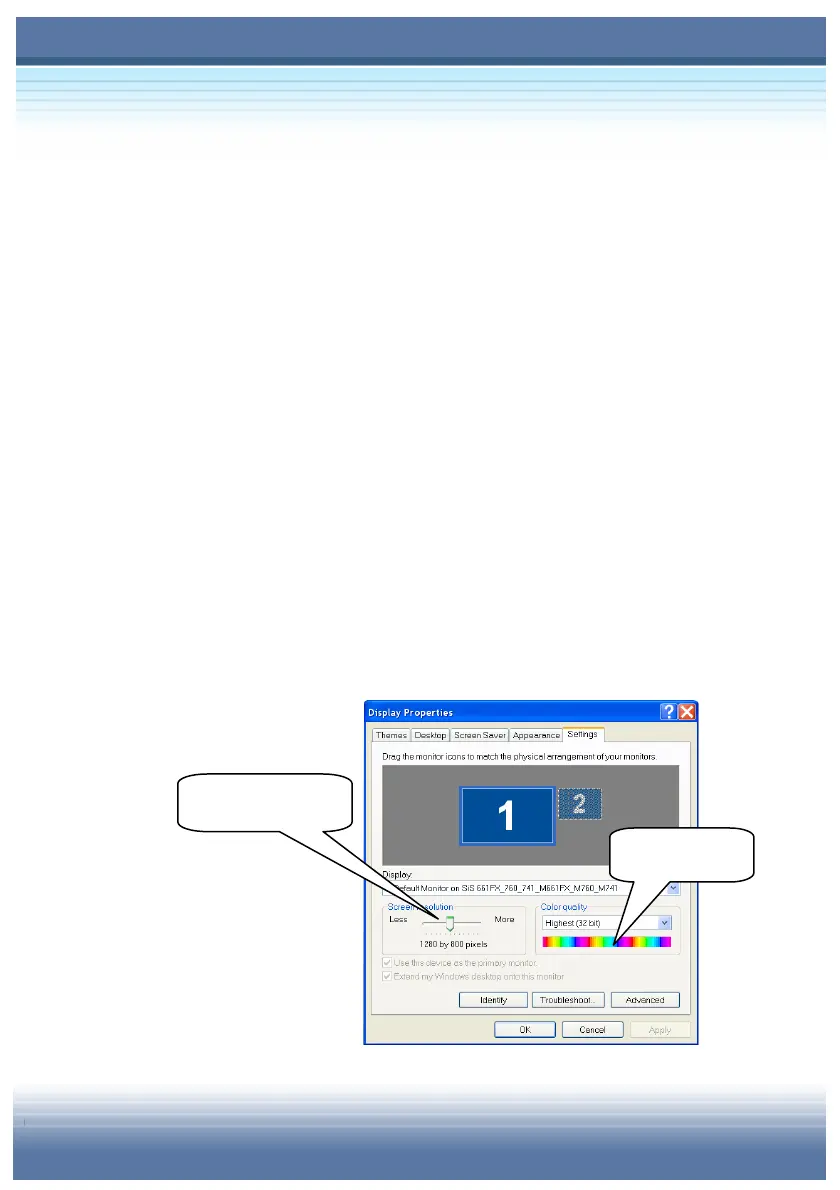
3. In the Screen Resolution field under the Setting Tab, move
the slide bar to adjust the screen resolution; in the Color
Quality field, select thedesired colors setting from the
pull-down menu.
Adjust the screen
resolution.
Adjust the
colors
ualit
.



 To Next Page