3-14
OSD (On-Screen Display)
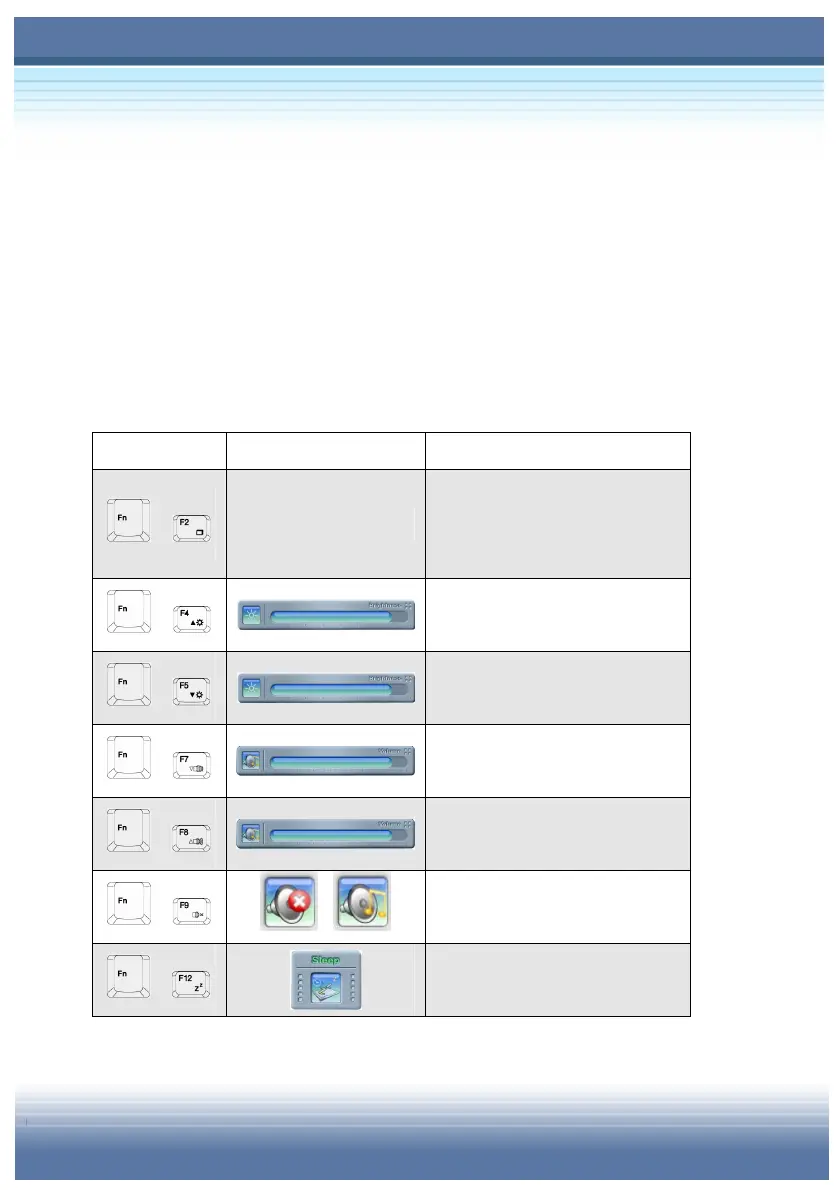
Your Notebook PC is already installed a special OSD interface. It
gives you vivid and friendly displays on your screen when you are
enabling Function Keys and Quick Launch Buttons. Take the
tables below as your reference and know every function with its
related keys and reminders.
Function Keys
[Fn] + [Fx] Display Status
+
NA
Toggle between internal and
external displays without any
status reminder.
+
Adjustable scroll bar to
increase brightness.
+
Adjustable scroll bar to
decrease brightness.
+
Adjustable scroll bar to
increase volume.
+
Adjustable scroll bar to
decrease volume.
+
/
Toggle between mute and
sound effect modes.
+
Reminder before getting into
Hibernation.



 To Next Page