4-11
Set up the actions;
Stand by, Hibernate
or Shut down.
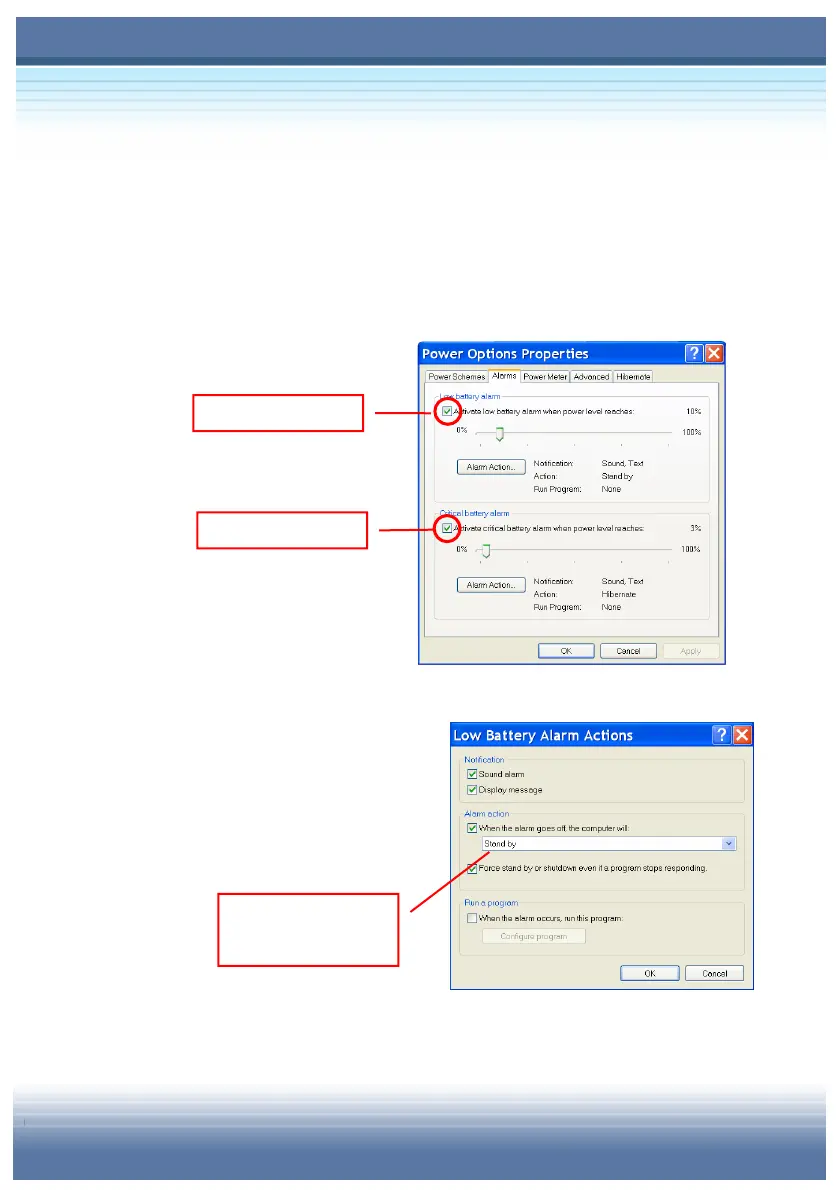
5. Under the Alarms tab, you can activate the battery alarm
function by checking the options in Low battery alarm and
Critical battery alarm fields. Once activated adjust the
slide bar to set up the low or critical power level (the default
setting is 10%).
Click Alarm Action within the
field to set up the actions when
the power has reached the
preset low or critical level.
Check this option
Check this option



 To Next Page