167
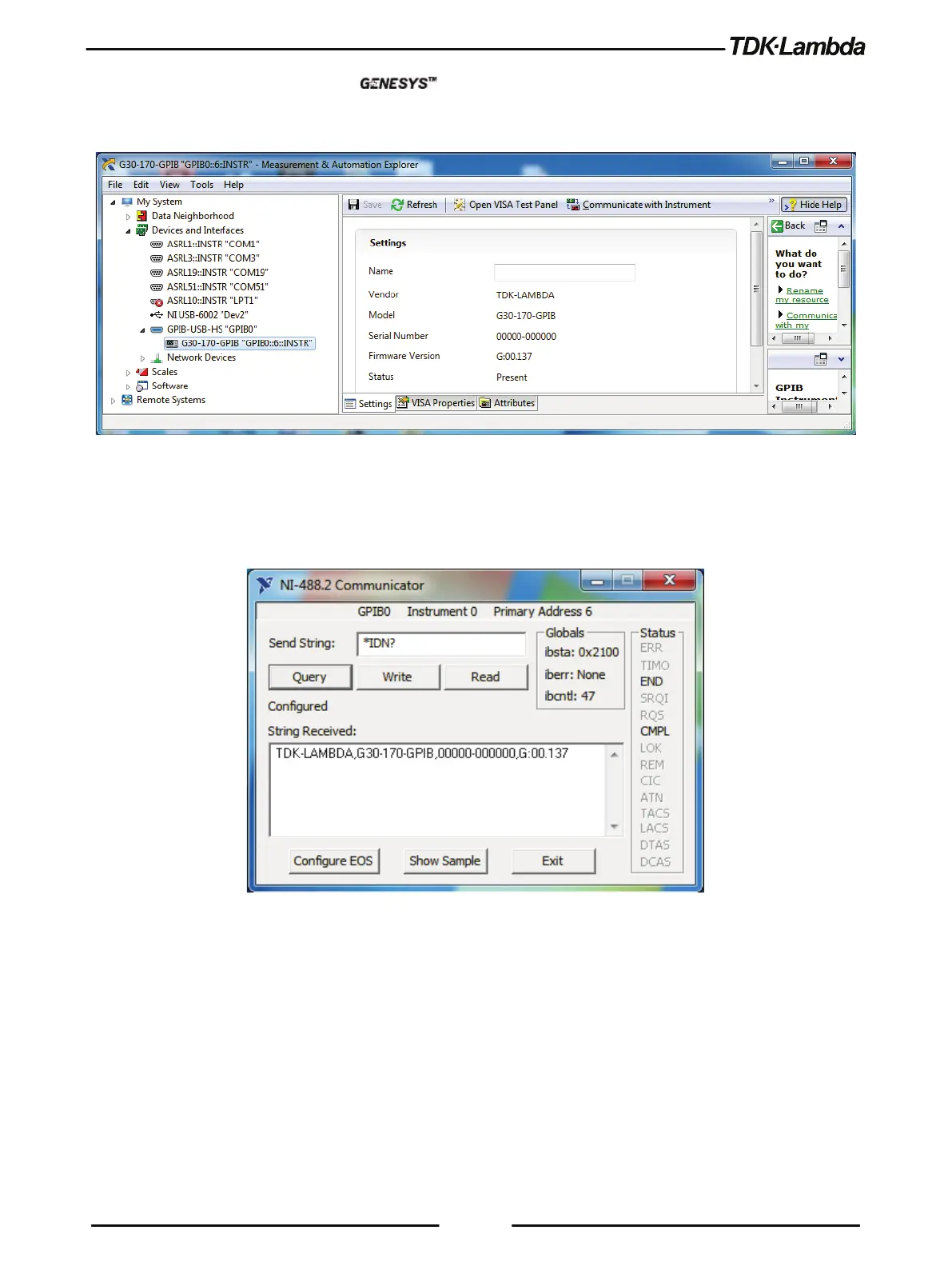
4. On the side tree, select instrument (i.e. G30-170-GPIB) and review the device
settings. Refer to Figure 8–5.
Figure 8–5: Instrument Properties
5. In the GPIB Explorer toolbar, click Communicate with Instrument.
NI-488.2 Communicator appears. Refer to Figure 8–6.
Figure 8–6: ID String Query
In the Send String: text box, *IDN? appears.
6. Click Query. Refer to Figure 8–6.
The ID string indicates the following:
• Company name
• Power supply model
• Serial number & main firmware revision.













 To Next Page