DM.DL
SENSE
PANEL
SYST/
ENTER
CURRENT
ENCODER
VOLTAGE
ENCODER
SYSTEM MENU
LOCAL REM
ENA
OFF ON
ILC
OFF ON
PSO.DL
0.000 10.000
SAVE
1 2 3
4
RECAL
1 2 3
4
FRST
DEFLT
NO
SURE
YES
ENTER
PIN 1
OFF ON
PIN 2
OFF ON
PREL
DISP
BRT
DM. BRT
DM.DL
Note: Max DM.BRT value is limited to BRT value - 1
DM.BRT
0 3
15 30
115.2
60
BRT
1 4
DM.BRT
0--3
LOCK
ULOCK
Present mode
LOCAL
Present mode
REMOTE / LOCKED
ENA.PL
REV NORM
Note: Menu displays alterna tive
parameter only, no selection.
OFF
ENTER
ENTERENTER
DM.BRT
OFF
OFF
ON
DM.BRT
0--3
DM.BRT
OFF
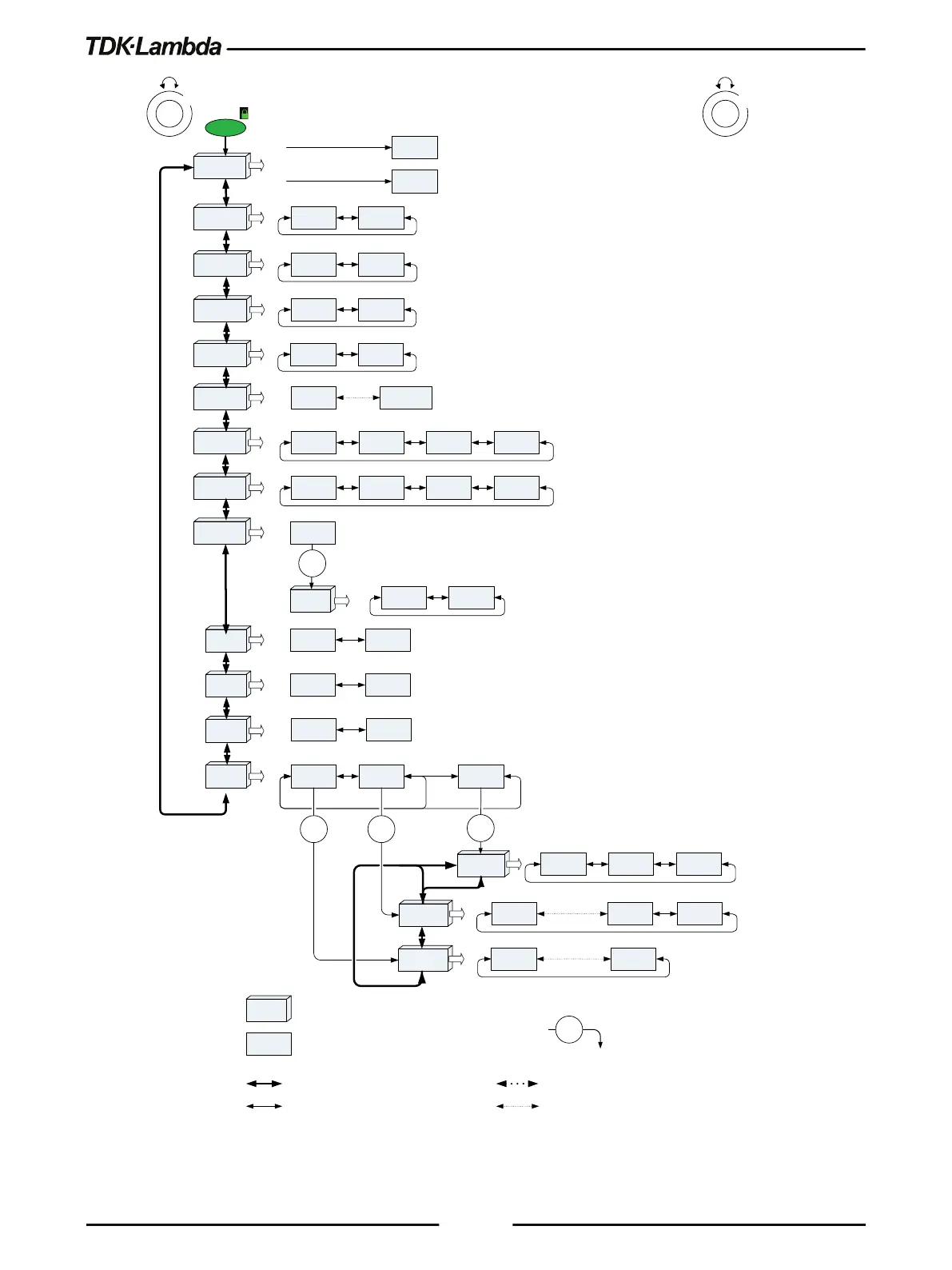
Voltage encoder 1 step rotate
Current encoder 1 step rotate
Function (Voltage Display)
Parameter (Current Display)
ENTER
Level down
Note: Press Current encoder to select required parameter. Current display blinks - Parameter accepted
Voltage encoder multiple steps rotate
Current encoder multiple steps rotate











 To Next Page