75
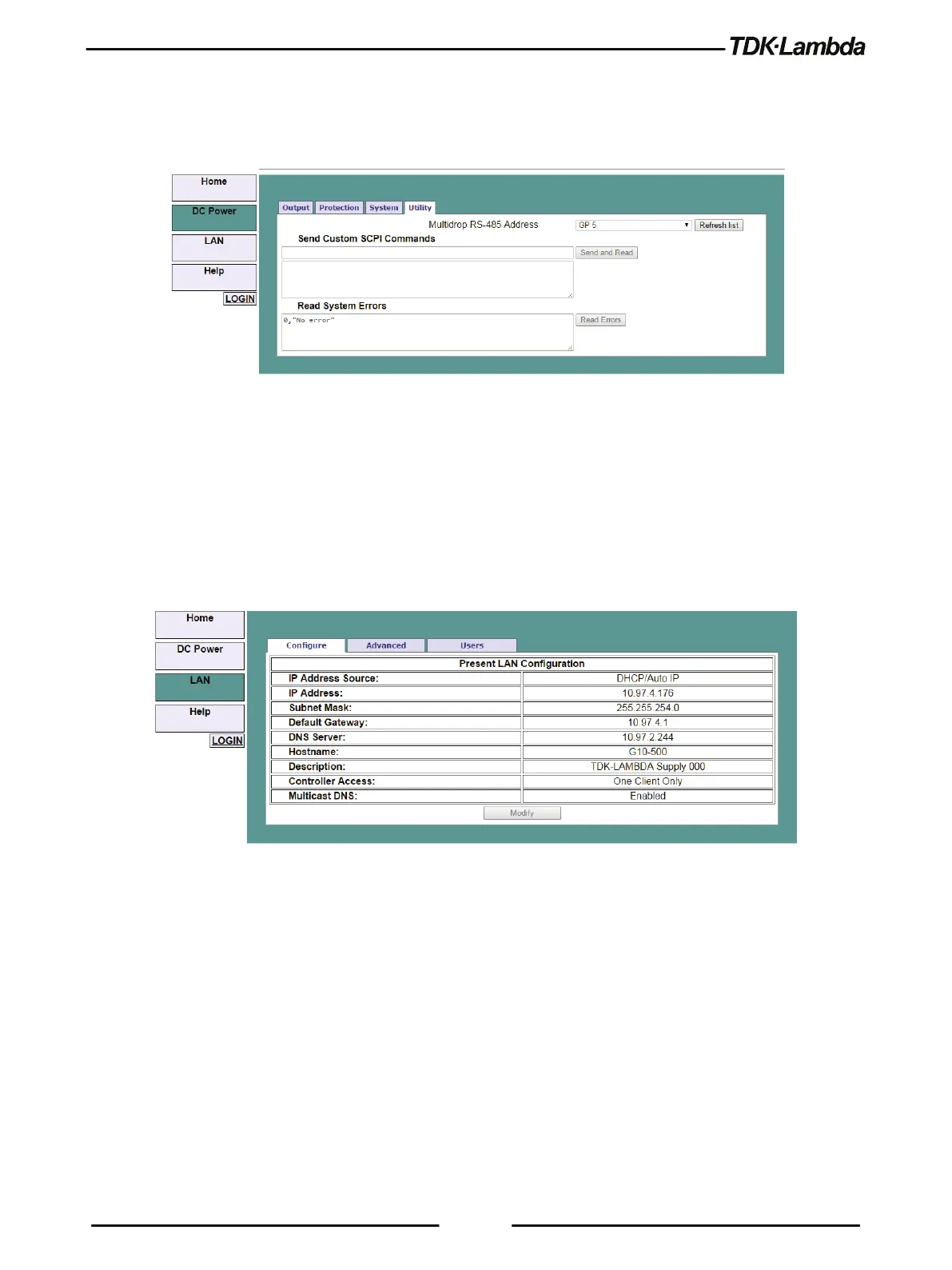
5. To read system errors, send SYST:ERR:ENAB command to enable the error system (has to be
sent once prior reading errors). 0.
The settings can be changed only by logging-in as 'admin'.
Figure 5–14: DC Power - Utility Tab
5.7.6.6 LAN Page
When the LAN tab is selected, the following web page opens. This page and its sub-pages allow
you to view and configure the Power Supply’s LAN settings.
A. LAN ➔ Configure Page
When the LAN tab is selected, the Configure page opens:
Figure 5–15: LAN - Configure Tab
The following settings are available on the LAN ➔ Configure web page:
•
IP Address Source
Displays the way the IP address was selected. Options are DHCP/Auto-IP or Static IP.
•
IP Address
Displays the IP address assigned to the Power Supply through either DHCP, Auto-IP or Static
IP sources.
•
Subnet Mask
Displays the subnet mask assigned to the Power Supply through either DHCP, Auto-IP or
Static IP.
•
Default Gateway











 To Next Page